

Why is API security critical?
Application programming interfaces (APIs) power everything from websites and mobile apps to microservices. As a result, APIs now represent one of the fastest-growing attack surfaces, as attackers increasingly target them to reach sensitive data. Compounding this threat, AI-driven APIs are driving a 1,205% surge in API vulnerabilities, a growing trend that highlights the security implications of API risks in 2025.
Enterprises, in particular, are experiencing a surge in API-based attacks targeting critical infrastructure. Attackers exploit everything from weak authentication to injection flaws and rate-limiting gaps to steal data or disrupt systems. Modern API threats also include enumeration (guessing resource IDs) and mass assignment, which occurs when poorly filtered JSON bodies overwrite server-side parameters.
API security focuses on protecting endpoints from unauthorized access, abuse, and compromise. To support this, many open-source tools have emerged to help engineers test APIs for vulnerabilities and misconfigurations before hackers can exploit them.
Why are APIs prime targets of cyberattacks (and what tools help secure them)?
APIs are often discoverable by design. They also handle sensitive data and expose backend metadata, making them attractive reconnaissance targets for attackers.
Attackers often probe APIs for sensitive information, including the following:
Broken authentication: Exploiting weak or missing access controls for privilege escalation
Injection attacks: Inserting malicious inputs to manipulate API interactions
Rate-limiting bypass: Overwhelming systems for edge-cases or scraping output data at scale
API abuse: Chaining legitimate endpoints in unexpected ways to exfiltrate log data or disrupt workflows
The average enterprise manages over 600 APIs, and each one is a potential entry point. Consistent API testing, monitoring, and hardening are essential for enterprises.
Effective API security requires both a solid foundation and tool-assisted testing. Below are some best practices to help you establish a more secure API foundation:
Authentication and authorization: Ensure that only approved users and apps can access data or perform API actions.
Data encryption: Protect API data in transit with strong cryptographic standards.
Rate limiting and DDoS mitigation: Limit fast, excessive requests to prevent brute-force attacks, and use gateways or CDNs to handle large-scale DDoS attacks.
Input validation: Prevent application security attacks like injection and cross-site scripting by sanitizing user input.
Schema validation: Confirm that responses and payloads maintain pre-defined formats to prevent deserialization or mass assignments.
API security testing tools—such as authorization scanners and input validation tools—provide viable protection for sensitive endpoints by identifying vulnerabilities, including weak authentication, injection attacks, and rate-limiting failures in your APIs.
Watch 12-min demo
Get a live demo of Wiz and discover how to automatically identify, secure, and prioritize risks across APIs in your cloud environment.
Watch now

What are the best OSS API security tools?
You need tools because scaling manual work is nearly impossible. Following best practices for a solitary API is easy, but implementing them across hundreds of APIs requires tooling. That’s where open-source API security tools come in: they help discover endpoints, test for bugs, and validate configurations across environments.
Here are our top picks for open-source API security tools:
1. APIsec Scan
APIsec Scan enables continuous, automated API security testing by discovering endpoints, running tailored attack playbooks, and integrating results into CI/CD workflows. However, while the GitHub Action and some connectors are open source, the core scanning engine is commercial, which means you'll need a paid plan for full scanning and advanced features.
| Key capabilities | Strengths | Considerations | Use cases |
|---|---|---|---|
|
|
|
|
APIsec Scan automatically discovers endpoints via OpenAPI, Swagger, or Postman collections, enabling faster integration with CI/CD. To maximize coverage, keep your API specs up to date and ensure that all endpoints adhere to their specifications. While APIsec emphasizes automated testing, complex business logic or edge-case scenarios still require manual testing, such as penetration tests or red team programs, to complement automated scanning and help reduce false positives.
2. Burp Suite (Community Edition)
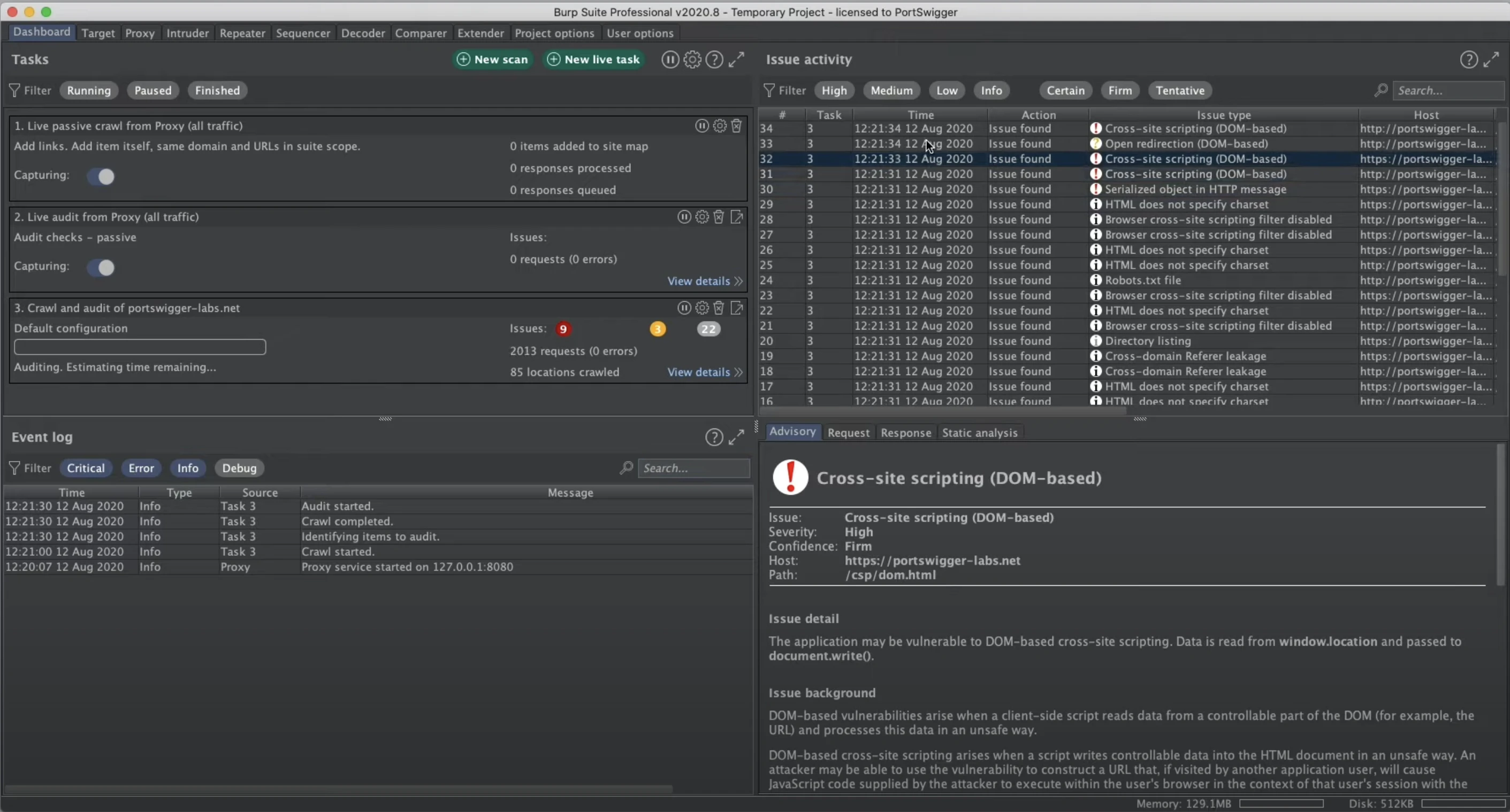
Burp Suite (Community Edition) offers a manual dynamic application testing toolkit for web applications. Its robust analysis of HTTP/S traffic supports detailed API security testing.
| Key capabilities | Strengths | Considerations | Use cases |
|---|---|---|---|
|
|
|
|
Although the Community Edition lacks the paid version’s auto-scanner, you can still intercept and modify API traffic by configuring browser proxies and targeting API endpoints. Since the free edition doesn’t allow you to save your project or workspace, capture and export logs early, especially for complex multi-step API testing workflows.
3. Akto
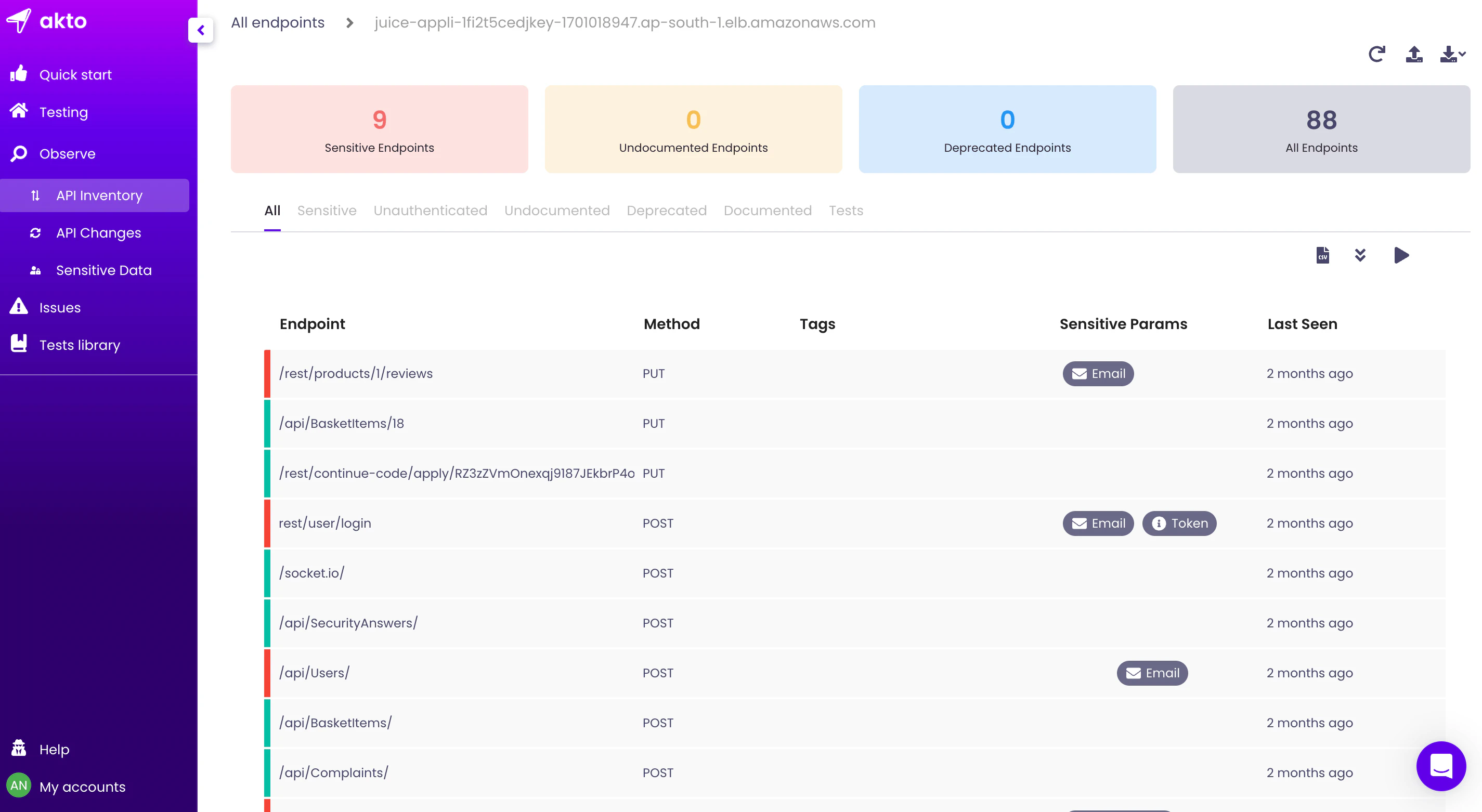
Akto combines API discovery, inventory, and automated security testing. It leverages a library of over 1,000 test templates, including OWASP API Top 10 and auth/logic flaw tests, while offering CI/CD integrations to help DevSecOps teams embed API scanning early.
| Key capabilities | Strengths | Considerations | Use cases |
|---|---|---|---|
|
|
|
|
Akto's extensive library provides strong out-of-the-box coverage, but it's essential to determine which tests apply to your API type (e.g., REST, GraphQL, or gRPC) and to build custom tests for business-specific logic flows.
4. Hurl
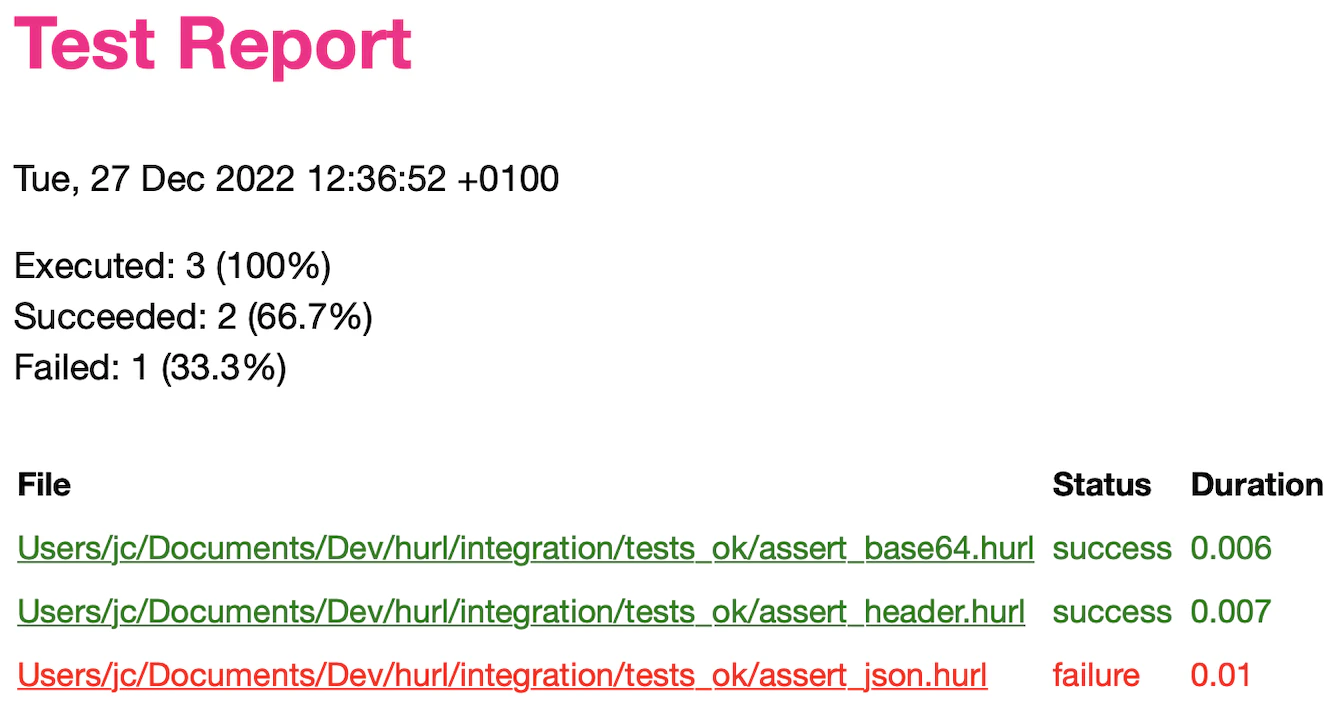
Hurl is an OSS CLI tool for functional testing and validating API integrations. It enables testers to define HTTP/S requests in a plain-text configuration file, simplifying the automation of request sequences and API response validation. This simple design makes Hurl suitable for testing endpoint correctness, response data, and integration flows in CI/CD pipelines.
| Key capabilities | Strengths | Considerations | Use cases |
|---|---|---|---|
|
|
|
|
Hurl is incredibly flexible because it uses a simple file format. For example, you can write a .hurl file that chains login → token capture → API call → assertion on the result. You can then combine these test flows with other API testing tools, such as automated scanners or fuzzers, to create a layered, more comprehensive testing strategy.
5. Metlo
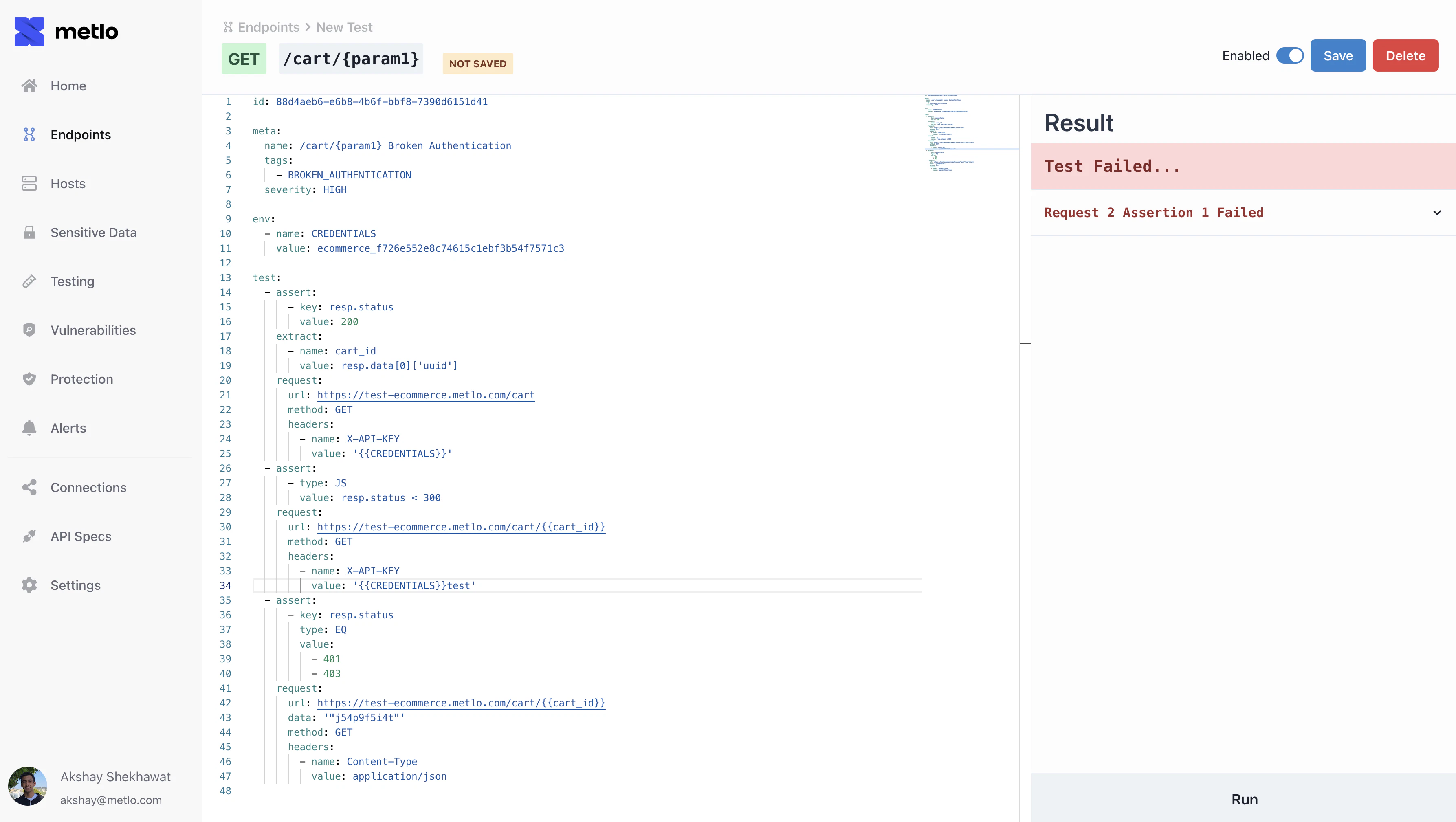
Metlo delivers open-source endpoint inventory, real-time detection of malicious traffic, and automated API security testing in CI/CD pipelines. It provides sensitive-data risk scoring to help security teams prioritize remediation based on impact and exposure.
| Key capabilities | Strengths | Considerations | Use cases |
|---|---|---|---|
|
|
|
|
Because Metlo is open-source, you can self-host and inspect how the detection and posture models work in practice. This process provides security teams with transparency and customization.
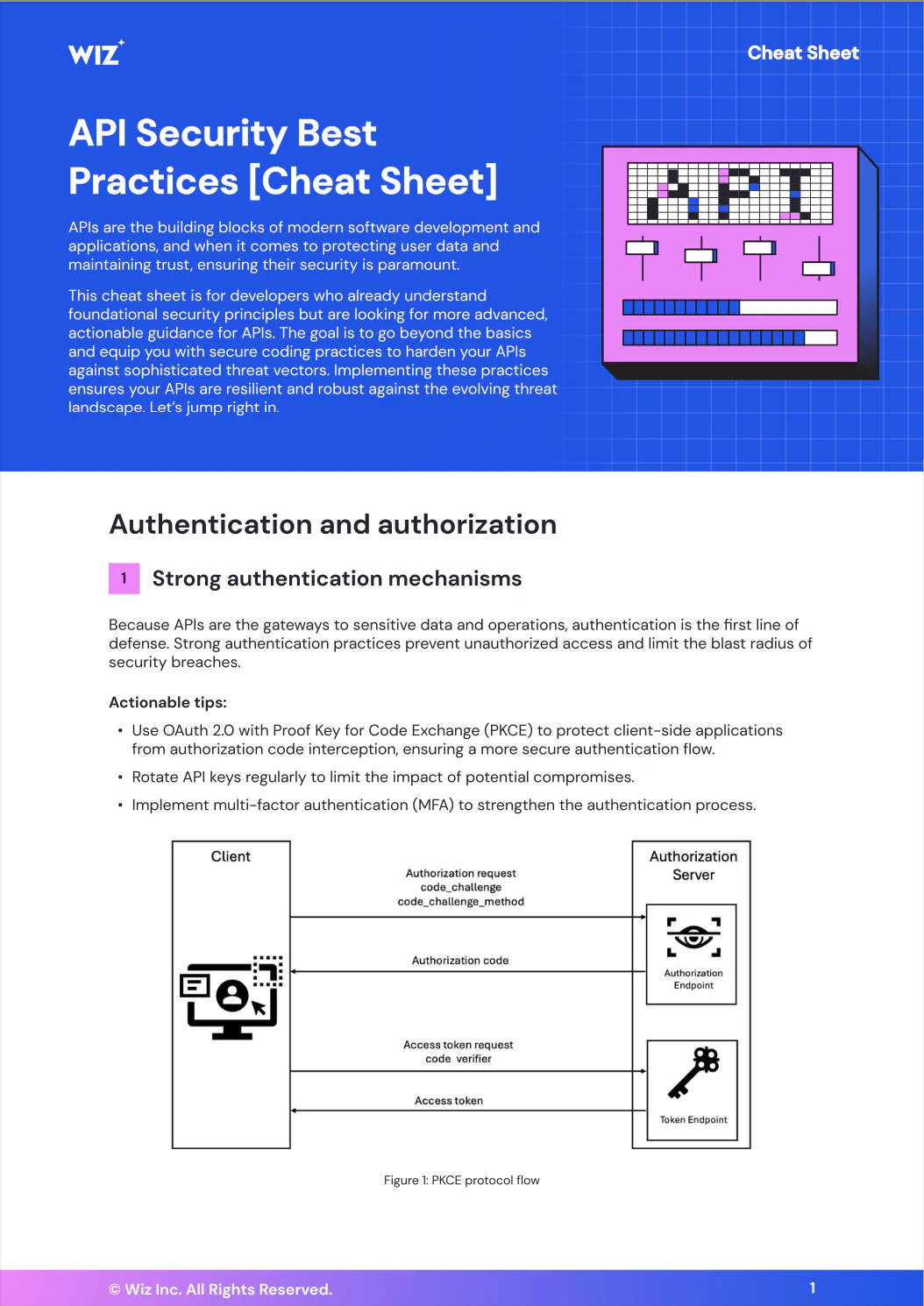
API Security Best Practices [Cheat Sheet
Fortify your API infrastructure with proven, advanced techniques tailored for secure, high-performance API management.
Get Cheat Sheet
6. REST Assured
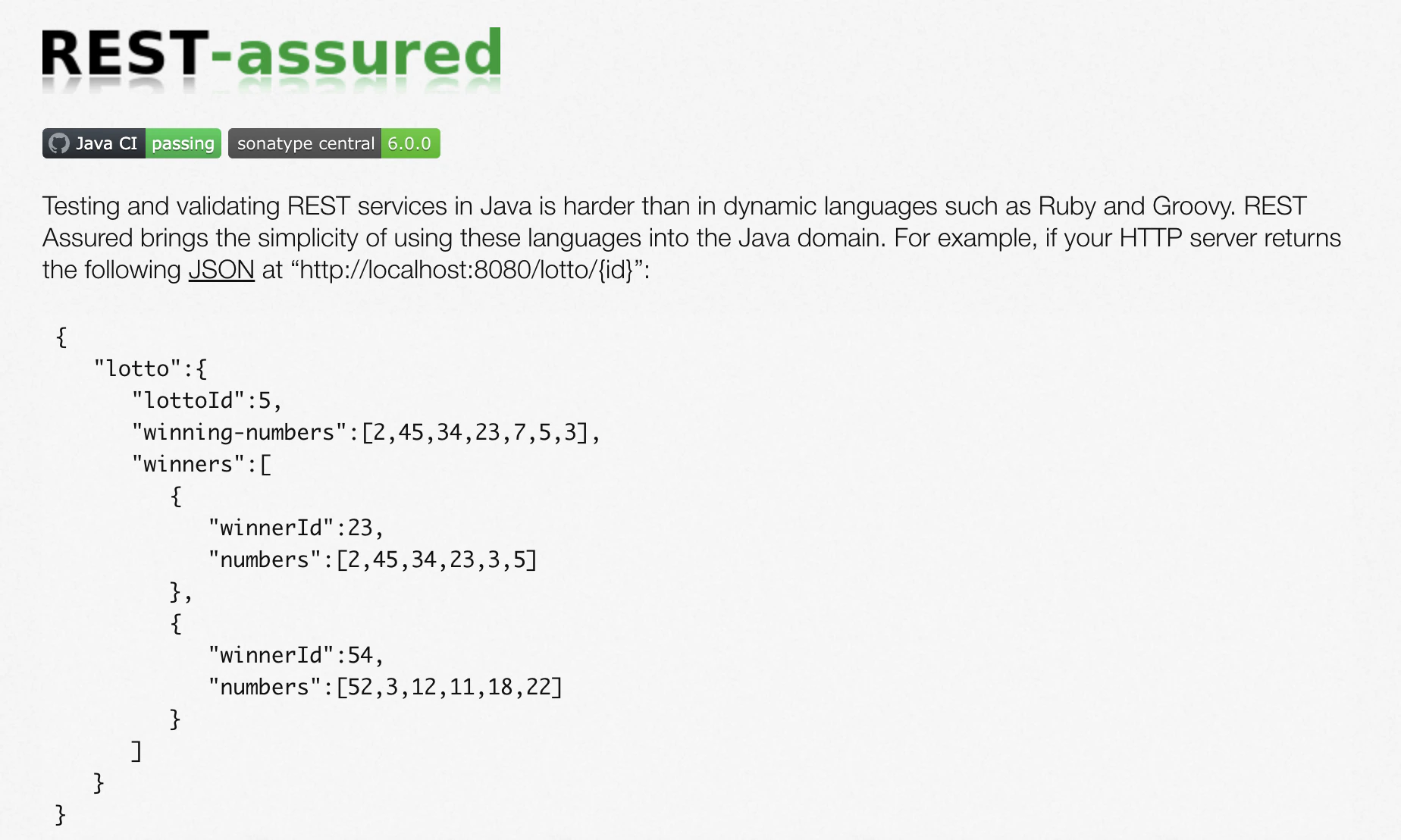
REST Assured is a powerful, open-source Java library for automated REST API testing. It’s ideal for developers who want to embed API tests into CI pipelines for functional testing, regression testing, and baseline security verification.
| Key capabilities | Strengths | Considerations | Use cases |
|---|---|---|---|
|
|
|
|
REST Assured works best in developer-centric pipelines, making it ideal for shift-left testing. To further strengthen your security posture, combine it with security-oriented libraries like the OWASP ZAP API or custom fuzzing scripts as follow-on CI steps to extend coverage beyond functional testing.
7. SoapUI
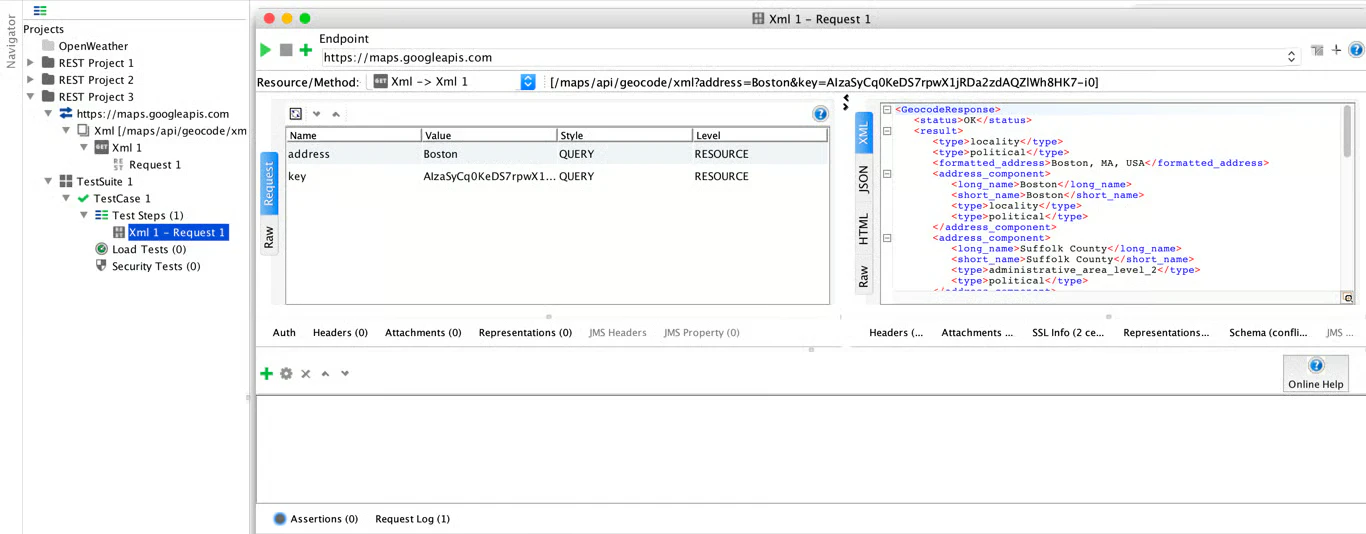
SoapUI is an API testing platform that supports REST, SOAP, GraphQL, and JMS services. Its easy-to-use interface enables functional, regression, and security testing with minimal coding.
| Key capabilities | Strengths | Considerations | Use cases |
|---|---|---|---|
|
|
|
|
SoapUI’s open-source edition is ideal for exploratory testing, and its Pro version enhances it with advanced data-driven and load-testing capabilities. Although it supports REST and GraphQL, SoapUI's architecture and UX lean toward traditional QA workflows rather than fast-paced DevSecOps practices.
8. Swagger UI
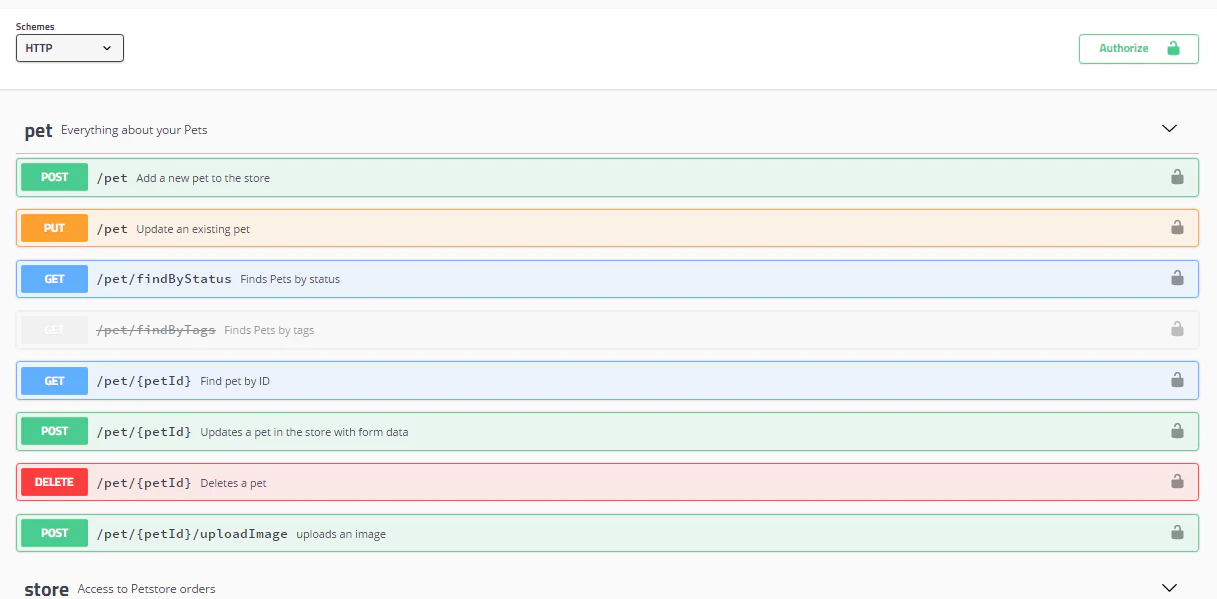
Swagger UI is an OSS tool for visualizing and interacting with APIs that use OpenAPI and Swagger specs. While it’s not a dedicated security testing framework, it supports API security workflows by helping developers and testers explore endpoints, send requests, and validate responses in a live, browser-based interface. This makes it ideal for quick functional validation before conducting a deeper security scan.
| Key capabilities | Strengths | Considerations | Use cases |
|---|---|---|---|
|
|
|
|
Swagger UI lacks automated API testing features, so it's best suited for manual testing. Its usefulness depends directly on the quality of your API spec, so be sure to keep your specs up to date during testing.
9. ZAP
OWASP’s Zed Attack Proxy (ZAP) is a free, open-source security testing tool for web applications and APIs. It’s ideal for security teams seeking robust API and web security coverage.
| Key capabilities | Strengths | Considerations | Use cases |
|---|---|---|---|
|
|
|
|
ZAP excels at automated security testing for both APIs and web apps, making it versatile for DevSecOps. For effective API scanning, configure it to use OpenAPI and Swagger definitions for endpoint discovery and targeted scanning.
Choosing the right API security tool: 7 must-ask questions
Choosing the right API security solution involves more than considering tool features—it’s about ensuring the tool fits your workflows, uncovers the issues that matter, and scales as your API inventory grows. The perfect tool can save time, reduce risks, and make security a seamless part of your development process.
To help you evaluate your options, consider the seven key questions to ask when choosing an OSS API security solution.
1. Does the tool support your language and tech stack?
The API testing tool you choose should work with your existing tech stack, including programming languages, frameworks, and communication or data protocols. A mismatch can block integration, leave API endpoints untested, or require time‑consuming custom scripts.
2. Can it integrate into your CI/CD pipelines?
Your API testing tool should seamlessly integrate into your build and deployment workflows, enabling automated API security checks to run with every commit or deployment. By embedding these checks directly into CI/CD pipelines, you ensure security is continuous and doesn’t rely on manual testing steps.
3. Can it perform runtime testing on live APIs?
Dynamic testing helps detect vulnerabilities like API injection, authentication gaps, and API abuse that only surface when APIs interact with clients in real time. Incorporating runtime testing into your API security workflow delivers ongoing visibility and complements static analysis and automated API scans.
4. What is its false positive rate?
High false positives waste time and reduce trust in the API testing processes. It’s important to verify the accuracy of the scan, the quality of the reporting, and the granularity of the API testing tool before making a decision.
When evaluating, focus on how clearly the tool reports potential issues, whether it provides evidence for each report, and if it allows configurable severity thresholds or filtering to reduce noise. These capabilities help security teams prioritize real risks without overloading developers with noisy alerts.
5. Is the API testing tool extensible?
Check whether the tool allows you to add custom tests, scripts, or policies. Extensibility matters because every organization has unique business logic and custom APIs that generic test templates might miss. Extending your API security ensures you can validate critical attack paths and enforce your organization's security rules.
6. How well does it perform at scale?
Your API testing tool should efficiently handle hundreds or thousands of API endpoints without slowing CI/CD pipelines. To evaluate this, consider features like concurrency handling and whether the tool processes requests in parallel or serially. Tools that serialize requests can slow down scans in microservice-heavy environments. Assessing these factors beforehand helps ensure the tool can scale with your API ecosystem.
7. Does the API tool provide regular updates and support?
Look for API testing tools that regularly release updates and security patches and have a large and active community. This type of active development ensures the tool remains up to date with evolving API threats. At the same time, the community provides guidance and support to help security teams troubleshoot issues and extend the tool’s functionality.
Automatically discover and secure your APIs with Wiz Dynamic Scanner
Wiz enhances its Dynamic Scanner to detect publicly exposed, unauthenticated APIs
もっと読む

When OSS tools aren't enough: Creating a hybrid strategy
Open-source application security tools support targeted API testing and CI/CD integration but are often limited in scalability. As API ecosystems evolve, OSS scanners struggle with high false-positives, fragmented coverage, and a lack of runtime context. Most OSS tools also operate in isolation, analyzing endpoints individually without considering how they interact across microservices, serverless functions, or external services. These blind spots leave room for vulnerabilities that only emerge in production.
A hybrid approach extends OSS API testing by adding continuous runtime visibility and context-based risk correlation, enabling security teams to observe how APIs behave in production environments. Tools like Wiz’s Dynamic Scanner complement OSS tools by bridging coverage gaps and providing unified insights across runtime API interactions.
Bolster your API security with Wiz
OSS API security tools provide targeted testing, but typically cover only a portion of the API security lifecycle. This leaves gaps in monitoring, context correlation, and risk assessment. Wiz closes those gaps with Dynamic Scanner for live exposure validation and Wiz API Security Posture Management (API-SPM) for continuous API discovery, inventory, and posture analysis.
With Wiz API-SPM, security teams can continuously discover managed, unmanaged, shadow, and zombie APIs, then enrich each endpoint with context such as authentication posture, sensitive data exposure, and cloud relationships. That matters in practice because an API issue is rarely isolated; its real risk depends on what data it handles, what it can reach, and whether it is actually exposed.
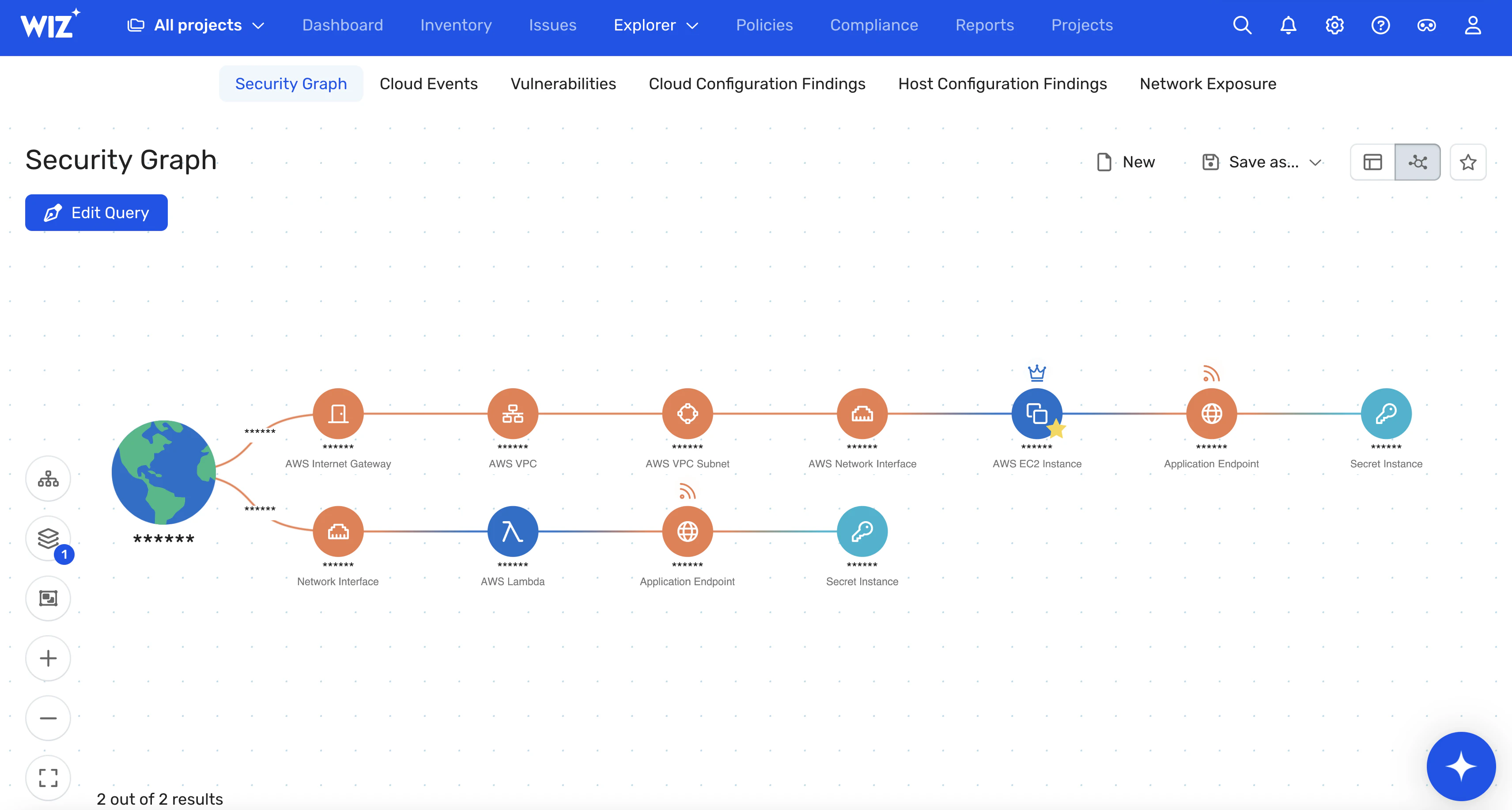
Our Dynamic Scanner supports API security by providing the following advanced features:
Continuous API discovery: Automatically inventories APIs across cloud environments, including unmanaged or shadow endpoints, discovering APIs using cloud inventory, runtime telemetry, and traffic analysis.
External exposure analysis: Validates externally exposed APIs from an attacker's perspective. This runtime inspection highlights vulnerabilities, such as misconfigured endpoints, and reduces false positives by correlating findings with cloud context.
Unauthenticated API detection: Identifies unauthenticated APIs that may expose secrets or sensitive data through contextual analysis, enabling quick investigation and remediation.
Context-aware risk assessment: Correlates API data flow with IAM roles, VPC exposure, and runtime behavior to detect lateral movement paths traditional API scanners can’t reveal.
Automated alerting: Provides out-of-the-box controls that trigger alerts and integrate with ticketing, CI/CD, or SOAR platforms to automate remediation.
Custom policy enforcement: Enables developers and security teams to create custom policies to enforce organization-specific API security controls.
These advanced API testing capabilities enable Wiz to proactively identify and address gaps in API security that OSS tools might otherwise miss. While a generic DAST scanner can flag a “public API” issue, Wiz can trace the risk to an overprivileged IAM role or an exposed secret, revealing potential lateral movement.
Wiz bridges the gaps left by OSS scanners, enabling security teams to gain centralized visibility and actionable insights. Together, the Dynamic Scanner and Wiz API-SPM provide a full API lifecycle view by combining continuous inventory, posture assessment, live exposure validation, and risk correlation across endpoints. That same context becomes even more important in AI-powered applications, where APIs often connect model endpoints, orchestration services, and sensitive data stores. Findings can also flow into CI/CD, SOAR, and ticketing systems for faster remediation.
Want to learn more about how Wiz takes control of your API security? Book a demo today to discover how Wiz’s API security features can safeguard your cloud environments from hidden API risks.
Secure your APIs with Wiz
Learn how Wiz gives security teams instant visibility into API exposure, misconfigurations, and attack paths — all in one platform.

FAQ
Related Tool Roundups