

What is threat hunting?
Threat hunting is a proactive search for threats that your tools did not automatically catch. Instead of waiting for an alert to tell you where to look, you go looking on purpose.
Threat hunting usually begins with a hypothesis—a testable idea like "an attacker may be abusing a service account to access storage" or "a workload may be running a crypto miner."
To test that hypothesis, hunters look for indicators of compromise (IOCs). An IOC is a clue that suggests malicious activity, like a known bad IP address, a suspicious file hash, or unusual authentication patterns.
Threat hunting is continuous and iterative. You repeat it over time, refine what you look for, and update your assumptions as your cloud environment and threats change.
The goal is to reduce attacker dwell time. Dwell time is how long an attacker stays in your environment before you find them, and shorter is always better.
In cloud environments, threat hunting gets harder because resources are short-lived and changes happen fast. You need visibility into API activity, identity behavior, network reachability, and runtime signals from containers, VMs, and serverless workloads.
Here are common threat hunting techniques you will see in practice:
Query-based searches: you run targeted queries across logs to find patterns that match your hypothesis.
Behavioral analysis: you look for activity that breaks "normal" patterns for users, workloads, or services.
Anomaly detection: you focus on outliers, like a new region, a new tool, or a new access path.
Threat intelligence driven hunting: you use external threat intel to decide what attacker behaviors to look for in your own environment.
Threat Hunting Report Template
This template walks through a worked example built on a real service account compromise and blocked data access, mapped across all 12 report sections. Reuse the structure on every hunt after this one.

What is incident response?
Incident response is the structured process you follow when you suspect or confirm a security event. You are reacting to credible signals—whether from automated alerts, user reports, or external notifications—that warrant investigation and potential containment.
Incident response usually starts when something triggers urgency. Common cloud IR triggers include:
Leaked credential reports: AWS access key exposed in public GitHub repository
Anomalous identity behavior: impossible travel detection, unusual role assumption patterns
Suspicious resource creation: unexpected EC2 instances, Lambda functions, or storage buckets
External notifications: bug bounty reports, threat intelligence feeds, vendor security advisories
Runtime alerts: cryptominer process detected, reverse shell connection established
Data exfiltration signals: Massive, unauthorized data transfer from a sensitive S3 bucket to an external IP
Each trigger type requires different initial investigation steps and evidence collection priorities.
Incident response follows a lifecycle so you do not improvise under pressure. In plain language, the standard phases are:
Preparation: you set up tools, access, playbooks, and training before anything happens.
Identification: you confirm what happened and what systems are involved.
Containment: you stop the spread and limit damage while keeping evidence.
Eradication: you remove the attacker's access and persistence.
Recovery: you restore services safely and verify the environment is clean.
Lessons learned: you document what happened and improve so it is less likely to happen again.
The goal is to minimize impact, restore normal operations, and prevent recurrence. Achieving that often requires making fast choices, coordinating across teams, and tracking actions carefully.
Incident response in the cloud requires cloud-native thinking. You need to understand identity-first attacks, cloud audit logs, short-lived resources, and the fact that "the network perimeter" is not the main control point.
How to Create an Incident Response Policy: An Actionable Checklist and Template
Build a strong incident response policy to manage cybersecurity crises with clear roles, compliance steps, and hands-on training.
Leggi di più

Key differences between threat hunting and incident response
Threat hunting and incident response both protect you from real attackers, but they run at different times and for different reasons. If you mix them up, you can end up hunting during a crisis or responding without enough proof.
The simplest way to separate them is to remember this: hunting is how you proactively search for threats that evaded detection, and response is how you contain, investigate, and recover when an incident is suspected or confirmed.
| Area | Threat hunting | Incident response |
|---|---|---|
| Approach | Proactive | Reactive |
| Trigger | Hypothesis | Alert or report |
| Starting point | Assumed compromise | Suspected/confirmed incident |
| Primary goal | Reduce dwell time | Minimize damage |
| Main output | Better detections | Containment and recovery |
| Cadence | Continuous or scheduled | Episodic |
Approach: Proactive vs reactive
Threat hunting is proactive. Hunters search for threats without waiting for an alert to tell them where to look.
Incident response is reactive. Responders activate after a confirmed security event and focus on containment and cleanup.
Trigger: Hypothesis vs alert
Threat hunting is triggered by a hypothesis, threat intelligence, or a planned sweep. You start with a question and then gather evidence.
Incident response is triggered by an alert, a report, or an external notification. You start with a signal and then confirm scope and impact.
State: Assumed compromise vs confirmed breach
Threat hunting assumes attackers may already be inside and searches for proof. That is why you spend time on patterns and weak signals.
Incident response starts when a security incident is suspected or confirmed. That is why responders prioritize fast containment and clear ownership of actions, and acting early under uncertainty often prevents escalation to confirmed breach.
Goal: Reduce dwell time vs minimize damage
Threat hunting aims to find threats early, before they become major incidents. The result is less time for attackers to move laterally and escalate privileges.
Incident response aims to limit harm and restore service quickly. Containment and eradication decisions often happen under time pressure.
Output: Detection improvements vs remediation actions
Threat hunting produces detection improvements. You often end with new IOCs, better alerts, and clearer understanding of attacker behavior.
Incident response produces remediation actions. You end with containment steps, a timeline, root cause, and fixes to prevent repeats.
Cadence: Continuous vs episodic
Threat hunting runs continuously or on a schedule. It is part of steady security operations work.
Incident response is episodic. It ramps up when something happens and slows down when the incident is closed.
How threat hunting and incident response complement each other
Threat hunting and incident response are better together because each one strengthens the other. If you only do response, you are always late; if you only do hunting, you may not contain fast enough when a real incident hits.
Threat hunting improves incident response by finding things that automated detection missed. When hunters discover a pattern, they can turn it into a rule or signal that helps responders detect similar activity faster next time.
Incident response improves threat hunting by revealing gaps. When responders investigate an incident, they often find "how the attacker got in" and "why we did not see it sooner," and those become new hunting hypotheses.
This creates a feedback loop:
Hunting outputs: new detections, refined hypotheses, and better understanding of attack paths.
Response outputs: confirmed attacker techniques, missed signals, and hard lessons that guide future hunts.
Cloud makes this connection even more important. When the same identity can access multiple services across accounts and regions, both hunting and response need the same context to act confidently.
Material Security described this benefit in practice after adopting unified cloud visibility across GCP and Azure. Their teams could investigate faster because alerts arrived with the cloud context needed to understand severity and scope.
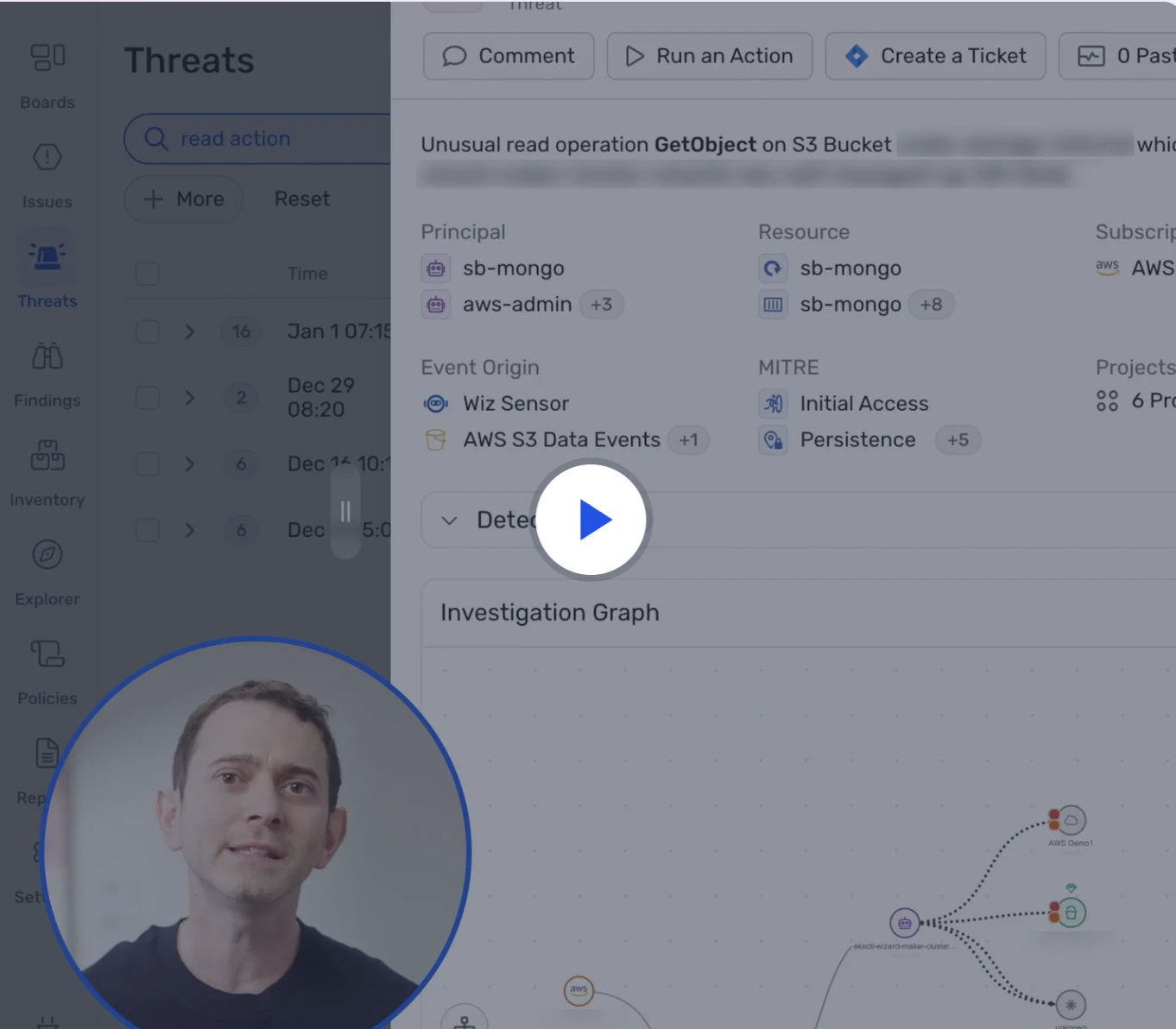
Watch 5-min demo
Learn how Wiz Defend detects active threats using runtime signals and cloud context—so you can respond faster and with precision.
Watch now
Essential capabilities for cloud-native threat hunting and incident response
Cloud environments move fast, and attackers can move even faster. Traditional tools built for static servers struggle because cloud workloads are ephemeral, permissions change constantly, and "what is reachable" is not obvious.
To do proactive threat hunting and effective incident response in the cloud, you need capabilities that connect identity, exposure, runtime behavior, and data access.
Unified visibility across multi-cloud environments
Unified visibility is a single view of what you run across AWS, Azure, GCP, and Kubernetes. With it, you can investigate without losing time jumping between tools and accounts.
Hunters need this so they can query activity across environments consistently. Responders need this so they can understand blast radius and lateral movement paths quickly.
Context-rich threat detection
Context-rich threat detection means alerts come with the "why it matters" details. You see exposure, permissions, data sensitivity, and related risks, not just a raw event.
In cloud security, a vulnerability is not equally dangerous everywhere. A vulnerability becomes high risk when it is exploitable in your environment, like when the workload is internet-exposed or has high-privilege access to sensitive data.
Here is what "context" often includes:
Exposure: can an attacker reach the resource from the internet or from another compromised workload.
Exploitability: is the weakness usable in real conditions, not just theoretical.
Impact: what the attacker could access next, like secrets, admin roles, or sensitive data stores.
Graph-based analysis and attack path visualization
A security graph maps relationships between identities, workloads, network paths, and data. With it, you can see how one compromise could lead to another through attack path visualization.
The most useful graphs do not just show relationships. They highlight which paths are actionable. An actionable attack path is one where the attacker can actually traverse the connection: the network route exists, the permissions allow access, and the target contains sensitive data. This prioritization helps teams focus on the few paths that create real risk rather than drowning in theoretical possibilities.
Hunters use graphs to test hypotheses about lateral movement. Responders use graphs to visualize blast radius and prioritize containment steps.
Automated investigation workflows
Automated investigation workflows are pre-built steps that pull the right evidence together quickly. Analysts spend less time collecting logs and more time interpreting what happened.
The best automation produces the same evidence pack every time:
Timeline of identity actions and resource changes
Affected resources with exposure and permission context
Related alerts and detections from the same timeframe
Recommended containment options based on resource type
This repeatability ensures responders do not rebuild context from scratch on every incident, and it creates consistent documentation for post-incident review.
Automation should support humans, not replace them. The goal is to remove repetitive work while keeping decision-making and judgment with your team.
Runtime and behavioral monitoring
Runtime monitoring is visibility into what happens inside workloads while they run. With it, you can see process execution, suspicious binaries, outbound connections, and other signs of compromise.
Hunters use runtime signals to find stealthy activity that does not show up in configuration scans. Responders use runtime signals to understand what the attacker actually did inside the workload.
Integration with existing security tools
Integration means your hunting and response outputs flow into the tools you already use. This includes SIEM for log analysis, SOAR for automation, ticketing systems for remediation work, and threat intelligence feeds.
Without integration, you create new silos. With integration, hunting discoveries become response actions faster, and response lessons become better detections sooner.
Threat hunting vs threat intelligence: Key differences
Threat hunting actively searches for hidden threats already inside your network, while threat intelligence gathers external information about potential threats to inform security strategy.
Leggi di più

Building effective threat hunting and incident response programs
Tools help, but programs succeed because people and process make them work. If you want threat hunting and incident response to scale, you need clear goals, trained teams, and a consistent improvement loop.
Start with clear objectives and metrics
Clear objectives tell you what good looks like. With them, you can focus effort and prove progress.
Common metrics include mean time to detect (MTTD), mean time to respond (MTTR), attacker dwell time, and false positive rate. These metrics should push improvement, not just reporting, yet only 51% formally measure threat hunt effectiveness.
Invest in skilled personnel and continuous training
Threat hunting requires an investigative mindset and strong cloud knowledge, though 61% of organizations report skilled staffing shortages as their primary barrier. Incident response requires calm execution under pressure and strong coordination across teams.
Cross-training helps both sides. Hunters learn what responders need in the middle of an incident, and responders learn how to think like attackers when validating scope.
Cloud-native skills matter for both roles:
Identity and access: understanding how roles, service accounts, and keys are abused.
Kubernetes and containers: understanding runtime behaviors and common escape paths.
Serverless and managed services: understanding where logs live and what "normal" looks like.
Develop playbooks and repeatable processes
Incident response playbooks are step-by-step guides for common incident types. With them, you make fewer decisions from scratch during a crisis.
Threat hunting runbooks capture hypotheses, queries, and what "good evidence" looks like. They make hunts repeatable and easier to hand off across teams.
Foster collaboration between hunting and response teams
Silos slow you down. If hunters and responders use different data sources or separate processes, you lose time and miss patterns.
Shared tools and shared telemetry make collaboration easier. Post-incident reviews should include hunters so detection gaps turn into new hunts and new detections.
Leverage threat intelligence to inform both disciplines
Threat intelligence is external knowledge about attacker behavior. With it, you can hunt for real-world techniques, not random guesses.
Intelligence works best when you map it to your environment. If you do not run a certain cloud service or do not allow certain network paths, you can deprioritize those techniques and focus on what is realistic for you.
Continuously improve detection and response capabilities
Every hunt and every incident should change something. You add or tune detections, tighten permissions, close exposure paths, and improve playbooks.
A mature program treats security as iterative. You steadily reduce risk by connecting what you learn to prevention and detection changes.
PROS shared that a unified view of cloud assets and risk context helped them move from long investigations to fast decisions. That speed came from having the right context already attached to what the SOC was seeing.
The 13 Must-Follow Threat Intel Feeds
A threat intel feed, or threat intelligence feed, provides a continuous incoming flow of data related to cyber threats and risks.
Leggi di più

How Wiz Defend enables cloud-native threat hunting and incident response
Wiz Defend is cloud detection and response (CDR) built to support both proactive hunting and reactive response from one unified view. You get cloud context with every alert, not just isolated events, so you can move from detection to action without switching tools.
Continuous detection monitors cloud activity, identity actions, and runtime signals in real time. Hunters can build and test hypotheses from live signals, and responders catch suspicious behavior earlier, which cuts down attacker dwell time.
The Wiz Security Graph maps how workloads, identities, data, and network exposure connect. Hunters use it to explore lateral movement paths and test "what if" scenarios. Responders use it to understand blast radius and prioritize containment fast.
Automated investigation correlates related events into a clear incident story so responders spend less time stitching evidence together. These workflows also surface signals that help hunters validate or disprove hypotheses, which reduces noise and sharpens focus.
Immediate triage analyzes new threats quickly with transparent reasoning. Your team starts with a clear summary, not a blank page, and you can trust what you act on because the logic is explainable.
Cloud-to-code correlation traces production incidents back to their source in code or CI/CD. Instead of just cleaning up symptoms, you fix root causes like exposed secrets, risky IaC, or overprivileged identities.
Integration flows findings into your existing SIEM, SOAR, and ticketing tools so you keep current workflows while adding stronger cloud context. Shared visibility reduces silos between CloudSec, AppSec, and SOC teams, making it easier for the right team to act quickly.
Ready to accelerate both threat hunting and incident response with complete cloud visibility? Request a demo to explore how Wiz can secure your cloud environment.
Cloud-Native Incident Response
Learn why security operations team rely on Wiz to help them proactively detect and respond to unfolding cloud threats.
