

What is an AI vulnerability scanner?
An AI vulnerability scanner is a tool that uses artificial intelligence to find and prioritize security weaknesses in your systems. This means it doesn't just list vulnerabilities; it helps you understand which ones you should fix first.
At the core, it still does what any vulnerability scanner does: it looks for missing patches, bad configurations, and known flaws in software and infrastructure. The AI layer adds learning and context so the tool can point you to the small set of issues that can actually hurt you.
Common places it scans include:
Traditional systems: Servers, networks, endpoints, and databases
Cloud‑native setups: Containers, Kubernetes clusters, serverless functions, and managed services
AI workloads: Models, training pipelines, inference endpoints, and AI‑powered APIs
AWS Vulnerability Management Best Practices [Cheat Sheet]
Learn advanced vulnerability management techniques specific to AWS, including continuous asset discovery and risk prioritization.

How AI is changing vulnerability scanning
AI is changing vulnerability scanning because environments are now too complex for simple rule‑based tools. You may have many short‑lived resources, multiple clouds, and new AI services showing up every week.
Older scanners tend to give you very long lists of findings with little context. You end up asking, "Which of these should I fix today?" and wasting time on items that do not matter.
Modern AI‑driven scanners focus on:
Context: Where the asset lives, who can reach it, and what data it touches
Patterns: How attackers usually chain weaknesses into full attack paths
Learning: How your team responds, so the tool can reduce noise next time
This turns scanning from a compliance checkbox into a practical way to reduce actual risk.
Using AI to improve traditional vulnerability scanning
Here, AI is used inside the scanner to make classic scanning smarter. The scanner still looks at servers, networks, containers, and apps, but now it can:
Spot anomalies: Use behavior patterns to see when something looks off even if there is no exact rule.
Reduce duplicates: Group related findings into a single issue so you don't get flooded.
Explain risk: Combine exposure, privileges, and data sensitivity to show why a finding matters.
You still get a scan report, but it is shorter, clearer, and easier to act on.
Scanning AI and ML systems themselves
The second scope is scanning the AI systems you build and run. These systems come with their own unique vulnerabilities that traditional scanners do not understand.
Key AI‑specific risks include:
Model extraction: Attackers querying models repeatedly to reconstruct proprietary algorithms
Training data poisoning: Malicious data injected into training sets to create backdoors or bias
Prompt injection: Crafted inputs that bypass LLM safety controls and access restrictions
Model inversion: Techniques to infer sensitive training data from model outputs
Supply chain risks: Compromised model weights, datasets, or dependencies from public repositories
Data exfiltration via RAG: Prompt-based retrieval that leaks sensitive documents or PII from vector databases
An AI‑aware scanner can discover these assets, check their configurations, and connect them to the rest of your stack.


How AI‑powered vulnerability scanners work
AI‑powered scanners still follow a basic pipeline, but AI improves several steps. You can think of it as "classic scanning plus smart reasoning."
First, the tool discovers your assets. In cloud environments, this usually happens through provider APIs with least-privilege IAM roles, which gives you agentless coverage across accounts and regions. Leading platforms immediately map these assets into a security graph, connecting resources through network paths, IAM permissions, and data flows so exposure and ownership context is available from day one—not assembled manually after scanning.
Next, it collects and enriches data:
Technical details: OS and package versions, open ports, configs, and image contents
Cloud context: Security groups, IAM roles, network paths, and storage settings
Runtime and logs: Where available, process data, cloud logs, and past detections
Then the AI models kick in. They analyze these signals to:
Group similar issues together
Flag suspicious patterns that rules might miss
Predict which vulnerabilities are likely exploitable in your setup based on internet exposure, network reachability, active services, and compensating controls like WAFs or network segmentation
Finally, the scanner ranks findings, generates human‑readable explanations, and pushes results to dashboards, tickets, or alert pipelines your team already uses.
Top OSS Vulnerability Scanners [By Category]
Vulnerability scanning is an integral component of every vulnerability management program, providing security teams with insights needed to address vulnerabilities before they become attack vectors. When conducted regularly, vulnerability assessments offer asset discovery and visibility, attack surface management, and compliance enforcement.
Leer más

Key capabilities to look for in AI vulnerability scanners
Choosing an AI vulnerability scanner is not just about the "AI" label. You want features that make daily work easier and safer.
Start with unified visibility. The tool should show you one joined‑up view across code, pipelines, cloud infrastructure, workloads, and AI components so you are not stitching things together by hand.
Then look at how its vulnerability prioritization works:
Exposure‑aware: Does it know if something is internet‑facing or internal?
Identity‑aware: Does it see which roles and users can reach a resource?
Data‑aware: Can it tell whether the asset handles sensitive data?
Graph‑based correlation: Does it connect vulnerabilities, identities, network paths, and data sensitivity to show real attack paths—not just isolated findings?
For example, a medium-severity vulnerability becomes critical when the scanner shows it exists on an internet-exposed server with admin privileges that connects directly to a customer database.
You also want strong integrations into developer and operations workflows. For example, it should:
Surface issues via secure code scanning in pull requests and build pipelines
Offer clear, step‑by‑step remediation guidance with code snippets or IaC template fixes
Provide code-to-cloud traceability that maps runtime vulnerabilities back to the Git repo, Dockerfile, or Terraform module that deployed them
Automatically assign issues to the owning team based on service tags, CODEOWNERS files, or your CMDB
For AI workloads, check that it can discover models, datasets, and AI services and connect them to the cloud resources that host them.
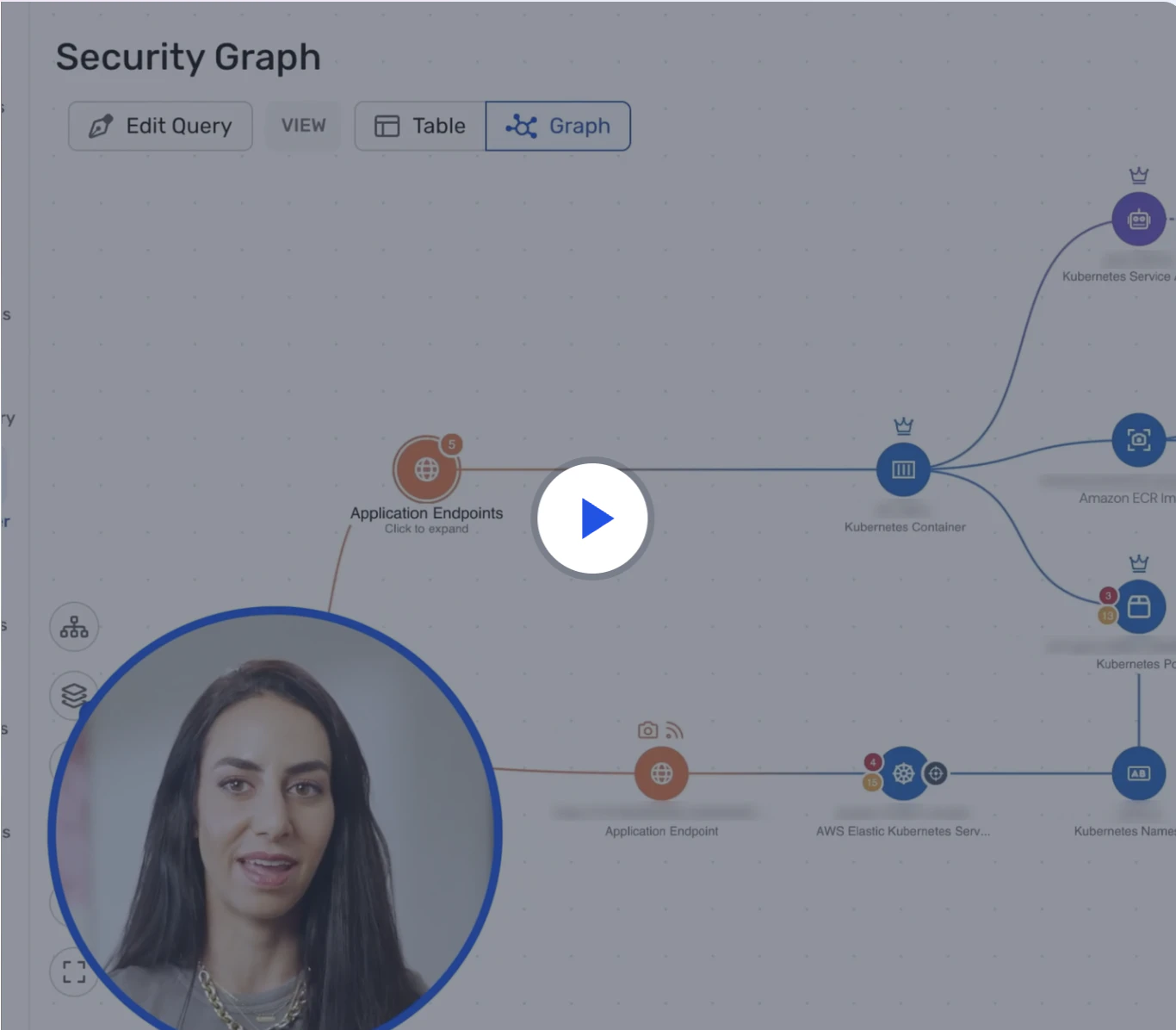
Watch 12-min demo
See how Wiz cuts through thousands of CVEs and surfaces the few that are truly exploitable in your cloud — mapped to identities, exposure, and real attack paths.
Watch now
Benefits and risks of AI vulnerability scanners
AI vulnerability scanners bring real advantages, but also some new risks you should understand.
On the positive side, they help security teams adopt risk-based vulnerability management—moving from "find everything" to "fix what matters." An ISC2 survey found that 70% of teams reported positive impacts on overall effectiveness when using AI-assisted scanning.
They also save analyst time by automating triage and investigation. A 2024 industry report shows that 49% of organizations now use AI to reduce false positives in vulnerability management workflows. Instead of manually pulling context from many tools, you get a summary that already shows affected assets, reachable paths, and likely impact.
At the same time, there are trade‑offs:
Ambiguous decisions: If the scanner cannot explain why it ranked an issue highly, security teams struggle to trust its recommendations—a concern shared by 34% of business leaders who cite AI errors and hallucinations as adoption risks. Look for tools that provide investigation timelines, show the reasoning chain, and keep humans in the loop for high-impact decisions.
Model fit: AI tuned for a generic environment may misjudge risk for your tech stack until it learns.
Data handling: Some tools rely on external AI services, so you need clarity on what data leaves your environment and whether processing happens in your region or the vendor's cloud.
For regulated environments, verify that your AI vulnerability scanner provides:
Data residency controls: Where scan data and AI processing occur (on-premises, specific regions, or vendor cloud)
Audit trails: Logs of AI-generated prioritization decisions and human overrides
Compliance mapping: Built-in reports for SOC 2, ISO 27001, NIST CSF, and industry frameworks
Data isolation: Separation between customer environments in multi-tenant deployments
Because of this, AI vulnerability scanners should support clear reasoning, strong controls, and humans in the loop for big decisions.
How to evaluate AI vulnerability scanners and AI scanning tools
When you look at AI vulnerability scanners, start from your own needs instead of vendor feature lists. First, map your environment: the clouds you use, your main workload types, any AI systems in scope, and which teams will use the tool (SOC, cloud security, DevOps, developers). Then write down your biggest pains—too many alerts without context, poor visibility across accounts, or no clear view of AI workload security—and use these as filters when you talk to vendors.
When you test a tool, check that it covers your discovery needs (multi-cloud support, Kubernetes visibility, serverless and AI/ML services, and fast initial inventory), provides strong prioritization context (exposure signals, identity and data awareness, attack path visualization, and explainable scoring), integrates into your workflows (ticketing, CI/CD, SIEM, code-to-cloud traceability, and automated ownership), and meets compliance requirements (audit logs, SOC 2 evidence, data residency controls, and least-privilege access templates).
Run a focused 2–4 week proof of concept on a real subset of your environment and measure discovery completeness against your CMDB baseline, whether the top flagged issues match your team's manual assessment, noise reduction compared to existing tools, time saved on investigation and remediation, and shadow assets discovered. Test across at least two cloud providers and one Kubernetes cluster to validate multi-environment coverage.
Agentless Scanning Best Practices
Agentless scanning inspects cloud environments for security risks without installing software agents on workloads, using cloud provider APIs and snapshot analysis instead
Leer más
Where Wiz fits into AI‑powered vulnerability management
Unified visibility, intelligent prioritization, and AI-specific scanning are already part of modern cloud security. The difference is whether the tool can connect them into one usable view.
Wiz connects code, cloud, and runtime through the Security Graph. That shared view shows how vulnerabilities, identity, and data exposure turn into a real path, so teams can fix the source instead of sorting through isolated findings.
At the core of this approach is Atlas, an autonomous AI vulnerability researcher that validates findings with working exploits at scale. Instead of just flagging potential issues, Atlas proves which vulnerabilities are actually exploitable in your environment, cutting through noise before it reaches your team.
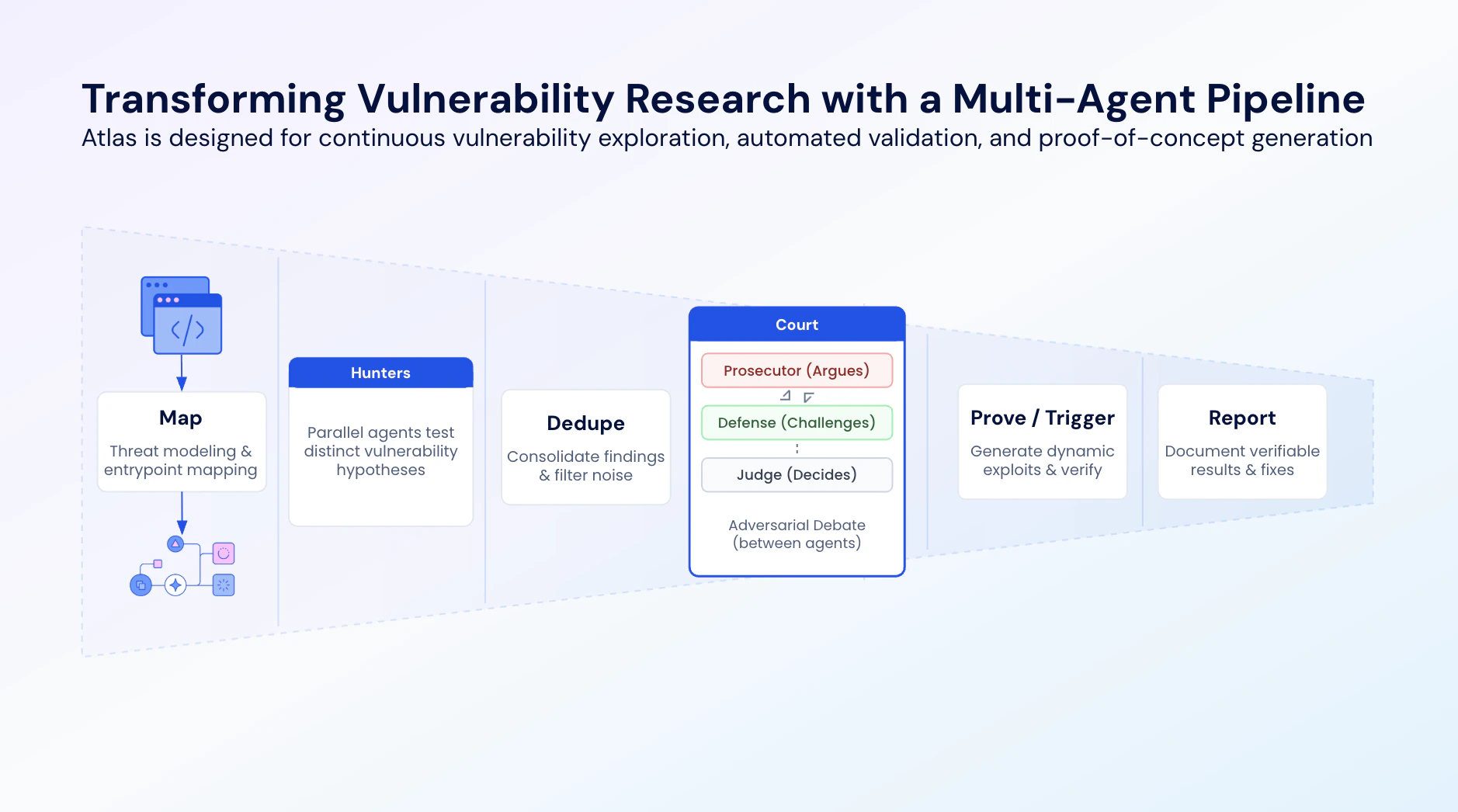
Wiz's AI capabilities contribute to vulnerability scanning and management through:
AI-Powered Detection and Analysis: Atlas works alongside other AI agents in Wiz Code, including the Pull Request AI Assistant that suggests fixes and the SAST Triage AI Agent that helps filter false positives.
Intelligent Prioritization: AI models weigh exposure, exploitability, and business context so teams can focus on the risks that matter in production.
AI-Assisted Triage and Remediation: Built-in AI agents assist security teams in quickly understanding and investigating new threats.
Cloud-to-Code Tracing: Wiz traces runtime weaknesses back to the IaC template, Dockerfile, or Git commit that introduced them, which makes remediation easier for developers.
For organizations operating AI workloads, Wiz AI Application Protection Platform (AI-APP), extends the same approach to models, agents, and AI services. It continuously discovers AI assets, flags AI-specific misconfigurations, and maps findings to the OWASP Top 10 for LLM Applications.
Get a demo to see how Wiz uses AI to help you focus on the vulnerabilities that actually matter in your environment.
Agentless Scanning = Complete Visibility Into Vulnerabilities
Learn why CISOs at the fastest growing companies choose Wiz to identify and remediate vulnerabilities in their cloud environments.
