
What is continuous vulnerability scanning
Continuous vulnerability scanning is an automated, always-on process that checks your systems for security weaknesses—critical as the volume of disclosed CVEs continues to rise year over year (see industry reports for current trends). This means you are not waiting for a monthly or quarterly scan to learn about new problems.
A vulnerability is any flaw that could let an attacker access, move, or break something in your environment. Continuous scanning feeds into continuous vulnerability management, which is the habit of finding, ranking, fixing, and re-checking issues on a loop.
You can think of it like this:
Periodic scanning: You run a scan on a schedule and hope nothing bad happens between scans.
Continuous scanning: You treat your environment as constantly changing, and you keep scanning so you see issues soon after they appear.
In fast-moving cloud environments, new workloads appear and disappear all the time. Continuous vulnerability scanning is how you keep up with that reality instead of relying on one big scan that is already out of date by the time it finishes—especially as new CVEs are disclosed continuously throughout each day.
Vulnerability Management Buyer's Guide
This buyers guide will not only help you objectively choose or replace a vulnerability management solution, but also provide insights on how your organization can work together to own the responsibility of security as one team.

Continuous vulnerability scanning best practices
Continuous scanning only helps if it answers a few simple questions clearly: What is broken? How bad is it? Who owns it? What should we do now? The practices below help you get those answers without burying your team in noise.
Establish comprehensive asset discovery and inventory management
Asset discovery is the process of finding everything you actually have running. This is the first step, because you cannot scan what you do not know exists.
Start by building an inventory of:
Cloud accounts, projects, and subscriptions
Compute resources like VMs, containers, and serverless functions
Databases, storage, and data services
Identities such as users, roles, and service accounts
Use cloud provider APIs and integrations with container registries and CI/CD tools to keep this inventory fresh. Tag assets with owner, environment (prod, staging, dev), and business criticality so you already know who to call when a scan finds an issue.
Implement risk-based vulnerability prioritization
Risk-based prioritization is how you decide which vulnerabilities to fix first. This means you look beyond raw severity scores and consider how a vulnerability sits in your environment.
Useful factors include:
Severity: How serious is the underlying flaw.
Exposure: Is the asset public, internal, or deeply isolated.
Identity: What permissions and roles are tied to this asset.
Data: Does it touch sensitive or regulated information.
Exploitability: Is there a known way to abuse this issue.
When you combine these factors using graph-based security context, you can spot "toxic combinations" automatically—such as a high‑risk CVE on an internet-facing VM that also holds admin keys and connects to a database containing customer PII. Graph models show how exposure, identities, vulnerabilities, and data connect across your environment, so you can prioritize the attack paths that matter most instead of treating every finding in isolation—critical since multiple industry studies show that only a subset of "critical" CVSS findings represent material risk when evaluated in context (see research from security vendors and practitioners).
What is a vulnerability scanning report?
A vulnerability scanning report is a document from a vulnerability scanner that lists discovered weaknesses, shows how severe they are, and explains how to fix them.
Leia mais

Integrate scanning into CI/CD pipelines
CI/CD integration means you scan earlier, while code and infrastructure are still being built. This is one of the strongest ways to reduce the number of vulnerabilities that ever reach production.
You can start with a few key checks:
Scan container images during builds and block images with critical issues.
Scan Infrastructure as Code (IaC) files like Terraform and Kubernetes manifests for unsafe patterns. Enforce policy gates that automatically block pull requests or builds when critical security failures are detected—for example, blocking a Terraform plan that would create an internet-exposed database without encryption.
Scan open-source dependencies for known vulnerabilities before merging changes.
Detect and prevent configuration drift by comparing deployed cloud resources to IaC baselines. Fail builds when manual changes have introduced configurations that would reintroduce known risks or violate security policies.
Example policy gate for container builds: "Fail the build if the base image contains any critical-severity CVEs with EPSS scores above 0.5 or any vulnerabilities listed in CISA KEV, unless a documented exception exists." Implement this using your CI/CD platform's policy engine or integrate with container registries like Amazon ECR, Google Artifact Registry, or Azure Container Registry to enforce scanning before image promotion.
This keeps feedback close to developers. They see problems in pull requests and pipeline logs, fix them quickly, and learn what good patterns look like over time. Unified policy-as-code across IDEs, pull requests, and build pipelines ensures security guardrails remain consistent from development through production, minimizing friction while preventing issues from ever reaching the cloud.
Secure container images and runtime environments
Containers and Kubernetes are very dynamic, which makes them ideal targets for continuous vulnerability scanning. You need to cover both images at rest and workloads at runtime.
For images, focus on:
Using small, trusted base images and rebuilding them often.
Scanning images when they are pushed to a registry and on a periodic basis.
Enforcing policies that only allow approved images into clusters.
Generate and store Software Bills of Materials (SBOMs) for all container images to maintain a complete inventory of components and dependencies.
Enforce image signing and provenance verification using tools like Sigstore or Cosign before allowing images to deploy to production clusters.
At runtime, pair scanning with best practices such as non‑root users, read‑only file systems, network policies, and resource limits. Continuous scanning should tell you which running workloads are built from vulnerable or outdated images so you can trigger new builds and rolling updates.
Enable agentless scanning for cloud-native workloads
Agentless scanning avoids per-host agents by using cloud provider APIs to create point-in-time disk snapshots, then analyzing those snapshots offline to inspect workloads, configurations, and file systems without impacting the running guest operating system.
Agentless scanning helps because:
You deploy it by connecting to your cloud once, instead of touching every server.
It can see ephemeral resources that live for only a short time.
It avoids performance impact on critical workloads.
Let agentless coverage handle breadth and scale across your entire cloud footprint, then add targeted runtime sensors only where you need deep, in-process telemetry—for example, detecting memory-based attacks or monitoring process behavior in high-risk workloads. This agentless-first approach makes continuous vulnerability scanning practical in large, dynamic environments without the operational overhead of managing agents on every resource.
Automate vulnerability remediation workflows
Automation is how you turn a stream of findings into steady improvements instead of a growing backlog. You want issues to automatically flow to the right people with the right context.
Helpful automation patterns include:
Creating tickets or automated pull requests for high‑risk issues with clear remediation steps, affected asset details, and assigned owners—for example, auto-generating a PR that updates a vulnerable base image version in a Dockerfile.
Routing work based on tags like "team", "application", or "environment".
Using safe auto‑remediation for simple fixes, such as tightening a security group or enabling encryption.
It also helps to define simple SLAs, like "critical exploitable issues on public assets must be fixed within a certain number of days," and measure your performance against them.
Monitor API endpoints and serverless functions
APIs and serverless functions are often the front door to your data and logic. They are easy to spin up and easy to forget, which makes them a common blind spot.
To bring them into your continuous vulnerability scanning program:
Maintain an inventory of all APIs and functions, including older or "shadow" ones.
Scan function packages and dependencies for vulnerabilities.
Check API configurations for missing or weak authentication and authorization controls, overly broad access permissions, and inadequate rate limiting. Map findings to OWASP API Security Top 10 categories to standardize risk assessment and remediation across your API inventory.
This helps you catch issues like outdated libraries in a function or a forgotten debug endpoint before someone else does. Bring API discovery, posture assessment, and runtime validation together in a single view so you can surface shadow or zombie APIs, validate exposure and authentication controls, and assign clear ownership quickly—turning API sprawl into a managed, secured inventory.
Implement multi-cloud scanning strategies
Many teams run workloads across more than one cloud. If your scanners only understand one cloud well, or each cloud is scanned in a different way, you end up with gaps and inconsistent results.
A solid multi‑cloud strategy:
Normalizes resources so a VM is a VM, no matter where it runs.
Applies a single policy-as-code model (for example, using Open Policy Agent or similar frameworks) so security rules remain consistent across AWS, Azure, and GCP—ensuring that "no public S3 buckets" translates to equivalent controls for Azure Blob Storage and Google Cloud Storage.
Lets you see risk across all environments in one place.
This is especially important for continuous vulnerability scanning, because you want to understand and prioritize risk across your entire footprint, not cloud by cloud.
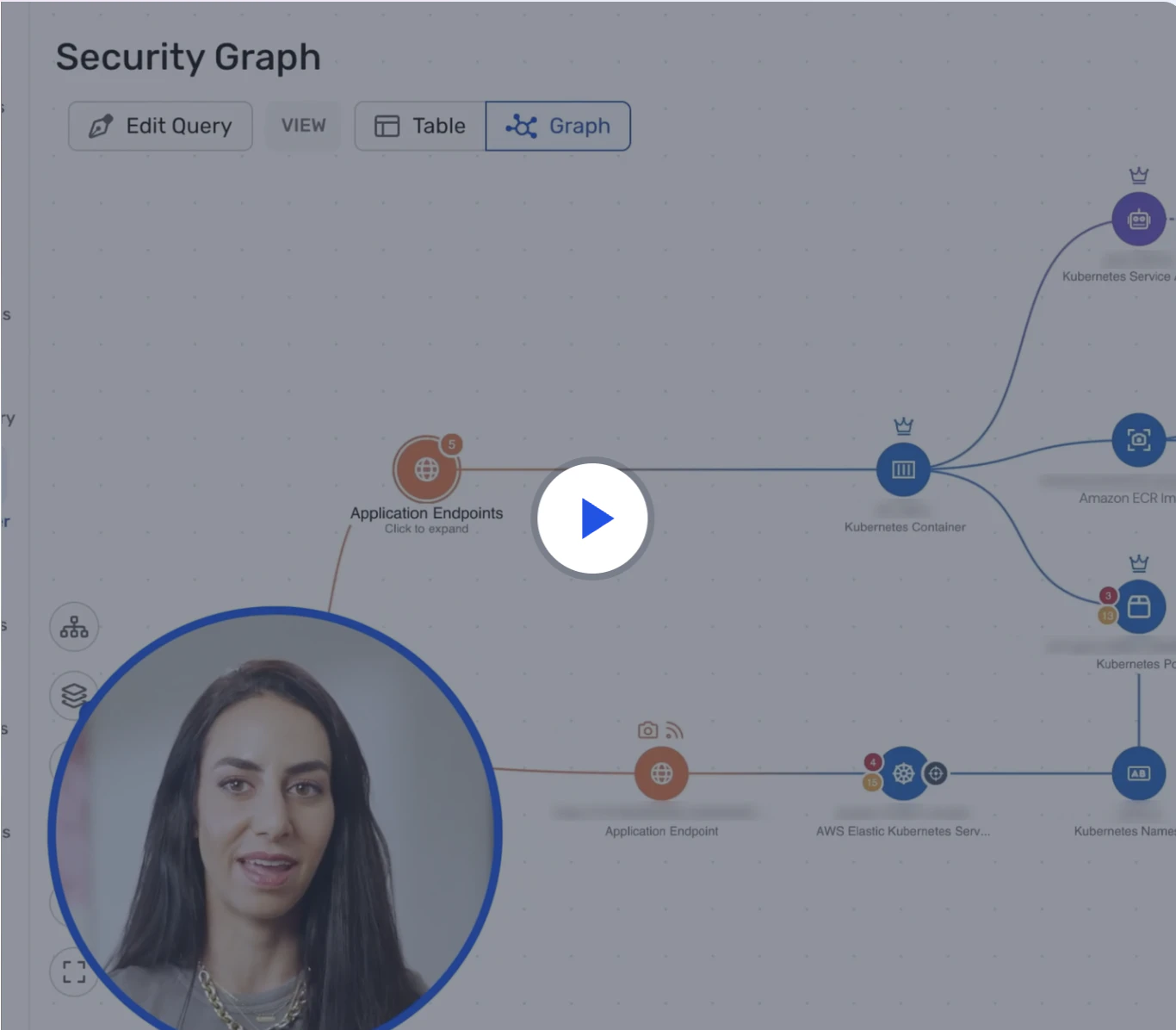
Watch 12-minute demo
Learn how Wiz Cloud surfaces toxic combinations across misconfigurations, identities, vulnerabilities, and data—so you can take action fast.
Watch now
Establish continuous compliance monitoring
Continuous compliance monitoring is using your scanning program to keep an eye on how you map to security and privacy standards over time. Instead of checking once a year, you check all the time.
Continuous scanning supports this by:
Map vulnerabilities and misconfigurations to specific compliance controls—for example, ISO/IEC 27001 Annex A.12.6.1 (Management of technical vulnerabilities), SOC 2 CC7.1 (System monitoring), NIST SP 800-53 RA-5 (Vulnerability monitoring and scanning) and CM-6 (Configuration settings), and PCI DSS 4.0 Requirements 6.3 and 11.3 (Vulnerability management and penetration testing).
Show compliance drift when new issues appear or settings change. Generate auditor-ready artifacts automatically, including point-in-time compliance reports, exception justifications with business rationale and compensating controls, Plans of Action and Milestones (POA&Ms) for open findings, and historical trend data showing remediation velocity. Export these artifacts in formats auditors expect, such as PDF reports or CSV data exports mapped to specific control frameworks.
You can also define your own internal policies and treat them like a standard. That way, your environment is always moving closer to your target posture, not drifting away from it between audits. Centralized, normalized findings and control mappings across all frameworks make it easy to produce auditor-ready reports on demand, eliminating the manual work of correlating data from multiple tools during audit season.
Enable real-time threat detection and response
Threat detection is about seeing when someone is actually trying to attack you. When you combine that with vulnerability data, you know where attackers are focusing and which holes they may be using.
In practice, this means:
Correlating vulnerability findings with cloud logs and runtime events.
Raising the priority of vulnerabilities that show signs of active probing or exploitation.
Link incidents back to root causes in code and configuration so you can prevent repeats. Map runtime detections to MITRE ATT&CK techniques to standardize triage workflows and help SOC analysts quickly understand attacker tactics—for example, mapping a privilege escalation event to ATT&CK technique T1068 (Exploitation for Privilege Escalation).
Pair posture and vulnerability context with runtime detections and investigation timelines to accelerate triage and shorten mean time to respond (MTTR). When security and engineering teams work from a shared security graph, they see the same prioritized risks and can collaborate on remediation without translating findings between tools or debating which data source is correct.
This turns continuous vulnerability scanning from a static list of problems into a live picture of risk and attacker activity.
Manage supply chain security risks
Your systems are built from many external components: base images, libraries, frameworks, and services. Problems in any of these layers can ripple through your environment.
A continuous approach to supply chain risk includes:
Keeping software bills of materials (SBOMs) for key applications so you know exactly what they contain.
Continuously scanning dependencies and build images for newly disclosed issues.
Set guardrails on approved base images, package sources, and versions. Require cryptographically signed artifacts and track build provenance using frameworks like SLSA (Supply chain Levels for Software Artifacts) to verify that components were built from trusted sources using secure build processes—for example, requiring SLSA Level 3 provenance for all production container images.
When a new vulnerability is announced in a common library, you can quickly ask, "Where do we use this?" and get a clear answer instead of scrambling.
Supply Chain Attacks: Examples & Strategies
Supply chain attacks are cyberattacks where threat actors compromise trusted third-party vendors or software components, using that trust to infiltrate the target organization’s systems and sensitive data.
Leia mais
Optimize scanning performance and resource utilization
Continuous scanning should be frequent and thorough, but it should not slow down your business. You want to tune it so it is as light as possible while still giving you confidence.
A few simple tuning ideas:
Scan high‑risk assets (public, sensitive) more often, and low‑risk assets less often.
Use incremental scans that focus on recent changes instead of full deep scans every time.
Schedule heavy tasks for off‑peak hours when possible.
Regularly review how long scans take, how much traffic they generate, and how they interact with other processes. Adjust as needed so teams see scanning as a helpful guardrail, not a drag on progress.
Measure vulnerability management effectiveness
Track key metrics to demonstrate program maturity and continuous improvement:
Mean Time to Detect (MTTD): How quickly new vulnerabilities are discovered after they appear in your environment—target under 24 hours for critical assets.
Mean Time to Remediate (MTTR): How long it takes to fix issues after detection—for example, remediate KEV vulnerabilities on internet-exposed assets within 7 days.
Asset coverage: Percentage of your cloud footprint actively scanned—aim for 95%+ coverage across all environments.
Policy gate effectiveness: Percentage of builds blocked for security issues before reaching production—track trends to validate shift-left progress.
KEV remediation rate: Percentage of CISA Known Exploited Vulnerabilities fixed within your SLA window.
Set tiered SLAs based on risk context. For example: "Critical exploitable vulnerabilities on public-facing assets with sensitive data access must be remediated within 48 hours, while low-severity issues on isolated development resources may have a 90-day window."
Continuous vulnerability scanning challenges
Continuous vulnerability scanning brings its own set of challenges that you should plan for. One common problem is alert fatigue, where teams see so many findings that they stop paying attention to any of them.
Another challenge is low-context results. If your tool only tells you "this host has a high CVE" without saying whether it is exposed, what it does, or who owns it, you are left doing a lot of manual investigation before you can even decide if it matters.
Other hurdles include:
Fragmented tools: Different scanners for different stacks make it hard to see the full picture.
Maintenance overhead: Keeping agents, credentials, and integrations healthy takes real effort.
Ownership gaps: If assets are not clearly tagged, tickets bounce between teams and sit unresolved.
Good design can reduce these issues. Use context‑rich findings, clear ownership, automation, and a single place to see risk to keep continuous scanning useful instead of overwhelming.
Strengthen your continuous vulnerability scanning with Wiz
Wiz delivers code-to-cloud, agentless continuous scanning. Connect once to build a living inventory across VMs, containers, serverless, and managed services—at scale and without performance impact.
Comprehensive coverage includes:
Agentless Workload Scanning: Snapshot-based visibility with no impact to live workloads.
Wiz Sensor: eBPF runtime detection for Kubernetes and Linux, including validation of actively loaded vulnerable packages.
Dynamic Scanner: External attack-surface validation of exposure and exploitable weaknesses.
Outpost Lite: Scanning for private or restricted environments.
Wiz Code: CI/CD, source code, and IaC analysis to catch issues before deployment.
All findings feed the Wiz Security Graph, enriching vulnerabilities with exposure, identity, data, and runtime context to surface true attack paths—not noise.
The shared Security Graph aligns security and engineering on a single, prioritized queue, reducing alert fatigue and shrinking MTTD and MTTR. Our agentless architecture provides unified, scalable visibility from code to cloud.
Wiz extends protection across the lifecycle: Wiz Code shifts left; Wiz Defend adds runtime detection to close the loop.
Move from periodic checks to true continuous vulnerability management that measurably reduces risk. See Wiz in action—request a demo today.
See Agentless Scanning in Action
Learn what makes Wiz the platform to enable your cloud security operation
