
What is DevSecOps?
DevSecOps integrates security into every phase of the DevOps lifecycle. It represents a mindset shift that bakes security into the DNA of software development rather than bolting it on at the end.
This shift is critical because release cycles are faster than ever, cloud-native development has expanded the attack surface, and regulatory expectations continue to rise. Security teams must work in lockstep with dev and ops to keep up. DevSecOps meets modern expectations and counters new security threats by embedding security early and continuously throughout the pipeline.
Below, we explore how DevSecOps evolved and walk through best practices for integrating it into your workflows.
Getting Started with DevSecOps
This playbook is designed for engineering leaders and DevOps practitioners standing up secure pipelines application-security teams seeking tighter alignment with developers and cloud architects integrating code, IaC, and runtime security controls,

The evolution from DevOps to DevSecOps
DevOps accelerated software delivery by bridging development and operations, but it often left security behind. As release cycles accelerated, vulnerabilities slipped through, frequently going undetected until it was too late (or missed entirely).
DevSecOps bridges this gap by shifting security left. It transforms security into a shared responsibility, integrated from the first line of code to deployment and beyond. This shift-left approach enables teams to catch security risks early, automate security controls, and stay secure without slowing down innovation.
Real-world example: When DevSecOps fails to materialize
In March 2025, Hyundai AutoEver America disclosed a breach that exposed sensitive data for 2.7 million vehicles across North America. Attackers retained system access for 9 days before detection, compromising Social Security numbers and driver's license information. The company’s seven-month delay in public disclosure exposed critical lags in detection, investigation, and communication.
This incident follows prior breaches at Hyundai’s European operations and known mobile app vulnerabilities, underscoring persistent challenges in scaling secure cloud practices. The extended dwell time and recurring incidents highlight gaps in continuous monitoring, risk prioritization, and security integration throughout the development lifecycle.
Hyundai’s breaches demonstrate why DevSecOps must go beyond basic tooling to drive real cultural and operational change. Without embedded security controls, unified visibility, and rapid remediation, innovation can quickly become exposure. As automotive systems become increasingly connected, proactive, cloud-native security is essential to protect customer data and preserve trust.
What are the key challenges in applying DevSecOps?
While DevSecOps brings clear benefits, it also exposes friction points that can stall adoption. Common blockers include:
Cultural resistance: Developers often view security as a bottleneck. Security teams, meanwhile, struggle to keep pace with the velocity of modern development.
Tool sprawl: Many organizations rely on fragmented security tools that fail to integrate cleanly across workflows. This leads to gaps in visibility, duplicated effort, and inconsistent policy enforcement.
Alert fatigue: A flood of low-priority or false-positive alerts overwhelms teams. The noise increases cognitive load and distracts from actual risks.
Performance drag: Without seamless integration, security scans slow pipelines and frustrate teams. Manual processes, unclear ownership, and rigid policies further delay embedding security into development.
Despite these hurdles, DevSecOps is achievable. The next section outlines best practices to help you overcome these obstacles and embed security in a way that drives progress.
Development and deployment best practices
A common DevSecOps pitfall is assuming that running security scans right before deployment is enough. By that stage, it’s too late to make changes without slowing everything down. The solution is to shift security left, embedding it early in the development cycle rather than bolting it on at the end.
These four best practices help you bake security into your pipeline from the start, automate protections, and maintain your delivery speed.
1. Use secure coding practices
Secure coding ensures software guards against security vulnerabilities from the start. Practices such as input validation, proper error handling, and encryption reduce the risk of injection attacks, data leaks, and insecure defaults.
Validate inputs on both client and server sides. For example, never assume the front end handles it alone.
The following Python snippet enforces alphanumeric input to prevent injection risks:
def validate_input(user_input):
    if not user_input.isalnum():
        raise ValueError("Invalid input: Input should only contain alphanumeric characters.")
    return user_input
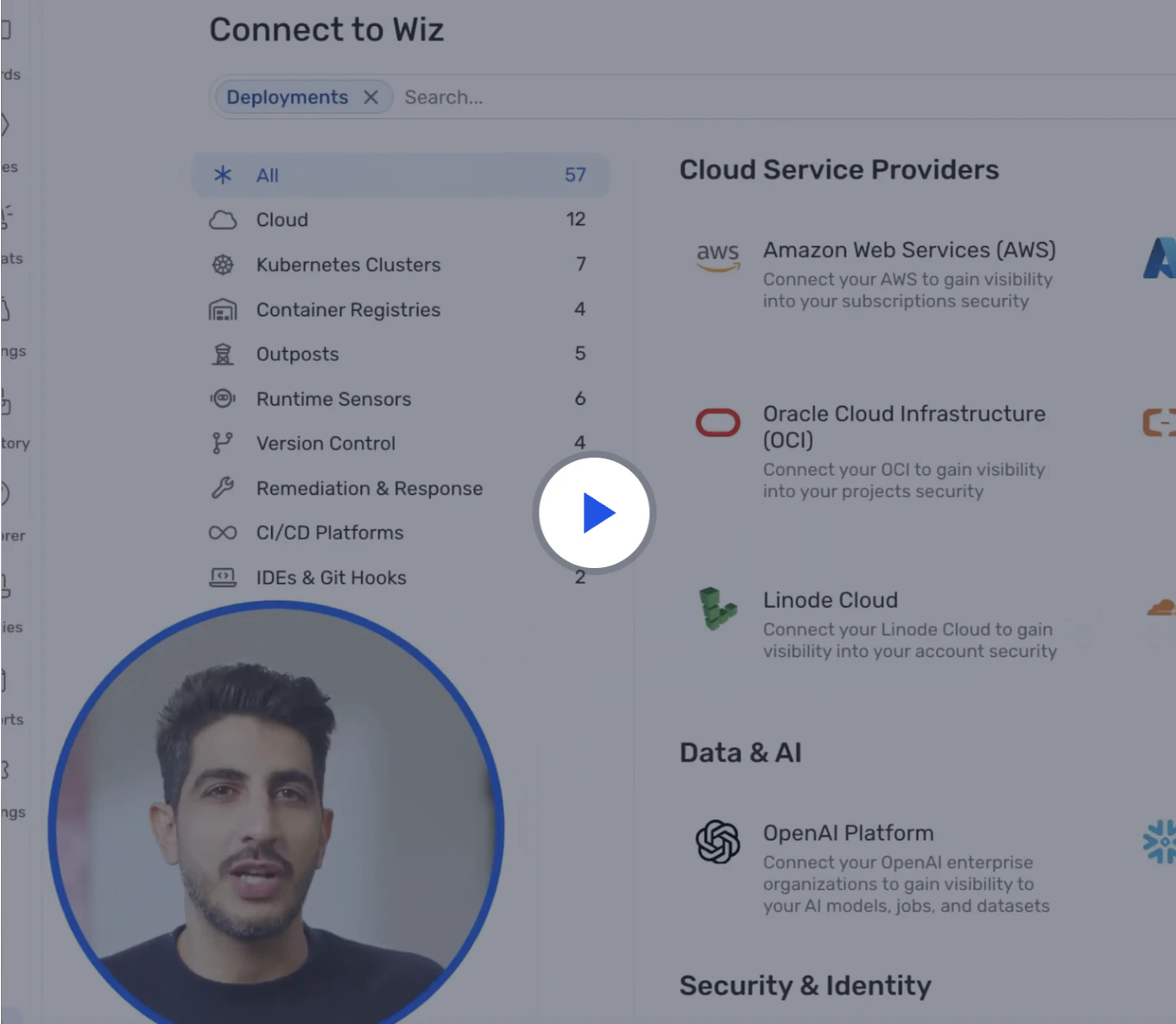
Watch 12-min demo
Learn about the full power of the Wiz cloud security platform. Built to protect your cloud environment from code to runtime.
Watch now
2. Automate security testing
When you bake security scanning into your CI/CD pipeline, you detect risks early and often. Use automated tools like SonarQube for static application security testing (SAST), Fortify for code analysis, and OWASP ZAP for dynamic application security testing (DAST) to scan for vulnerabilities with every code change.
Your continuous integration workflows should include both SAST and DAST to catch security issues at different stages. SAST examines source code for potential threats, while DAST tests running applications for security vulnerabilities.
Add a security_scan stage to your pipeline that runs even if earlier steps fail. This ensures you never skip security checks.
security_scan:
  stage: security
  script:
    - echo "Running security scans..."
  when: always
CI/CD Pipeline Security Best Practices [Cheat Sheet]
In this 13 page cheat sheet we'll cover best practices in the following areas of the CI/CD pipeline: infrastructure security, code security, secrets management, access and authentication, and monitoring and response.

3. Prioritize container security
Containers are core to modern apps, but each container image represents a potential attack surface. Secure your container images with regular vulnerability scanning, enforce signed images, and configure orchestration layers such as Kubernetes to follow least-privilege access controls.
Use software composition analysis tools to scan container dependencies for known vulnerabilities. This detects security threats in third-party libraries before deployment.
Avoid running containers as root and use distroless images to minimize exposure and the attack surface.
4. Threat modeling early in design
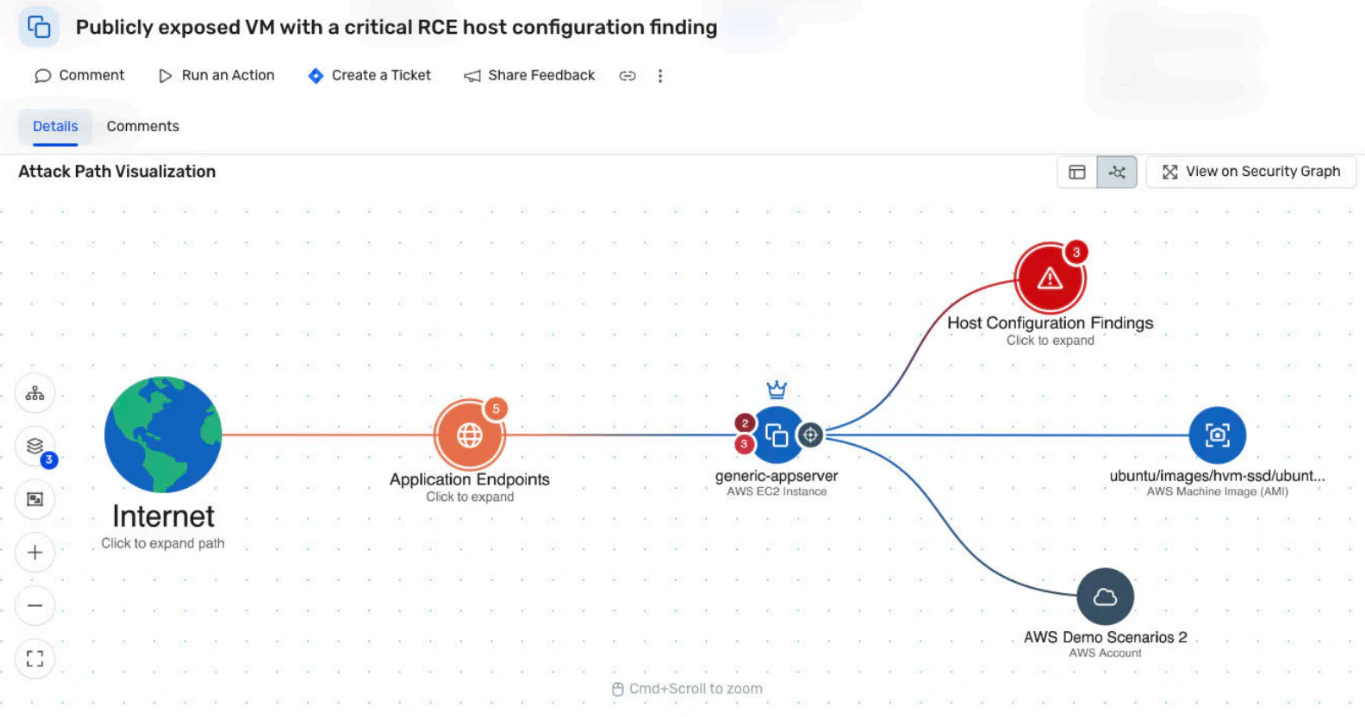
Before writing code, teams can use threat modeling to visualize potential security risks and prioritize defenses. Map out components, data flows, and possible attack paths to understand how an attacker might move through your system.
You can't defend what you don't understand. Early threat modeling helps security and development teams align on critical priorities before shipping.
Case study: How ROLLER realized DevSecOps with Wiz
ROLLER, a global SaaS platform that powers ticketing and e-commerce for the attractions industry, faced growing challenges as it scaled—too many cloud alerts with too little context, slow remediation, and security friction in fast-moving engineering workflows. With a lean team supporting customers in over 35 countries, the company needed a solution to accelerate response times without slowing development.
Wiz delivered immediate clarity. Within minutes of onboarding, ROLLER gained unified visibility across AWS and Azure, using the Wiz Security Graph to surface prioritized risks. ROLLER used contextual insights to empower engineers to act, reducing remediation time from days to minutes. Additionally, Wiz Code embedded security feedback directly into developer tools, enabling developers to fix issues before they reach production.
By integrating Wiz Defend for runtime detection and response, ROLLER now covers the full lifecycle from code to production. Security is now a shared responsibility across teams, which aligns with ROLLER’s customer-first culture. As ROLLER’s VP of Infrastructure and Security Sean Fernandez noted, Wiz is more than a tool—it’s a partner that shares ROLLER’s values.
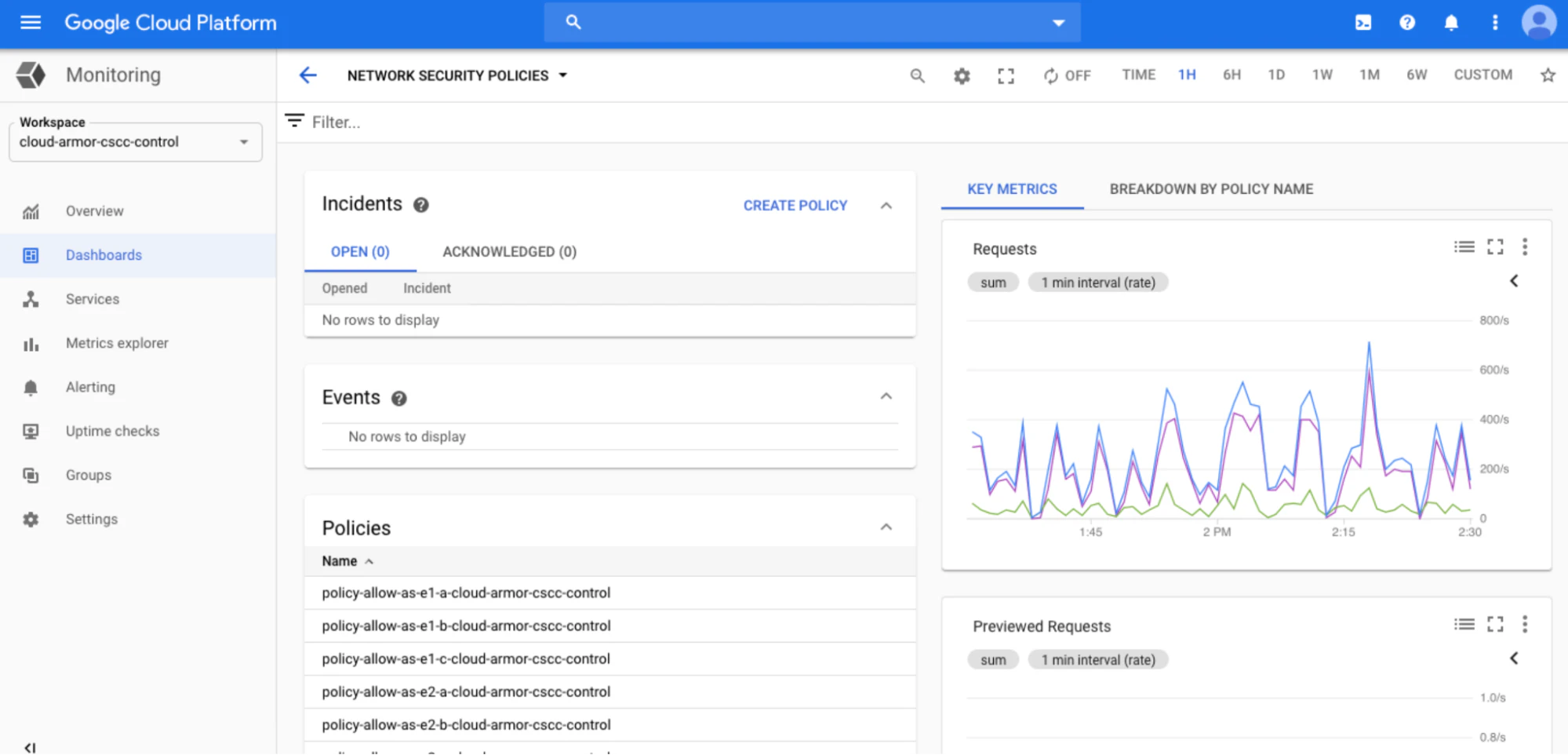
🛠️ Action step: Prioritize behavior-based detection tools over signature-based ones to catch new or unknown threats. Integrate alerts with your ticketing system to speed up triage and response.
2. Conduct regular security audits and compliance checks
Audits validate that your security posture aligns with frameworks like NIST, CIS, and PCI. Regular compliance checks also uncover gaps in policy enforcement, access controls, and data handling.
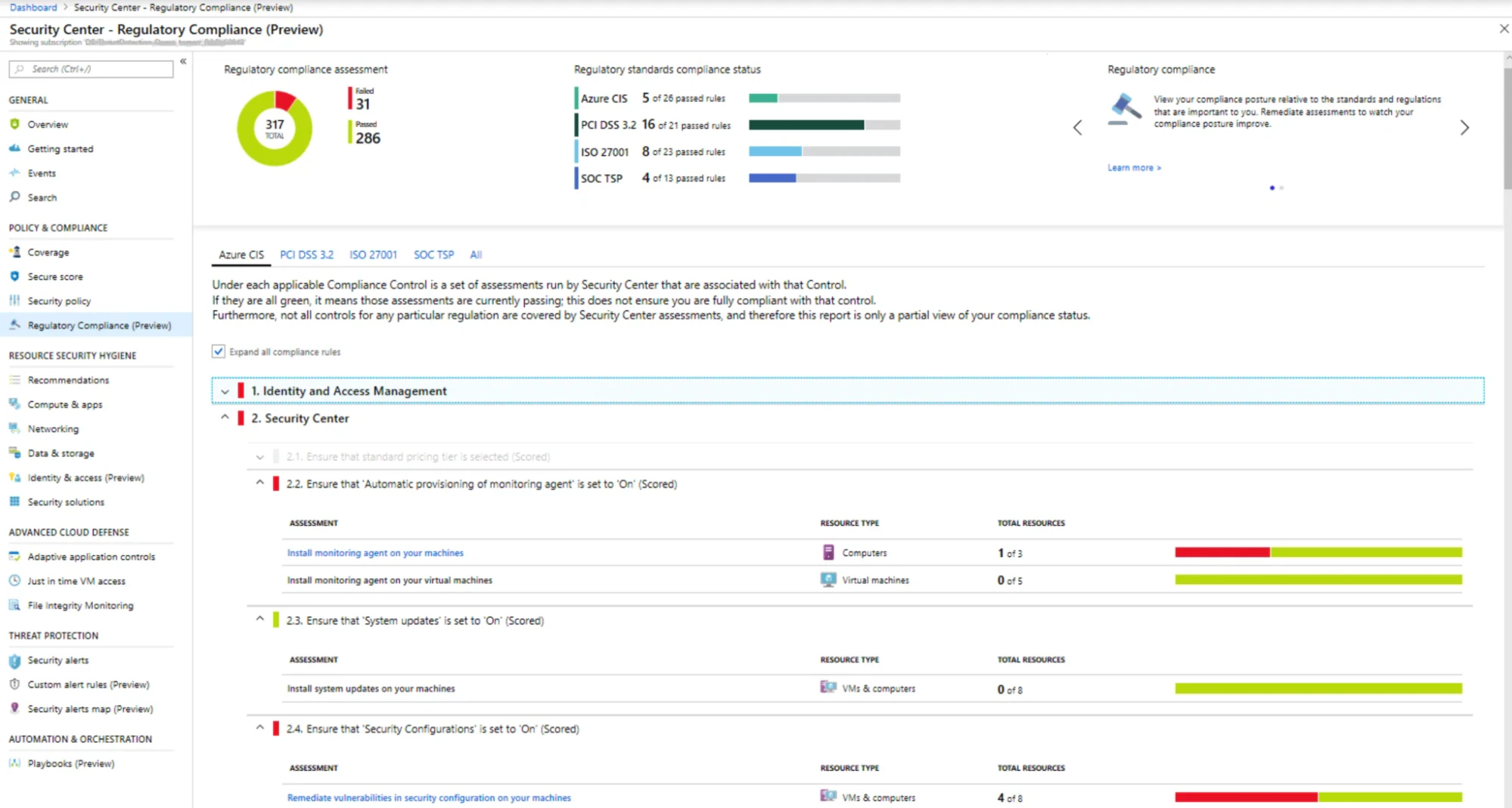
🛠️ Action step: Automate security checks using automated tools that scan configurations and permissions daily. Use dashboards that map compliance to controls to quickly report status to stakeholders.
3. Leverage threat modeling and risk assessments
Even post-deployment, threat modeling helps you reassess security risks as your architecture evolves. Use risk assessments to prioritize remediation based on exposure, likelihood, and impact. This strategy ensures you address critical issues efficiently without overwhelming your team.
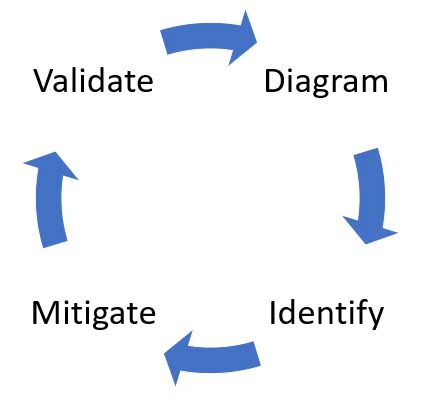
🛠️ Action step: Combine your threat modeling outputs with runtime findings. This creates a feedback loop that informs both your remediation and design improvements.
4. Plan out incident response and recovery
An effective incident response plan prepares your team to respond quickly to security incidents. Define roles, workflows, and communication channels before a breach occurs to reduce the risk of human error under pressure.
🛠️ Action step: Run tabletop exercises quarterly to test your plan’s readiness. Simulate a real-world attack and walk through containment, communication, and recovery steps with all stakeholders.
Best practices for leveraging tools and automation
Automation scales security across teams and environments. By orchestrating DevSecOps tools and embedding policy as code, you ensure security becomes part of your software supply chain—not a bolted-on afterthought.
Here are two ways you can leverage DevSecOps automation, including how Wiz fits into these workflows:
1. Integrate security tools in the CI/CD pipeline
Integrating security tools into your CI/CD pipeline ensures that you catch vulnerabilities before they reach production. Each commit, build, and deploy should trigger automated security testing for misconfigurations, secrets, and known exploits.
To get started with integration, use policy as code tools like OPA or Checkov to enforce security standards directly within your pipeline. That way, you block violations automatically before they hit runtime.
How Wiz helps: The solution integrates natively with CI/CD pipelines like Jenkins, GitLab CI/CD, and CircleCI. It scans infrastructure as code (IaC), container images, and cloud resources to surface security risks before they ship.
The following Jenkinsfile example demonstrates how a security scanning tool, ZAP (aka OWASP ZAP), integrates into a Jenkins CI/CD pipeline:
pipeline {
    agent any

    stages {
        // Build and test steps are omitted
        stage('Security Scan') {
            steps {
                // Integrating a security scanning tool
                echo 'Running security scans...'
                script {
                    // Example: Using OWASP ZAP for security scanning
                    sh 'zap-cli quick-scan --self-contained --start-options "-config api.disablekey=true" http://your-application-url'
                }
            }
        }
  ...
}
2. Use IaC for security
IaC provides repeatable, version-controlled infrastructure. When combined with embedded security rules, it becomes a foundation for consistent, auditable security. To implement IaC, use a Terraform module that enforces secure defaults, such as encrypted storage, restricted IAM roles, and network segmentation. Run static code analysis on every pull request to catch misconfigurations before deployment, and pair IaC with drift-detection tools to detect when real-world infrastructure diverges from the secure state.
This approach automates and standardizes security across environments, reducing human error, enabling faster remediation, and allowing security to scale with development.
How Wiz helps: Wiz automatically scans IaC templates for policy violations and maps them to real cloud risk using the Wiz Security Graph. This context helps your team understand the risk and fix security issues before deployment.
Wiz’s approach to DevSecOps
Wiz makes DevSecOps scalable by embedding security into every phase of development without slowing teams. Our CNAPP connects your security policies, visibility, and enforcement from code to cloud. With native integrations, agentless coverage, and a developer-friendly experience, you reduce risk while accelerating delivery. Here’s how:
Shift left with early detection: Wiz integrates into CI/CD pipelines like Jenkins, GitLab, and CircleCI to scan IaC, container images, and VM templates. This allows your team to catch misconfigurations, secrets, and vulnerabilities before code reaches production.
Automate policy enforcement and remediation: Define security policies as code across your environment. Wiz flags violations and delivers fix guidance directly in the developer workflow.
Unify visibility across the pipeline: The Wiz Security Graph connects risk from development through runtime. It correlates vulnerabilities, exposed secrets, misconfigurations, and over-permissive identities.
Simplify coverage with agentless deployment: Wiz delivers full visibility across VMs, containers, and serverless workloads without agents, reducing friction and speeding time to value.
Shift left, align teams, and embed security into your workflows. Request a demo to see how Wiz accelerates your cloud security journey.
Secure everything you run and build in the cloud
Learn why CISOs at the fastest growing companies choose Wiz to secure their cloud environments.

FAQ
Below are common questions about DevSecOps best practices: