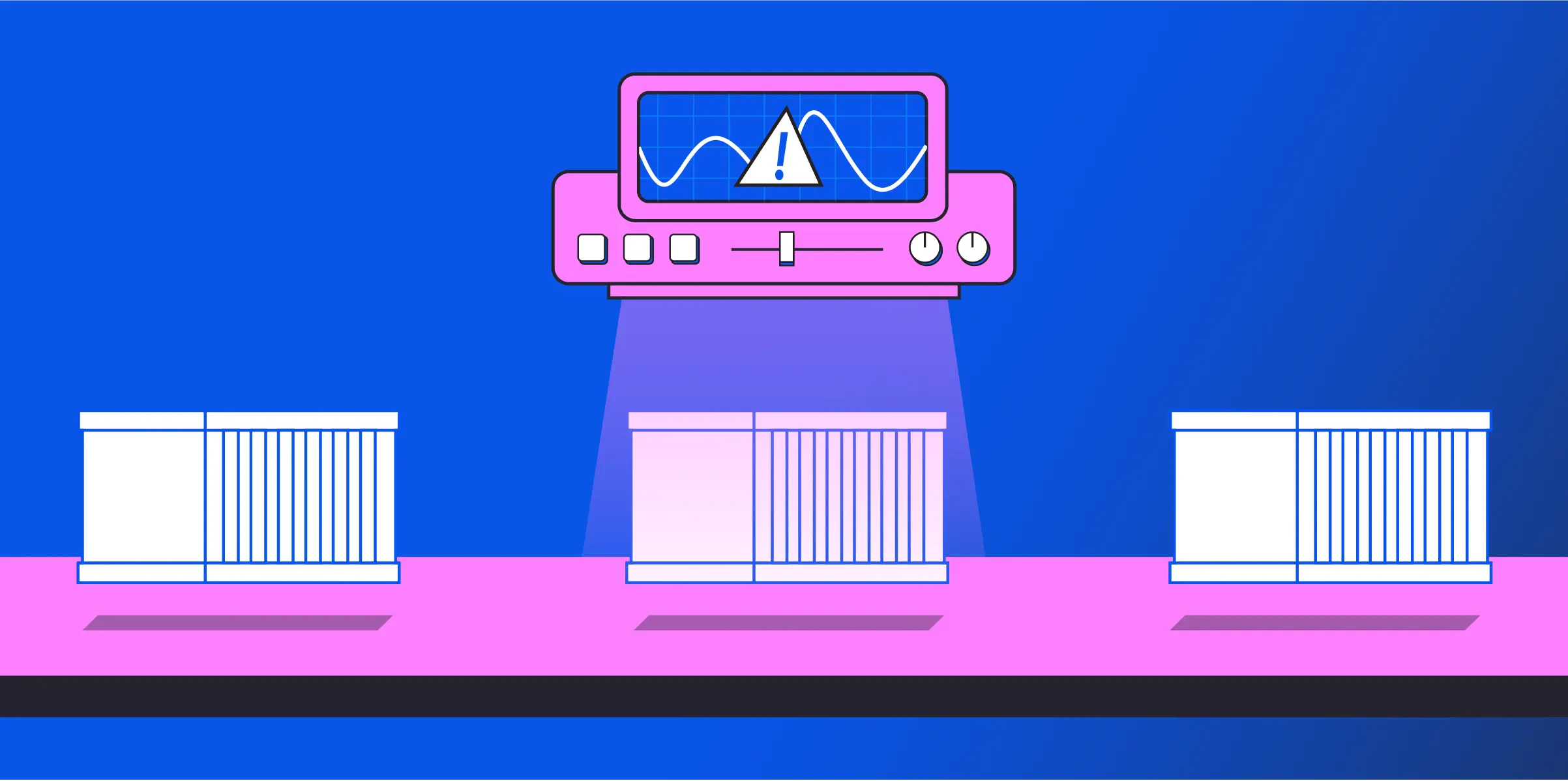
What is container security scanning?
Container security scanning is an automated process that analyzes container images and running containers to identify vulnerabilities, misconfigurations, and security threats before deployment. This proactive approach prevents potential breaches while maintaining development velocity.
Modern containerized environments create unique security challenges that traditional tools can't address, with one report indicating that 67% of organizations have delayed application deployment due to container security concerns. Containers bundle application code with dependencies, creating new attack vectors that require specialized detection methods. Integrating scanning into CI/CD pipelines ensures vulnerabilities are caught early without slowing development cycles.
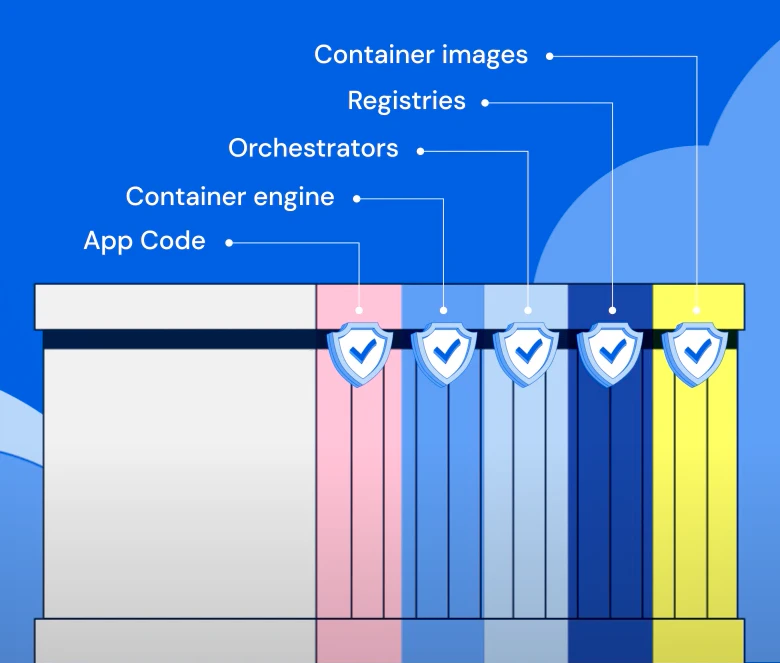
That's why modern container scanning needs to cover every stage of the lifecycle, from image builds to runtime behavior, to catch risks early and keep up with constant change.
Below, you'll discover more about how container security scanning mechanisms work, their role in software development, and the tools and strategies you can use to effectively integrate them into DevOps workflows. Additionally, you'll learn about open-source security tools and gain comprehensive implementation strategies.
Take the 10-Minute Wiz Container Security Tour
In this short interactive tour, you’ll follow a real-world scenario where Wiz identifies exposed containers, visualizes the full attack path, and fixes the issue directly in code—all within minutes.

The benefits of container security scanning
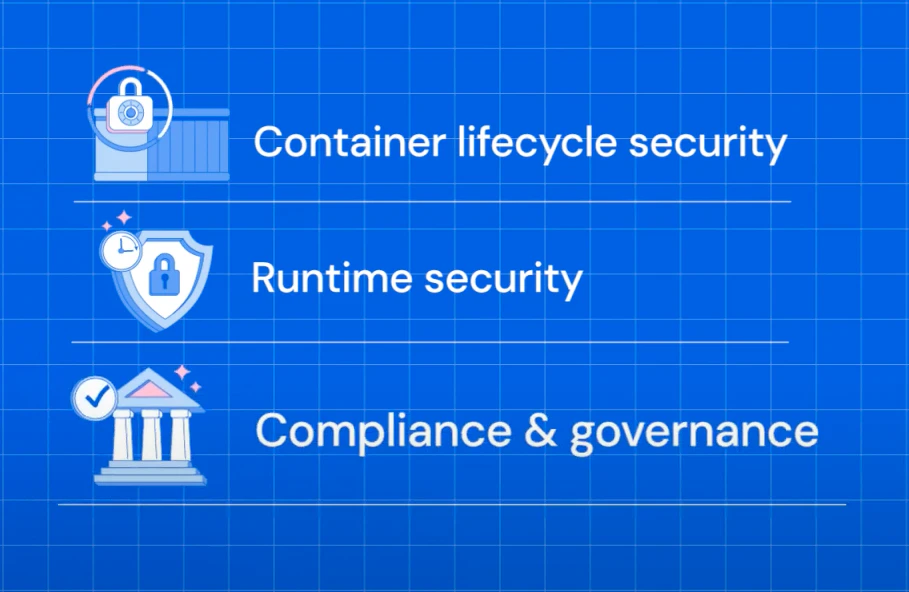
Scanning helps with lifecycle security, runtime security, and compliance and governance.
Adopting container security scanning is a necessary strategy in today's DevOps landscape. Here's why it's crucial to integrate security scanning tools into your container workflow:
Detecting vulnerabilities early
Early vulnerability detection identifies security flaws during the build phase, preventing breaches before containers reach production. This shift-left approach catches issues when they're easiest and cheapest to fix.
Proactive scanning reduces incident response costs and prevents reputational damage from security breaches. Early remediation costs significantly less than post-deployment fixes, making container scanning a strategic investment in long-term security posture.

Building trust with end users and stakeholders
Every high-profile breach weakens user trust—but scanning containers before they hit production helps your team prevent issues that break SLAs, leak data, or raise compliance flags.
When you embed security into the pipeline, your teams can ship faster with confidence, knowing your images are hardened, verified, and auditable.
Overall, security scanning is a strategic asset that underpins containerized applications’ reliability and integrity. By integrating these practices into your container workflow, you can strike a balance between DevOps’ speed and dynamism and an uncompromising need for security in the digital ecosystem.
Ensuring compliance with security standards
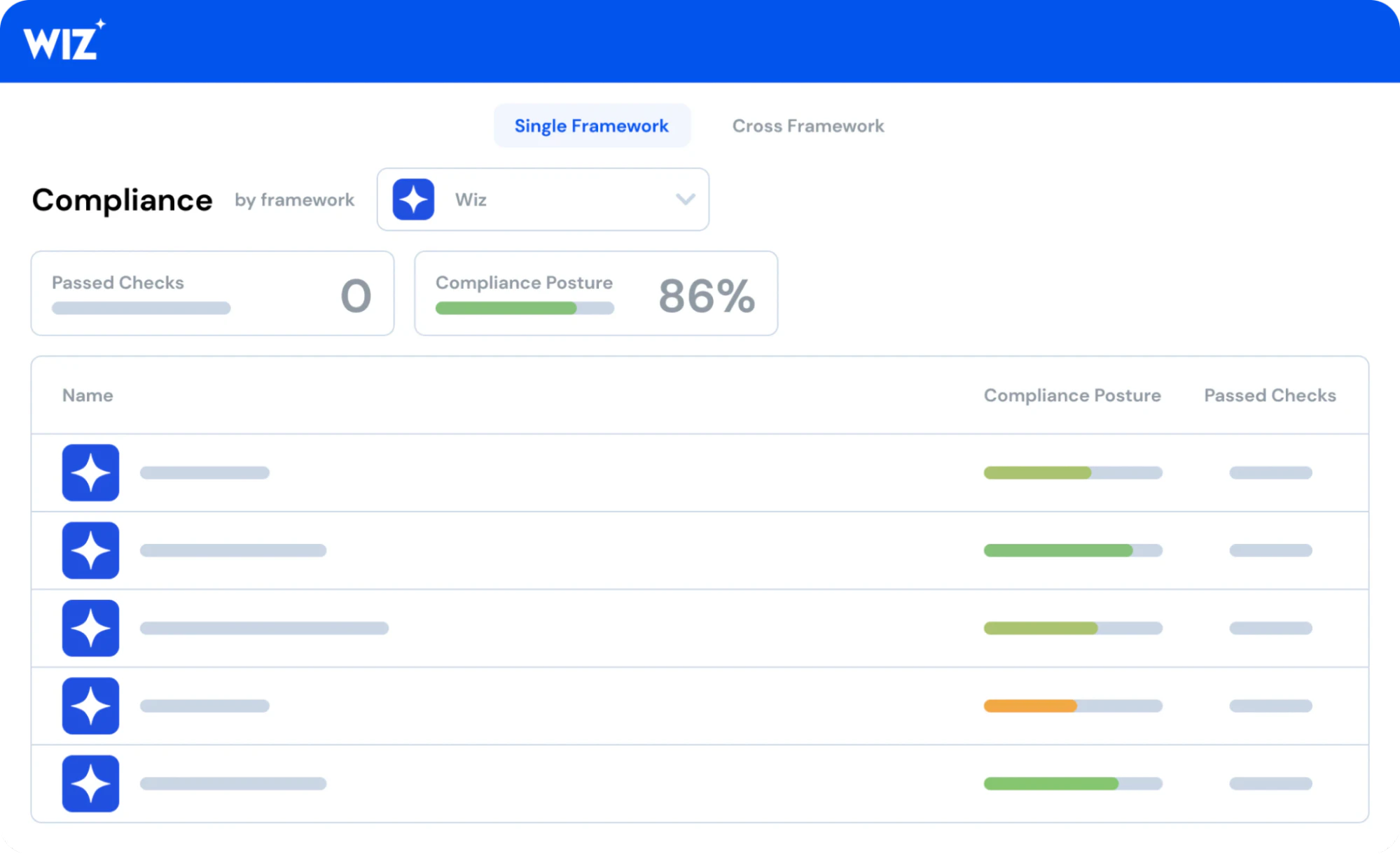
Compliance validation ensures container images meet regulatory requirements and industry standards like CIS and NIST. Automated compliance scanning prevents violations before containers reach production environments.
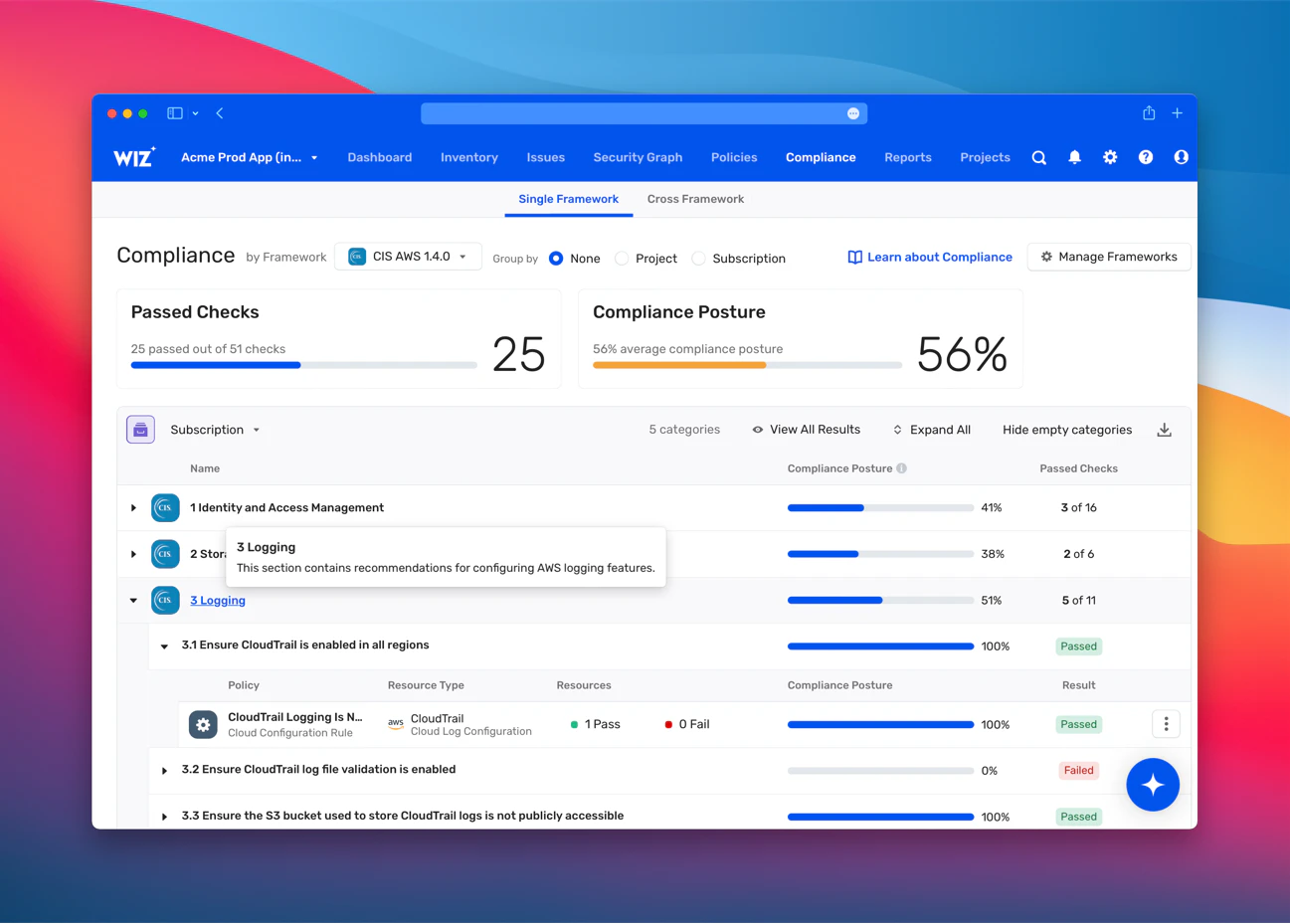
Wiz automates this process by scanning against over 100 frameworks including PCI, HIPAA, and GDPR. Security teams can identify compliance gaps early and remediate issues before they affect production systems or stakeholders.
Preventing insecure container deployment
By integrating container security scanning into your CI/CD pipeline, you can stop vulnerabilities and misconfigured images before they become a bigger security problem.
For example, you can identify and block an insecure container before deployment. Then, your team can reduce the attack surface to ensure a more secure application within the cloud environment.
Inside the 2026 CISO Budget Benchmark
See how 300+ CISOs are planning, spending, and prioritizing for the year ahead. Compare your strategy against peers and identify emerging trends.
Get the report
What can container scanning detect?
Container security scanning is a multi-dimensional check that examines various layers within a container image.
Let’s take a closer look at container images themselves and what this type of scan entails:
The anatomy of a container image
A container image is a blueprint for creating a containerized environment. It encompasses all the essentials for the application’s operation: the code, runtime environment, system libraries, and configurations. However, each layer of the image, from the base operating system to the application layer, can introduce potential vulnerabilities.
Commonly exploited vulnerabilities
Container images inherit vulnerabilities from multiple layers, with academic research categorizing over 200 vulnerabilities into 11 distinct attack vectors:
Operating system vulnerabilities: Base OS flaws become critical since containers share the host kernel, creating system-wide exposure risks.
Application dependencies: Outdated libraries and packages contain known exploits that attackers target when teams delay security updates.
Configuration flaws: Misconfigurations like excessive permissions or open ports enable lateral movement and privilege escalation attacks.
The CVE database’s role in vulnerability detection
The Common Vulnerability and Exposure (CVE) database publicly catalogs security threats that researchers have identified in software. Container security scanners leverage this list to compare the components within a container image to known vulnerabilities. When the scanner finds a match, it flags the issue for review and remediation.
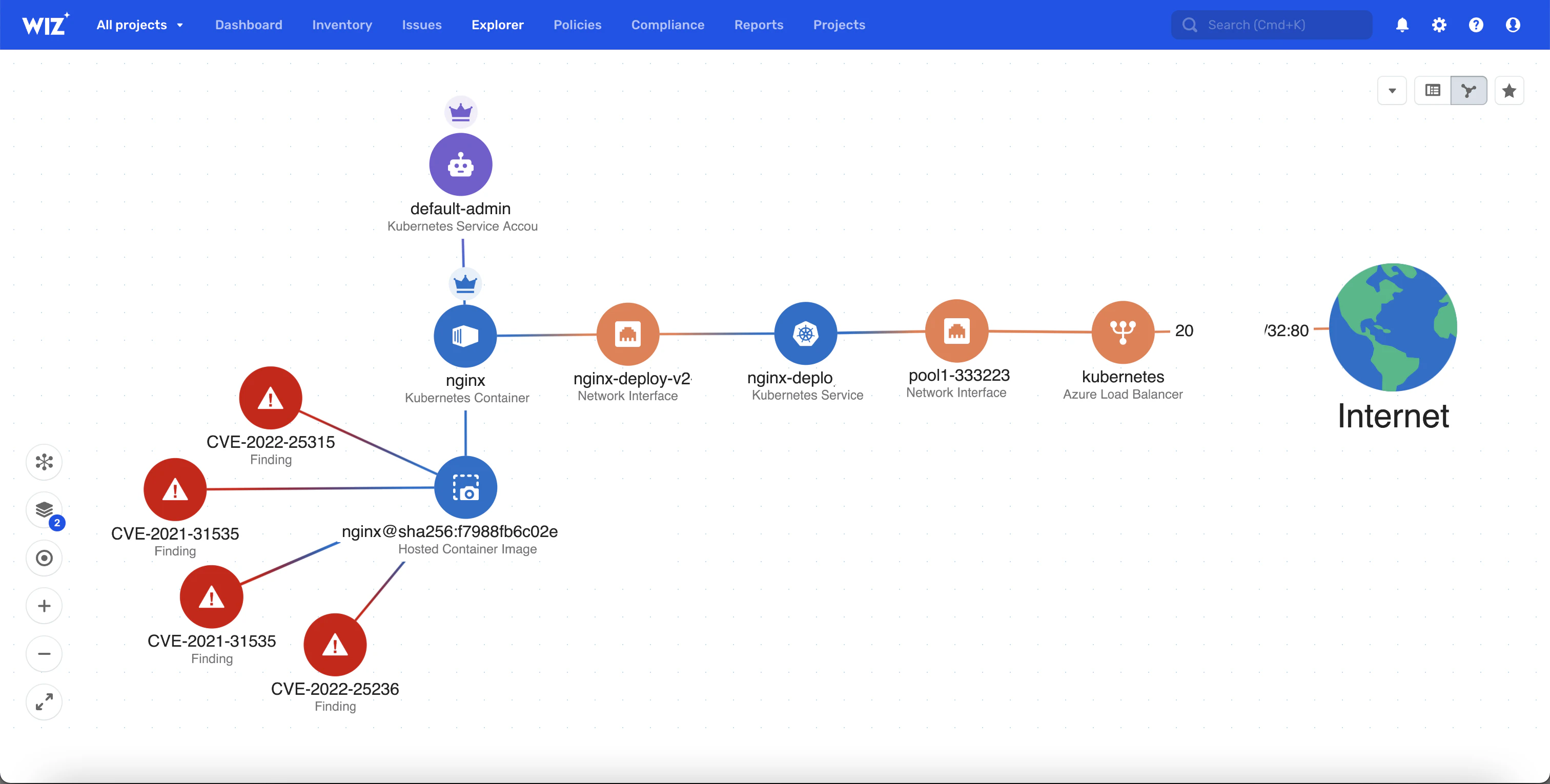
That’s why the CVE database is a critical component of vulnerability detection—it provides a comprehensive and continually updated list of known security issues.
By referencing the CVE list, scanners can provide developers with up-to-date information about their containers’ security posture. And with scanning, security teams can systematically identify and categorize vulnerabilities based on their nature and severity, which is crucial for prioritizing remediation efforts.
The importance of prioritization
Container security scanning solutions review container image layers to find exposed secrets like hardcoded passwords and API keys. The widespread exposure of secrets – affecting 61% of organizations with secrets in public repositories – makes credential scanning critical, as exposed sensitive data allows attackers to gain unauthorized access.
This is where prioritization plays a key role. To prevent a data breach, your team should use scanning to find these risks so your security team can remediate them immediately. Using a vulnerability management tool like Wiz, you can then prioritize and contextualize your risks so you can fix vulnerabilities based on their gravity and potential impact on your organization.
How does a container security scanner work?
Container scanners are sophisticated tools that employ various techniques to uncover vulnerabilities. Understanding how these tools function can empower developers to integrate them effectively into their CI/CD pipelines.
Here’s a breakdown of the key processes involved in container security scanning:
Image retrieval and decomposition
Image analysis begins by retrieving container images from registries and breaking them into constituent layers for systematic examination. This decomposition enables scanners to isolate vulnerabilities within specific components.
The process examines each layer independently—base images, application code, and dependencies. Layer-by-layer analysis ensures comprehensive coverage and pinpoints exactly where security issues originate.
Signature-based vs. behavior-based scanning techniques
Scanning techniques generally fall into these two categories:
Signature-based scanning: This method relies on predefined patterns of known vulnerabilities, which experts refer to as signatures. The scanner checks the components in a container image against a database of these signatures (like the CVE database). If there’s a match, the scanner indicates that the component may be vulnerable.
Behavior-based scanning: Unlike signature-based scanning, behavior-based scanning doesn’t look for known patterns. Instead, it analyzes components’ behavior when a container is running and looks for anomalous activities that may suggest a security issue (such as unexpected network traffic or processes that shouldn’t be running).
False positives and false negatives
Scanner accuracy presents ongoing challenges as no detection method achieves perfect results. Understanding these limitations helps teams set realistic expectations.
False positives waste time by flagging non-existent vulnerabilities, leading to alert fatigue and reduced team efficiency.
False negatives pose greater risks by missing real threats that remain unaddressed and exploitable.
Modern scanners improve accuracy through multiple validation methods. They cross-reference findings against multiple databases, apply heuristics, and use machine learning for continuous improvement. This multi-layered approach balances comprehensive detection with manageable alert volumes.
Integration with CI/CD pipelines for automated scanning
Today’s container security scanners can integrate right into your CI/CD pipeline. And with automated scanning, you can embed security into each stage of the software development lifecycle. This CI/CD integration helps your DevSecOps team patch vulnerabilities before they hit the market and affect customers and employees.
Automated scans also minimize manual effort, speed up development workflows, and help you enforce security without slowing down production.
Container Security Best Practices
8 no-brainer container security best practices + the key components of container architecture to secure
Leggi di più
Types of container security scanning
Because containerized applications require a multifaceted approach to security scanning, there are several types, each of which targets different aspects of container security. Here’s a closer look at each:
Image scanning
Image scanning examines container images themselves, often before teams deploy them. There are three components of this type of scanning:
Base image vulnerability scanning: Many teams build containers from base images that may contain vulnerabilities. Container image scanning tools check these base images against known vulnerabilities in databases (like the CVE list) to ensure that teams don’t use outdated or compromised components.
Application dependency checks: These checks scan the libraries and packages that the application within the container relies on. This type of scan also analyzes the software bill of materials to identify outdated libraries with known vulnerabilities.
Infrastructure as code (IaC) scanning: This process involves examining IaC files, such as Dockerfiles, to validate configurations and detect potential misconfigurations or embedded secrets. IaC scanning also helps security teams secure infrastructure provisioning scripts and follow best practices to prevent vulnerable containers from deploying.
Runtime scanning
Security teams also perform runtime scanning while a container is active and running. This type of scan targets the following areas:
System calls and processes: Runtime scanners observe system calls by running containers. A container that attempts to make an unexpected system call could indicate the presence of malicious activity or even container escape vulnerabilities.
Real-time anomalous behavior: These scans also identify deviations from regular operations that may indicate an intrusion. Anomalous behavior includes spikes in network traffic, unauthorized changes to files or configurations, or the resource surges typical of a cryptojacking campaign.
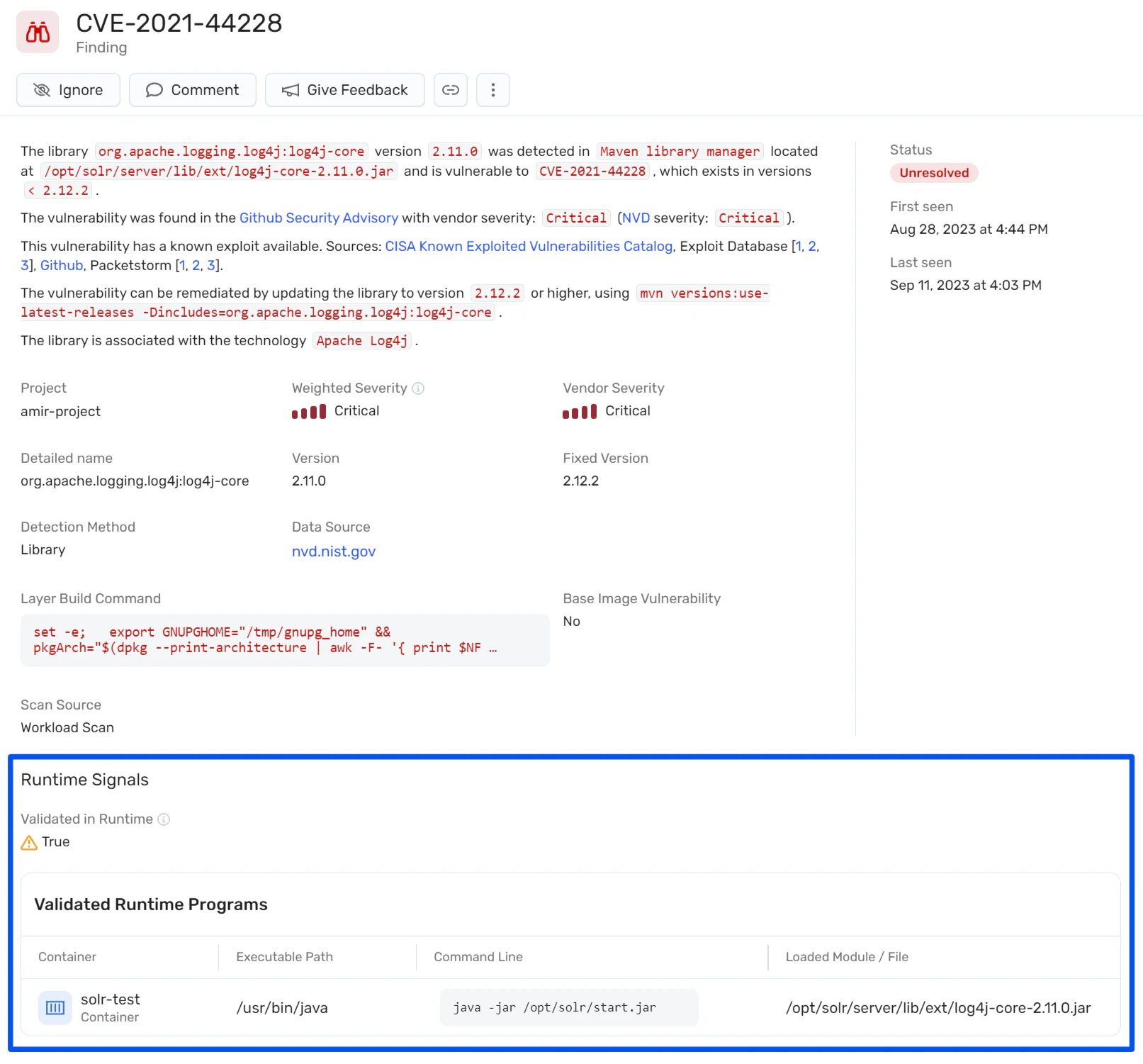
Real-world example: In September 2024, Wiz Research found CVE-2024-0132, a container-escape vulnerability in the NVIDIA Container Toolkit. This vulnerability allowed a malicious container image to access the host’s root file system. Continuous vulnerability management practices like runtime scanning helped Wiz prevent these issues by consistently reviewing and analyzing containers.
Compliance scanning
Compliance scanning ensures that containers meet the following security standards and best practices:
Industry standards: Compliance scanners verify container configurations against established industry standards like CIS and NIST. These checks help you verify that containers are secure and configured in line with recognized guidelines.
Custom compliance checks: Enterprises often have unique compliance requirements, so teams should configure scanners to check for specific controls and policies that align with internal security protocols.
A combination of image, runtime, and compliance scanning provides a comprehensive security posture that addresses vulnerabilities throughout the entire software development lifecycle, from development to deployment and operation. This holistic approach ensures security across the entire container lifecycle.
IaC scanning
IaC scanning analyzes resources like Kubernetes manifests for any misconfigurations that may threaten security before deployment. When your team reviews infrastructure at the code level, they can find risks like over-permissions and insecure default settings.
By detecting these types of issues early, you can build and maintain a cloud environment from the start of production through its entire lifecycle. This supports a shift-left policy, which makes security the core of development and operations for a safer cloud infrastructure.
Best practices for container security scanning
Strategic implementation transforms container scanning from a point-in-time check into comprehensive lifecycle protection. Success requires integrating security principles throughout the entire container workflow.
These four practices ensure maximum security impact:
1. Scan early in the development life cycle
Conducting security checks late in the development cycle leads to costly and time-consuming fixes. A shift-left approach, on the other hand, promotes the integration of security processes at the earliest stages of the software development life cycle. This way, you can identify vulnerabilities and remediate them sooner, which saves you time and money, reduces the risk of security incidents post-deployment, and promotes a security-first mindset among developers.
Here’s a sample integration for a security scanner:
# Sample integration of a security scanner in GitLab CI
stages:
  - build
  - scan
  - deploy

build:
  stage: build
  script:
    - echo "Building the container image..."
    - docker build -t my-image .

security_scan:
  stage: scan
  script:
    - echo "Scanning the container image for vulnerabilities..."
    - trivy image my-image
  allow_failure: true

deploy:
  stage: deploy
  script:
    - echo "Deploying the container image..."
    - docker push my-repo/my-image:latest
2. Adopt continuous scanning
Continuous scanning maintains real-time visibility into container security by regularly analyzing images and running containers for newly discovered threats. This approach ensures vulnerabilities are detected as soon as they're disclosed.
New vulnerabilities emerge daily, making one-time scans insufficient for long-term protection. Continuous monitoring minimizes the exposure window between vulnerability disclosure and detection, reducing opportunities for exploitation.
Here’s an example cron job entry for daily scans:
# Example cron job entry to run a daily scan on a container image
0 2 * * * trivy image my-repo/my-image:latest >> /var/log/trivy_scan.log
3. Prioritize your vulnerability alerts
Not all vulnerabilities pose the same risk—and similarly, addressing them all at once isn’t feasible. Because of this, it’s important to efficiently allocate your resources.
You can do this by prioritizing vulnerabilities based on their severity, exploitability, and specific impact on your environment. When you address critical security issues first, you can optimize your remediation efforts for greater long-term security.
Here’s an example of how to prioritize vulnerabilities:
# Pseudocode for processing and prioritizing vulnerabilities
for vulnerability in scan_results:
    if vulnerability.severity == 'CRITICAL' and is_exploitable(environment):
        raise_alert(vulnerability)
    elif vulnerability.severity in ['HIGH', 'MEDIUM'] and affects_production_code():
        schedule_for_remediation(vulnerability)
4. Foster collaboration between DevOps and security teams
Historically, a divide has existed between DevOps and security teams—but those that collaborate actively create a culture where both teams share responsibility for security and integrate it into every aspect of development and deployment. The resulting benefits are far-reaching.
By leveraging collaboration, you’ll create a more robust security posture and establish security as a vital component of quality.
Here’s an example of a Slack notification command for a vulnerability:
# Example Slack notification command for a found vulnerability
curl -X POST -H 'Content-type: application/json' --data '{"text":"A critical vulnerability has been found in the latest scan. Team collaboration is required for immediate action."}' https://hooks.slack.com/services/T00000000/B00000000/XXXXXMake your container scanning smarter and safer with Wiz
Containers, by their very nature, are constantly evolving within IT infrastructures—and with this fluidity comes an ever-shifting threat landscape. Because threat actors continually devise new strategies to exploit vulnerabilities within container environments, you need a solution that’s both comprehensive and adaptive.
Enter Wiz for Containers.
Our platform provides the tools and insights you need for continuous assessment throughout the entire software development life cycle. With our comprehensive security solution, everyone on your team can gain a holistic view of container security, making insights easily accessible and actionable. In addition to scanning containers from build to runtime, Wiz also provides secured container images with WizOS. These images are continuously maintained at near-zero CVEs, enabling developers to start secure and stay secure.
Ready to experience firsthand how Wiz can transform your security posture and keep your containers safe? Sign up for a free Wiz container security demo and explore WizOS today!