


What is container security?
Container security is the practice of protecting containerized applications from vulnerabilities, malware, and unauthorized access throughout their entire lifecycle.
Containers are lightweight, portable units that package applications with their dependencies. They offer agility and scalability but share the host system's kernel, creating unique security challenges that traditional security approaches can't fully address.
Unlike virtual machines, containers don't provide complete isolation. A compromised container can potentially affect the host system and other containers, making specialized security measures essential.
Container security addresses these key areas:
Image security: Scanning for vulnerabilities and ensuring trusted sources
Runtime protection: Monitoring active containers for malicious behavior
Network security: Controlling communication between containers
Secrets management: Protecting sensitive data like API keys and passwords
Orchestration security: Securing platforms like Kubernetes that manage containers, which includes keeping the platform updated, as the Kubernetes project regularly backports the applicable fixes for security issues to its three most recent minor release branches
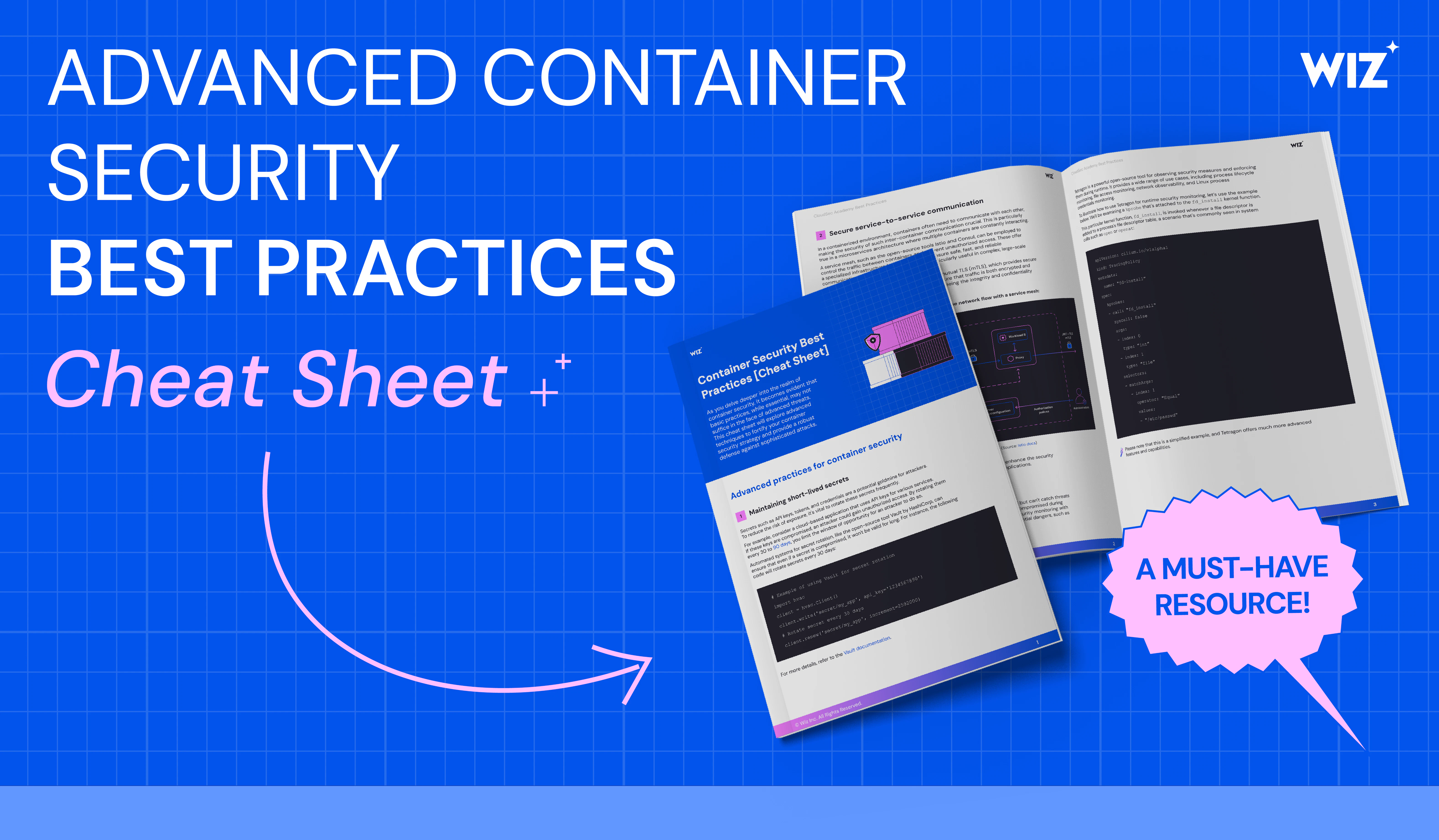
Advanced Container Security Best Practices [Cheat Sheet]
What's included in this 9 page cheat sheet? 1. Actionable best practices w/ code examples + diagrams 2. List of the top open-source tools for each best practice 3. Environment-specific best practices

The more widely companies use containers, the more likely they are to call security their top challenge with containers.
CNCF Annual Survey
Components of container security architecture
Container security is a multifaceted discipline encompassing various aspects of the container lifecycle and infrastructure. Here, we delve into some of the key areas that require attention:
Container images
A containerized environment is made up of container images. Vulnerabilities within these images, if left unchecked, expose the environment to attack. Regular scanning of container images for vulnerabilities, using trusted images from reputable sources, removing unnecessary packages before deployment, and keeping images updated are some common practices for securing images.
To minimize container image vulnerabilities and maintenance, many organizations choose to use secured or hardened images provided by a trusted vendor. Secured images are built from source and continuously maintained by the vendor to stay at near-zero CVEs, backed by SLAs for remediation.
Registries
Container registries, where images are stored and retrieved, can be a target for attackers. Safeguarding registries involves:
Implementing access controls
Scanning images for vulnerabilities before pushing them to the registry
Using encrypted connections for data transmission
Deployment
The deployment phase involves configuring and launching containers. Security considerations here include:
Ensuring proper configurations to avoid misconfigurations
Limiting the use of root privileges
Automating the enforcement of security policies
Runtime
Containers in operation are susceptible to threats. Continuous security measures such as real-time monitoring, anomaly detection, and automated response mechanisms can help mitigate these threats.
Container Runtimes Explained
A container runtime is the foundational software that allows containers to operate within a host system.
Read more

Secrets
Containers often need to access sensitive data or secrets like API keys, passwords, and tokens. Protecting these secrets is crucial. This can be achieved by using secret management tools, encrypting secrets at rest and in transit, and implementing least privilege access controls.
Access
Access management is a key aspect of container security. Implementing role-based access control (RBAC), robust authentication mechanisms, and regularly reviewing access logs can help prevent unauthorized access.
Network
Containers engage in internal and external communication, necessitating the implementation of measures to protect these interactions. This entails the segregation of the network, encryption of network traffic, and vigilant monitoring for any potentially malicious activities.
Orchestration
Orchestration tools, such as Kubernetes, are responsible for overseeing the deployment and scalability of containers. Ensuring the security of these tools entails:
Hardening the orchestration environment
Controlling access to the orchestration API
Regularly updating the orchestration tools to patch any vulnerabilities
Storage
Containers often need to store data, which must be protected. Security considerations for data storage in containers include:
Encrypting data at rest and in transit
Implementing access controls on data
Regularly backing up data
Each one of these elements assumes a pivotal part in guaranteeing thorough container security. By understanding these domains, organizations can greatly augment the security of their containerized environments.
Container threat landscape and common attack vectors
Container attacks exploit unique vulnerabilities in containerized environments. Understanding these common threats helps you implement effective defenses.
1. Malicious container images
Images containing malware, backdoors, or vulnerable components pose significant risks. This happens when teams pull from untrusted registries or compromised supply chains, leading to code execution, data theft, and lateral movement. Leveraging secured images built by a trusted source with verifiable provenance significantly reduces risk.
2. Container escape
When attackers exploit kernel vulnerabilities or misconfigurations, they break through container isolation to access the host system, as seen in recent container escape vulnerabilities. This can compromise the full host and open access to other containers.
3. Privilege escalation
Unauthorized parties may gain prohibited permissions when containers run as root or with excessive capabilities. This leads to system control, data access, and persistent threats.
4. Network-based attacks
Exploiting container network configurations through unsegmented networks, exposed services, or weak authentication enables data interception, lateral movement, and service disruption.
Wiz helps you address these risks by providing deep visibility into your container environment, scanning for vulnerabilities, monitoring runtime activity, and correlating risks across your cloud and Kubernetes infrastructure. Our platform makes it easier to spot and fix real attack paths before they can be exploited.
7 challenges of container security
Container security challenges stem from containers' dynamic, ephemeral nature and shared infrastructure model. Unlike traditional applications, containers can be created and destroyed in seconds, making continuous monitoring and protection essential.
| Challenge | Description |
|---|---|
| 1. Monitoring | Containers are dynamic and ephemeral, often spun up and down in response to demand. This can create blind spots in security monitoring, making it difficult for security teams to keep track of every container in their environment. Overcoming this requires robust monitoring tools that maintain visibility even in highly dynamic, containerized environments. |
| 2. Identification and mitigation | Containers often come from public registries, which may contain outdated or vulnerable images. Additionally, misconfigurations during the setup and deployment of containers can introduce security risks, so regular scanning for vulnerabilities and misconfigurations is essential. |
| 3. Proper evaluation | Context is crucial in container security. Security teams need to identify each vulnerability as a higher or lower risk based on its potential impact. This requires a deep understanding of the container environment and the applications running within it. |
| 4. Shift left | Security must be embedded from the earliest stages of development rather than being bolted on at the end. This approach, known as shift left, helps catch and resolve security issues earlier on, resulting in a lower chance of vulnerabilities getting into the production environment. |
| 5. Industry regulations | Organizations must ensure their container environments meet all relevant compliance requirements, which can be a complex task given the dynamic nature of containers. |
| 6. Runtime threats | Runtime threats pose a hidden danger to container and Kubernetes workloads and can arise within the container environment. Real-time monitoring and threat detection are critical to addressing these threats. |
| 7. Multi-tenancy | In multi-tenant environments, multiple users or applications share the same container infrastructure. This can lead to potential security risks if one tenant can access another's data or resources. Strong isolation measures can help ensure security in these environments. |
These challenges demand that organizations be proactive when it comes to container security. This includes implementing robust security measures, following container best practices, and using advanced security tools. In the following sections, we'll explore the key aspects of container security and how to address these challenges effectively.
Containers vs. virtual machines (VM)
Containers share the host OS kernel, making them lightweight but potentially less secure:
Security advantage: Faster to patch and update
Security risk: Kernel vulnerabilities affect all containers
Best for: Development environments, microservices
Virtual machines include their own complete operating system:
Security advantage: Complete isolation between VMs
Security risk: Larger attack surface, slower to update
Best for: Production workloads requiring strict isolation
Bottom line: VMs provide stronger isolation, but containers offer faster security updates and smaller attack surfaces when properly configured.
Container technologies: Kubernetes and Docker
Kubernetes and Docker are regularly implemented in container security plans, but how do they differ and where do they come into play? Here’s an overview of their uses and strengths, as well as how you can fold them into your security.
Kubernetes
Kubernetes, a container orchestration platform, provides a framework for managing and deploying containerized applications at scale. In this context, container security refers to the measures and practices implemented to protect the integrity and confidentiality of containerized workloads.
Kubernetes plays a pivotal role in enhancing container security by offering built-in security features such as role-based access control (RBAC), network policies, and secrets management. Thus, container security and Kubernetes are interdependent, with Kubernetes serving as a foundation for robust container security implementations.
Learn more about the role of Kubernetes in container security from our piece on Kubernetes security best practices.
Kubernetes Security Best Practices Cheat Sheet
This 6 page cheat sheet goes beyond the basics and covers security best practices for Kubernetes pods, components, and network security.

Docker
Docker, a popular containerization platform, enables the creation and management of lightweight, isolated containers for applications and their dependencies. Docker Hub aids container security by providing various built-in security features such as isolation, resource control, and image signing. Plus, Docker offers a secure image registry and supports the implementation of security best practices, including vulnerability scanning and image hardening. Consequently, Docker serves as a fundamental component in the security and integrity of containers throughout their lifecycle.
Features of a container security tool
Essential container security tool features help you protect containers from development through runtime. By knowing what features to look for and which to are most important for your business, you can choose a container security solution that not only meets your current needs but also adapts to your evolving security requirements.
Look for these capabilities when choosing a solution:
Container scanning
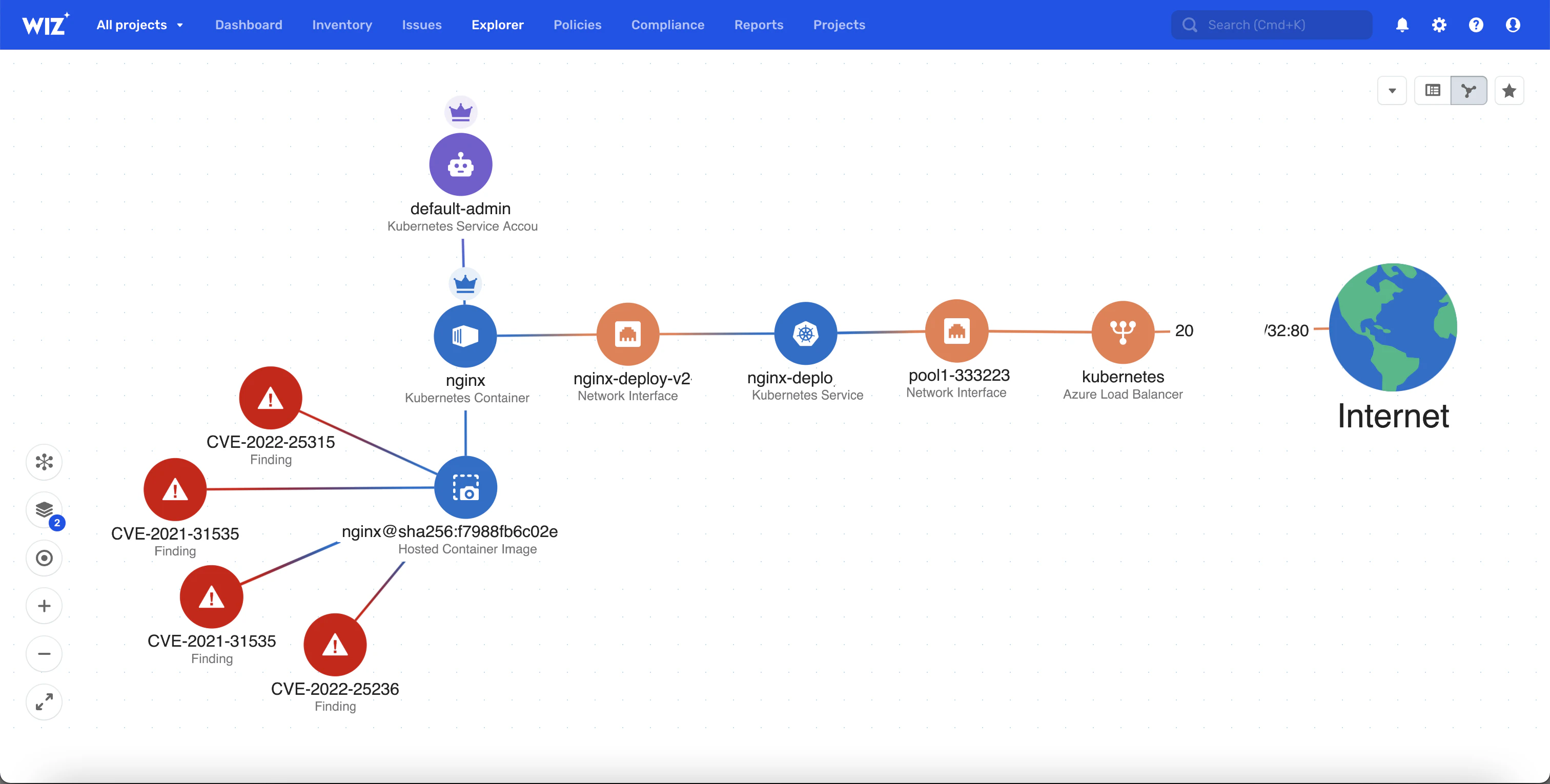
A container security solution must offer automated scanning capabilities to detect container image and configuration vulnerabilities. This feature enables you to uncover and remediate any problems before containers are deployed.
Real-time monitoring and detection
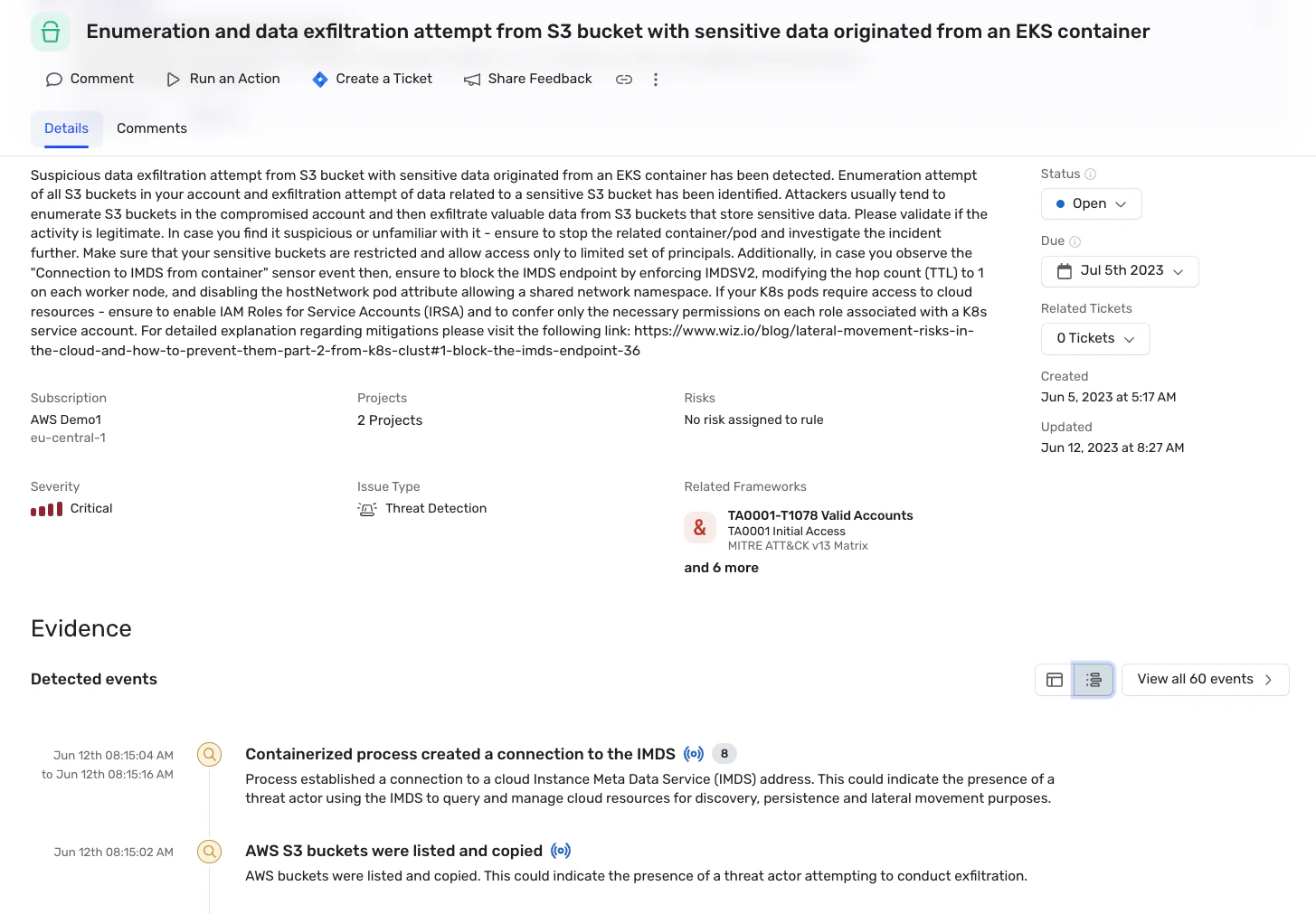
The dynamic nature of containerized environments necessitates real-time monitoring to identify and mitigate potential security threats quickly. An ideal solution should therefore provide live threat detection and response capabilities.
CI/CD integration
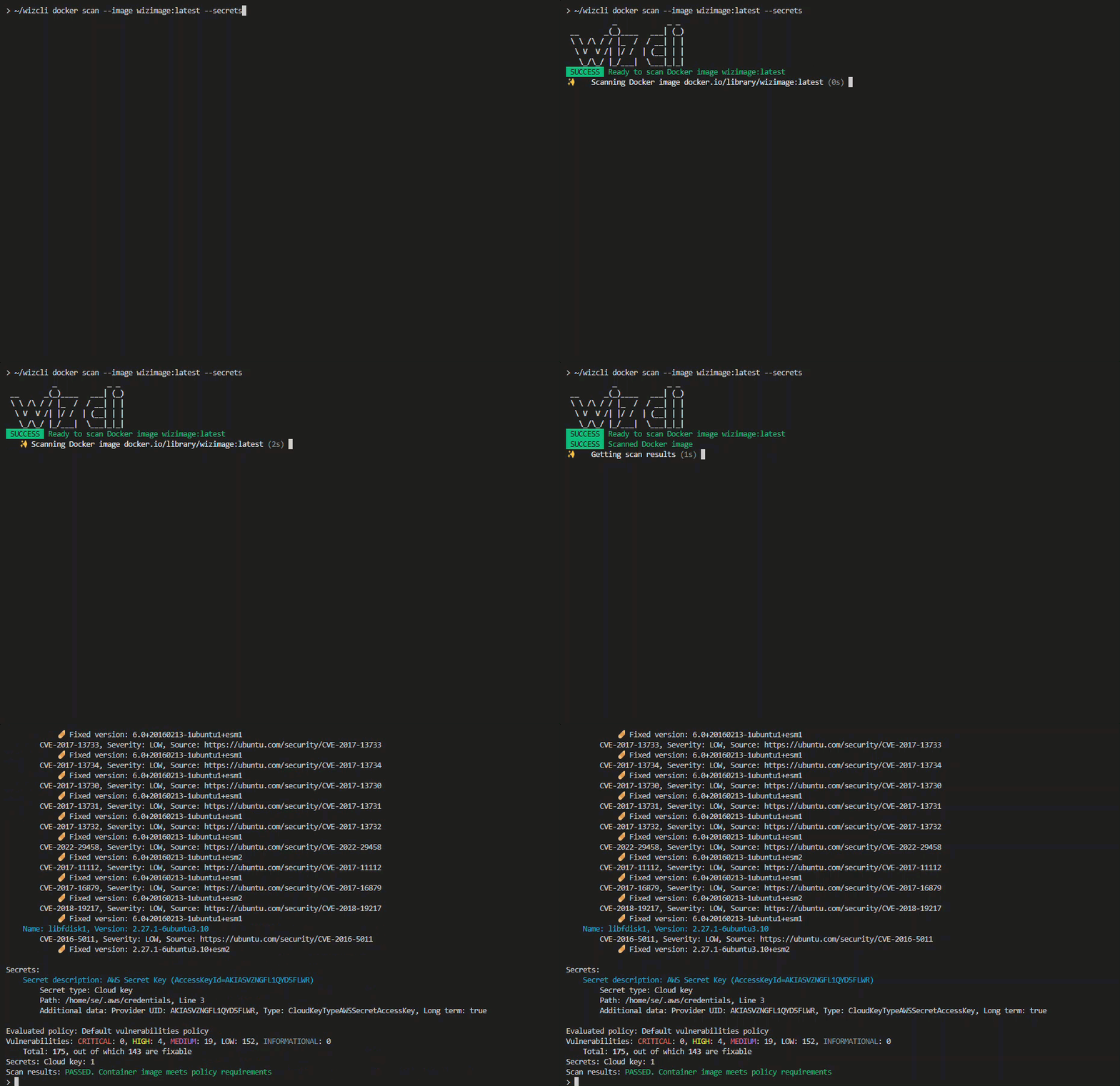
Integrating security into the continuous integration and continuous delivery (CI/CD) pipelines allows for early detection and resolution of security issues. This "shift left" approach to security helps ensure security is a consideration throughout the development process, not just at the deployment stage.
Runtime protection
Safety during the operation stage is key. A robust container security solution should provide container runtime protection features, such as behavioral monitoring and anomaly detection, to identify and respond to threats during container operation.
Deployment security policy checks
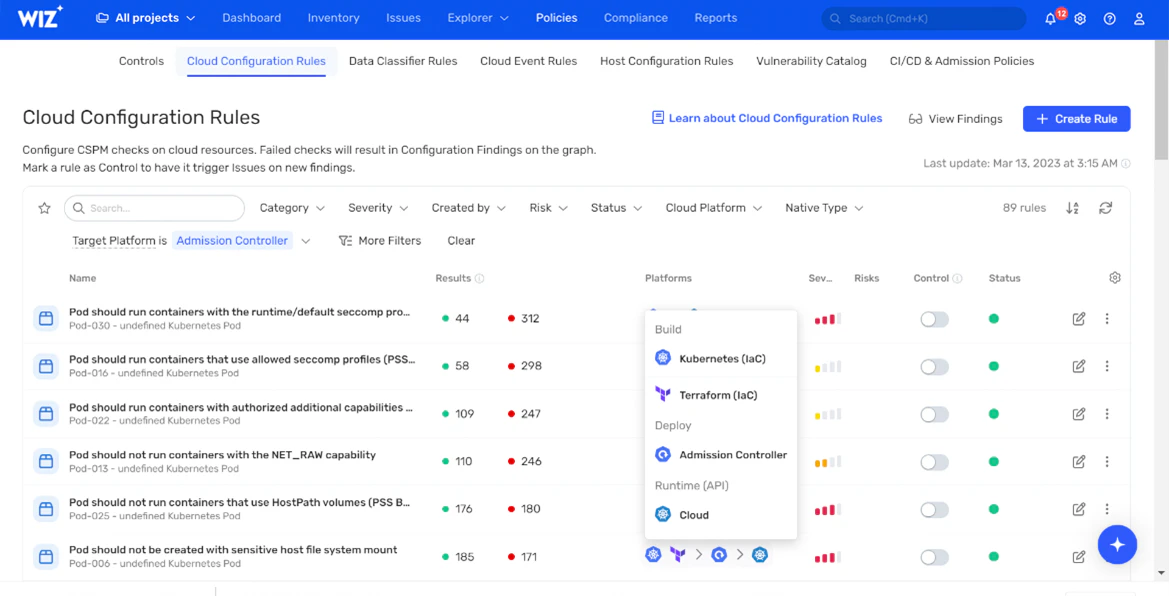
The admission controller ensures only validated and authorized containers are deployed in the environment, and an ideal solution should provide policy checks at the deployment stage.
Automated remediation

The ability to automatically resolve detected threats speeds up remediation and minimizes any negative impacts, providing greater value and quick recoveries.
Compliance checks
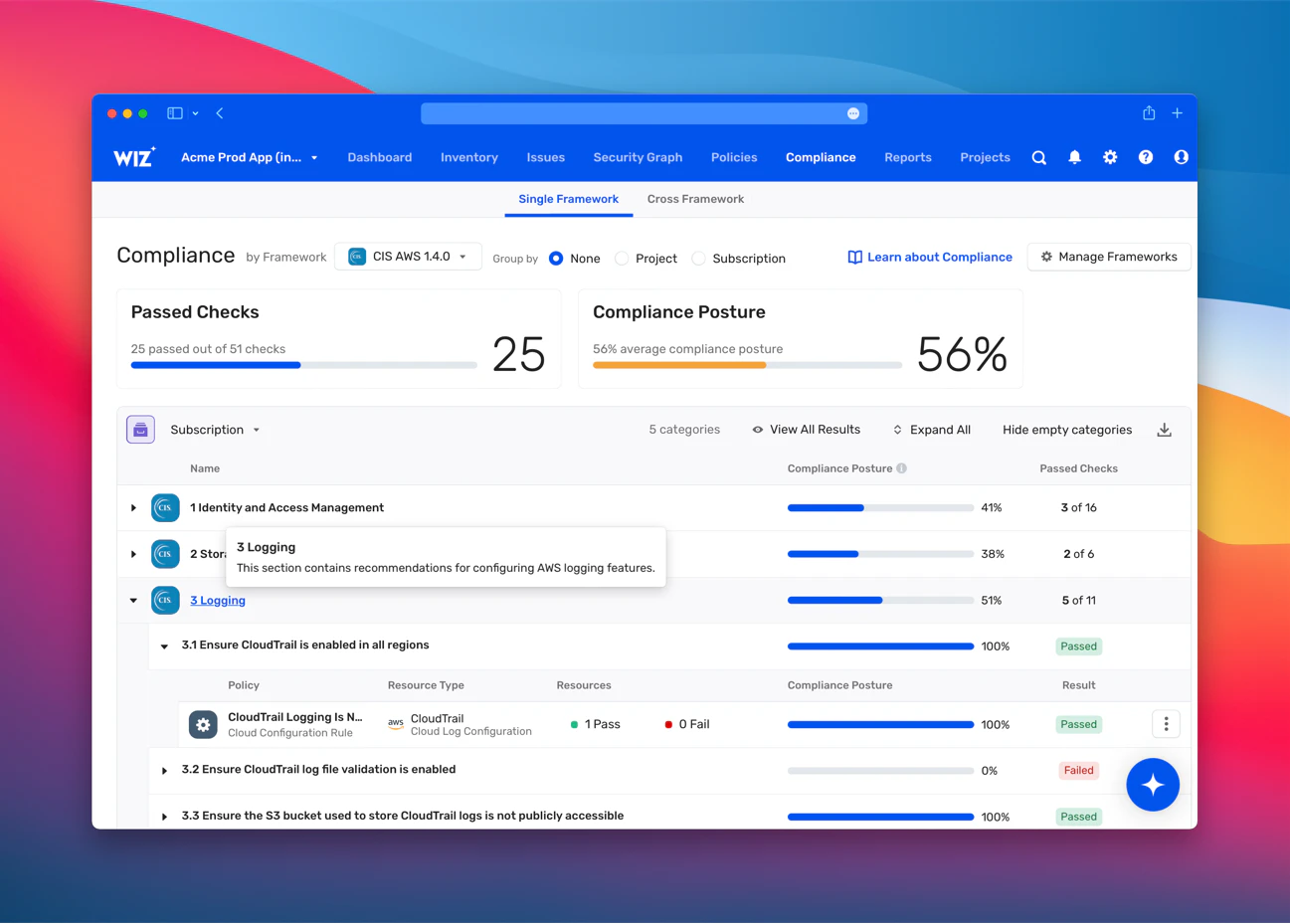
A comprehensive container security solution should help organizations meet relevant compliance standards and regulations. This includes features like compliance reporting and automated compliance checks.
Scalability
As your container environment grows, your security solution needs to scale with it. Look for solutions that can handle the increased complexity and volume of a growing containerized environment—without compromising security.
Watch 12-min demo
See how Wiz integrates container security into the wider cloud ecosystem to isolate critical risks and harden your entire environment from one central platform.

Best practices: How to secure a container
When developing your container security processes, be sure to include industry best practices. By following these key steps, you can bolster the security of your containerized environments, enabling your organization to confidently harness the benefits of containerization while safeguarding against potential security risks:
1. Secure container images
What it prevents: Vulnerable or malicious code reaching production
Key actions:
Scan regularly to identify vulnerabilities before deployment.
Use trusted sources and pull from verified registries only. Consider secured images from a trusted vendor to minimize CVEs and supply chain risk.
Minimize components by removing unnecessary packages to reduce attack surface.
2. Protect your registry
What it prevents: Compromised images entering your environment
Key actions:
Implement access controls for your container registries, limiting who can push and pull images.
Scan images for vulnerabilities before pushing them to the registry.
Use encrypted connections for data transmission between containers and the registry.
3. Secure deployment
What it prevents: Misconfigurations that expose security risks
Key actions:
Ensure proper configurations to avoid misconfigurations.
Limit the use of root privileges within containers to reduce potential damage from exploits.
Leverage automated tools to enforce security policies consistently across deployments.
4. Implement runtime monitoring and threat detection
What it prevents: Active threats going undetected
Key actions:
Implement real-time monitoring and anomaly detection to identify and respond to threats quickly.
Use behavioral monitoring to detect unusual activities within running containers.
Establish automated response mechanisms to mitigate potential threats.
5. Manage secrets
What it prevents: Credential theft and unauthorized access
Key actions:
Securely manage access to sensitive data and secrets used within containers.
Use secret management tools to encrypt secrets at rest and in transit.
Apply the principle of least privilege to control access to secrets.
6. Control access
What it prevents: Unauthorized users accessing container resources
Key actions:
Use role-based access control (RBAC) for managing user access to container resources.
Implement strict authentication mechanisms, e.g., multi-factor authentication (MFA).
Regularly review access logs to identify and address unauthorized access attempts.
7. Ensure network security
What it prevents: Lateral movement and data interception
Key actions:
Segment the network to prevent unauthorized access between containers.
Encrypt network traffic to protect data during transit between containers.
Monitor network activities for any signs of suspicious or malicious behavior.
8. Ensure orchestration platform security
What it prevents: Compromise of container management systems
Key actions:
Harden the orchestration environment with tools such as Kubernetes to resist potential attacks.
Control access to the orchestration API to prevent unauthorized control of containers.
Regularly update the orchestration tools to patch known vulnerabilities.
9. Include storage protection
What it prevents: Data breaches and loss
Key actions:
Encrypt data at rest and in transit to ensure the security of sensitive information inside containers.
Apply access controls to limit who can read, write, and modify data stored by containers.
Regularly back up data to prevent data loss or corruption.
Container security compliance and regulations
Container compliance requires meeting security standards throughout the container lifecycle. Key frameworks and requirements include:
SOC 2 Type II requires secure development practices, vulnerability management, and access controls. For containers, this means implementing image scanning, secrets management, and audit logging.
PCI DSS mandates network segmentation, encryption, and monitoring. Container-specific requirements include runtime protection, secure communications, and data isolation.
NIST Cybersecurity Framework (CSF) covers identify, protect, detect, respond, and recover functions. Container focus areas include asset inventory, vulnerability scanning, and incident response.
ISO 27001 addresses information security management systems. For containers, this means risk assessment, security policies, and continuous monitoring.
Wiz supports compliance by providing continuous monitoring, automated policy checks, and detailed reporting across your container and cloud environments. Our platform helps you demonstrate that your container security controls are effective and up to date.
Build containerized applications without risk with Wiz
Container security done right enables faster, safer software delivery by preventing vulnerabilities from reaching production, automating security checks in CI/CD pipelines, providing clear remediation guidance for developers, and reducing manual security overhead for teams.
Melody Hildebrant, the CISO at Fox, has witnessed the power of democratizing security firsthand:
Pairing engineers who understand the risks with the tools to remediate them is incredibly powerful. There are 10X as many environment owners, developers, and engineers using Wiz than there are security team members at FOX. This helps us to ensure that the products shipped across over 1,000 technologists across the company have security baked in, which is beyond the impact that a small and mighty cybersecurity team can have alone
Melody Hildebrant, CISO, Fox
Shift left doesn't have to be a pipe dream. You too, can experience the power of democratizing security with a cloud native container security that scales with developers and DevOps. Enter Wiz.
Wiz provides comprehensive container security that scales with your development velocity. Our agentless platform delivers full visibility across the entire lifecycle—from build to runtime—with zero impact on performance. By utilizing WizOS, our secured container images continuously maintained at near-zero CVEs, you can eliminate inherited vulnerabilities and secure your supply chain.
Curious what that looks like? See firsthand how Wiz transforms container security from a bottleneck into an accelerator—request a demo to explore how Wiz can secure your cloud environment.
See Wiz in Action: Agentless Container Security
See how teams achieve comprehensive container security without slowing down development. Schedule your personalized demo.
