


A software bill of materials (SBOM) is a structured inventory of the components, packages, and dependencies in a software application. As open-source dependencies accelerate development, they also create security blind spots across third-party packages, versions, and transitive dependencies. By giving teams a clear record of what their software contains, SBOMs help identify vulnerable components, track usage, and address license or compliance issues faster.
For security, DevOps, and engineering teams, SBOM tools help generate and analyze software inventories so they can identify vulnerable dependencies, assess exposure, support compliance, and respond faster to supply chain threats. This guide compares the best SBOM tools for enterprise security teams, highlights the key features to evaluate, and explains how to choose the right option for your environment.
CI/CD Security Best Practices [Cheat Sheet]
Learn about infrastructure security, code security, access, and monitoring with actionable items, code snippets, and screenshots.

5 top SBOM tools for enterprise security teams
Supply chain attacks continue to grow in scale and sophistication. The 2024 XZ Utils backdoor attempt, malicious npm and PyPI packages, and the Polyfill.io compromise all underscore the same reality: knowing what is inside your software is no longer optional. The tools below simplify SBOM generation across environments, from container images to filesystems and enterprise-scale cloud deployments.
1. Syft
Syft is a widely used open-source CLI tool from Anchore that generates SBOMs from container images and filesystems. The tool supports OCI, Docker, and Singularity container formats and detects the Linux distribution in use to provide context for OS-level dependency visibility.
Key capabilities include:
Multi-format output: Export SBOMs in SPDX, CycloneDX, and Syft-native JSON to give teams flexibility in how they consume and share SBOM data.
Container image and filesystem scanning: Scan container images and local filesystems to protect both build and runtime environments.
CI/CD pipeline integration: Integrate Syft into GitHub Actions and other pipeline tools to strengthen shift-left security practices within DevSecOps workflows.
Active open-source community: Access regular improvements from Anchore to expand support for new package managers and ecosystems.
Language-agnostic coverage: Identify dependencies across diverse languages and ecosystems to eliminate blind spots in polyglot environments.
Syft operates as a standalone SBOM generation tool. Teams that need to operationalize findings—such as correlating SBOMs with vulnerability data or cloud context—typically layer Syft on top of additional tooling.
2. Microsoft SBOM tool
The Microsoft SBOM tool is an open-source SBOM generator for large-scale enterprise projects. The tool uses Microsoft's component detection library to support package managers such as NuGet, Go, npm, pip, and Cargo, providing compatibility for organizations with diverse, multi-language codebases.
Key capabilities include:
Scalable SBOM generation: Manage large monorepos and complex build environments to ensure high performance at enterprise scale.
SPDX output at build time: Generate SBOMs in SPDX format during the build process to capture a precise snapshot of dependencies at the point of release.
Broad package manager support: Leverage coverage across NuGet, Go, npm, pip, Cargo, and other package managers to reduce the need for multiple tools in mixed-language environments.
GitHub integration: Integrate the Microsoft SBOM tool with GitHub Actions to automate SBOM generation as part of existing source code and CI/CD workflows.
Open governance: Microsoft maintains the tool on GitHub under a permissive license with active contributions from its engineering team.
The tool outputs SPDX exclusively. Teams that require CycloneDX output for compliance or toolchain compatibility should plan a conversion step or evaluate additional tooling.
3. CycloneDX generator
OWASP provides the CycloneDX generator (cdxgen) as its official SBOM tool for comprehensive open-source visibility. The generator supports a wide range of programming languages, including C/C++, Java, JavaScript, Python, and Haskell, and features both a CLI and an API server.
Key capabilities include:
Broad language and ecosystem support: Cover a large number of languages and package managers to secure polyglot environments with diverse software components.
CLI and API server modes: Run locally as a CLI for build-time tasks or as an API server with a /bom endpoint to generate SBOMs on demand across flexible integration patterns.
CycloneDX native output: Produce CycloneDX SBOMs that match the official OWASP specification to streamline security vulnerability disclosures and supply chain risk assessments.
CI/CD pipeline compatibility: Integrate cdxgen into standard DevOps pipelines to automate SBOM generation at build time.
Active OWASP community backing: Leverage regular updates from OWASP contributors to keep pace with new language releases and SBOM specification changes.
The tool outputs CycloneDX exclusively, so teams that require the SPDX format must either plan a conversion step or choose a different tool.
4. SPDX SBOM generator
The SPDX SBOM generator is a multi-language open-source tool from the Linux Foundation. The tool generates SPDX-formatted SBOMs for a wide range of package managers, including pip, Cargo, npm, Go modules, Composer, and RubyGems.
Key capabilities include:
Multi-language CLI: Use a single CLI across multiple language ecosystems to eliminate the need for separate tools per language.
SPDX-native output: Produce SBOMs aligned with the SPDX specification, which prioritizes license visibility and open-source license compliance.
Broad package manager coverage: Leverage coverage for pip, Cargo, npm, Go, Composer, RubyGems, and more to ensure flexibility across different codebases and build systems.
Linux Foundation governance: Access oversight from the Linux Foundation to ensure long-term project viability and alignment with open standards.
Compliance-focused design: Use the tool's SPDX focus to demonstrate license transparency for regulatory or contractual audits.
The SPDX SBOM outputs SPDX exclusively, so teams that require CycloneDX compatibility or richer vulnerability context should evaluate supplementary tooling.
5. Wiz
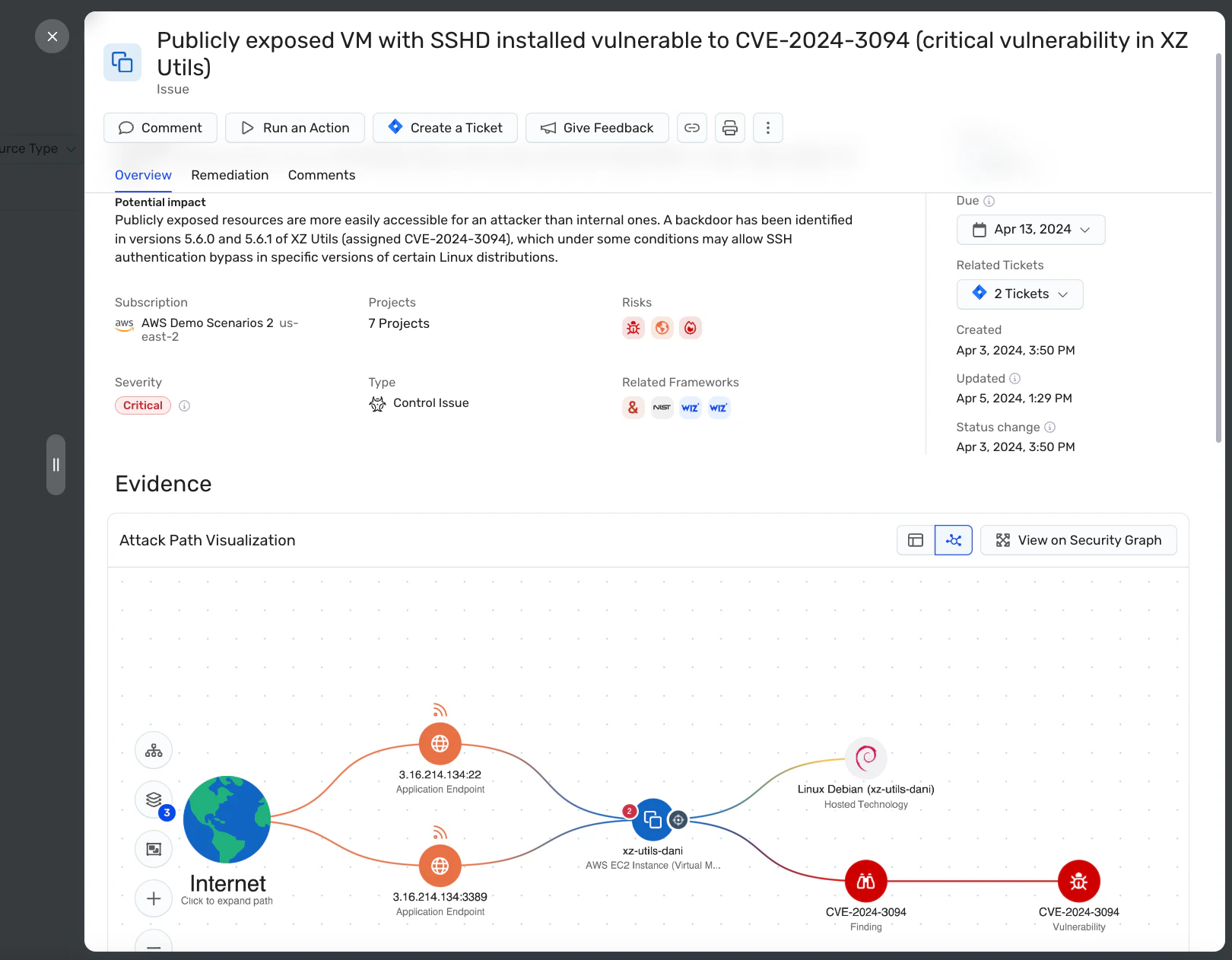
Wiz serves as the centralized orchestration and prioritization layer for open-source SBOM tools such as Syft, Grype, and Trivy. While these tools are excellent for point-in-time generation, Wiz provides the cloud context and governance necessary to scale SBOM management across the enterprise.
Key capabilities include:
Continuous, agentless inventory: Wiz automatically surfaces open-source libraries, packages, and transitive dependencies without deploying an agent, so SBOMs stay current as environments change.
Standards-first exports: Export SBOMs in CycloneDX or SPDX with package, OS, and dependency details to ensure compatibility with downstream workflows and compliance reports.
Code-to-cloud correlation: Wiz correlates SBOM data with live vulnerability data, exposed secrets, and identity context to help teams prioritize critical business risks.
Scheduled reporting at scale: Schedule SBOM reports across multiple resources, export to cloud storage like Amazon S3, or retrieve data via API to integrate into existing security workflows.
Compliance-ready artifacts: Wiz generates auditable SBOM artifacts to support U.S. Executive Order 14028, global regulations, and software supply chain reviews.
Wiz complements open-source scanners by serving as a "single source of truth." While open-source tools typically generate "flat lists" of vulnerabilities at the developer level, Wiz correlates this data with real-world cloud context to make it actionable for security teams.
Wiz’s SBOM capabilities are strongest in cloud-native environments. Teams with on-premises or air-gapped infrastructure should verify if the agentless cloud approach aligns with their architecture.
Secure Coding Best Practices
Equip your team to build resilient applications with actionable secure-coding blueprints, shift-left strategies, and practical remediation for today's most critical vulnerabilities.

Why do security teams need SBOM tools?
Modern applications rely heavily on open-source packages, third-party libraries, and transitive dependencies, where each layer represents a potential supply chain risk. When a critical vulnerability emerges, teams need a fast way to identify which applications and services are affected. SBOM tools provide that visibility by creating a machine-readable inventory that security and DevOps teams can search, analyze, and act on quickly.

That visibility improves more than incident response. SBOM tools also strengthen SCA workflows, support license compliance reviews, and help teams answer customer or auditor questions about the software components in their environments. As software supply chain expectations grow, SBOMs become an increasingly important part of security and compliance programs.
How do SBOM tools work?
SBOM tools automatically discover and catalog software components within applications, generating structured inventories that other security, compliance, and development workflows can use.
Most tools use one of three scanning methods:
Manifest scans read package manager files like package.json or Cargo.toml.
Binary scans analyze compiled binaries to trace third-party code back to source libraries.
Hybrid scans combine both to maximize coverage across container images and filesystems.
Most tools then export data in standard SBOM formats:
SPDX emphasizes license tracking and software transparency.
CycloneDX is commonly used for security and vulnerability workflows.
SWID helps identify software components in standardized ways.
Standardized output matters because it makes SBOM data portable across tools, teams, and downstream processes. Many teams also automate SBOM generation in CI/CD so every build produces an updated inventory without adding manual work.
What features should you look for in SBOM tools?
The best SBOM tools do more than generate a component list. They help security, DevOps, and engineering teams maintain accurate inventories, identify vulnerable components, manage license risk, and keep SBOM workflows current across the software lifecycle.
Look for tools that provide:
Supported formats: Make sure the tool can generate SBOMs in standard formats like SPDX or CycloneDX so you can use them across security, compliance, and customer workflows.
Language and environment support: Some tools are general-purpose, while others are designed for specific languages, ecosystems, or container environments. Choose one that fits your stack to avoid coverage gaps and manual workarounds.
CI/CD and build integration: Look for tools that plug into your CI/CD pipeline or build process so SBOMs stay current as applications change.
Depth of analysis: Strong SBOM tools can scan both manifest files and binaries, helping teams identify dependencies that may not appear in package files alone.
Automation: The best tools automate SBOM generation and updates, reducing manual effort and lowering the risk of stale inventories.
Community and maintenance: Open-source tools with active communities are more likely to stay updated, support new ecosystems, and keep pace with evolving standards.
Risk and workflow context: Some tools go beyond generation by connecting SBOM data to vulnerability findings, deployed assets, or cloud workloads. That added context helps teams prioritize real exposure instead of treating SBOMs as static records.
How to implement SBOM tools in your development workflow (step by step)
Implementing SBOM tools works best when teams treat the process as part of the software delivery workflow rather than a one-time documentation task. Follow these steps to get started:
Step 1: Choose a tool that fits your environment
Start with an SBOM tool that supports your primary language ecosystem, build systems, and container environment. General-purpose tools like Syft or cdxgen can cover polyglot applications, while ecosystem-native options such as Maven or Gradle integrations may work better for complex Java environments.
If the tool does not fit your environment, teams often end up managing exceptions, adding manual workarounds, or generating incomplete inventories.
Step 2: Standardize on an SBOM format
Choose an SBOM format early so teams can generate, share, and consume inventories consistently across workflows. SPDX is often used for license compliance and federal procurement, while CycloneDX is commonly used for security-focused workflows and vulnerability management.
Without a standard format, teams often waste time converting files manually or reconciling inconsistent outputs across tools and stakeholders.
Step 3: Automate SBOM generation in CI/CD
Embed SBOM generation directly into CI/CD pipelines so it runs automatically at build time. This helps teams generate up-to-date SBOMs for every release and reduces the risk of stale inventories.
When SBOM generation depends on manual steps, inventories quickly fall behind the code they are meant to represent, making them less useful for audits, customer requests, and vulnerability response.
Step 4: Store and manage SBOMs centrally
Store SBOMs alongside build artifacts or in centralized cloud storage so teams can retrieve them quickly during audits, incident response, or compliance reviews. Centralized storage also makes it easier to compare SBOMs across releases and track dependency drift over time.
Without a consistent storage strategy, SBOMs become hard to find, hard to trust, and difficult to use when teams need them most.
Step 5: Connect SBOM data to live risk context
As environments grow across multiple clouds, container registries, and Kubernetes clusters, teams need to connect SBOM data to the workloads where software actually runs. This makes it easier to understand which vulnerable components are present, where they are deployed, and the risks they pose in practice.
Without that context, SBOMs remain static inventories rather than actionable security data. Platforms like Wiz can help bridge this gap by connecting software inventory to cloud resources, deployed workloads, and live vulnerability findings in one view.
Streamline SBOM generation end-to-end with Wiz
As software environments grow more complex, the challenge is no longer just generating an SBOM—it’s keeping that inventory current and useful at scale. Security teams need SBOM data that updates automatically, maps to live vulnerability context, and supports audit and compliance workflows.
Wiz uses agentless SBOM capabilities to discover and catalog software components across cloud workloads, correlate that inventory with live security findings, and export SBOM data in standard formats for reporting and compliance needs. Teams can also search SBOM data across their cloud environment from a unified view, helping them identify affected components and respond faster as deployments change.
For broader software supply chain visibility from code to cloud, Wiz Code extends this context into development workflows. To explore how it works, book a demo.
Catch code risks before you deploy
Learn how Wiz Code scans IaC, containers, and pipelines to stop misconfigurations and vulnerabilities before they hit your cloud.
