


What is container scanning?
Container scanning uncovers security vulnerabilities, compliance issues, and misconfigurations within containerized environments before deployment. It forms the backbone of secure DevOps by enabling teams to detect risks in the software supply chain early and remediate them quickly.
Container scanning covers three primary layers:
Image scanning: Inspects the container image for outdated packages, exposed secrets, or known vulnerabilities in system libraries and dependencies. This process involves analyzing base images, Docker images, and application dependencies to identify common vulnerabilities and exposures (CVEs).
Configuration scanning: Examines Dockerfiles, Kubernetes manifests, and infrastructure as code (IaC) templates to verify security settings follow best practices and detect misconfigurations.
Runtime protection and scanning: Monitors active containers to detect anomalous processes or behavior that signal an attack in progress, providing real-time visibility and protection during container execution.
Together, these layers provide full visibility into your entire container lifecycle, from the code that builds your containers to the workloads that run in production.
In a DevSecOps workflow, teams shift security left by embedding automated container scanning directly into CI/CD pipelines. This process scans each container image or configuration file at creation, reducing the risk of shipping exploitable code downstream.
The selected tools comprise a mix of open-source and enterprise-grade solutions that meet three criteria:
Active community or vendor support
Compatibility with CI/CD and orchestration systems like Kubernetes
Accuracy and usability in real-world deployments
These container scanning tools showcase different approaches to balancing performance, integration depth, and security coverage, which helps teams find the best fit for their containerized environments.
Advanced Container Security Best Practices [Cheat Sheet]
This cheat sheet is designed for DevSecOps and security engineers looking to go beyond container basics and platform teams managing Kubernetes, Docker, or OpenShift environments

What are the benefits of container scanning tools?
Container scanning tools boost both the speed and security of modern software delivery pipelines. By embedding them early in the DevSecOps process, teams gain the insight and automation they need to prevent vulnerabilities before deployment.
The following benefits demonstrate why these security tools remain essential to secure cloud-native development:
Improved visibility into container security posture: Teams can map container vulnerabilities across all images and configurations, providing a clear view of which assets require attention and which remain compliant.
Faster identification and remediation of risky containers: Scanners flag specific Docker images with known vulnerabilities or misconfigurations, allowing teams to patch or rebuild them before production exposure. This vulnerability management workflow accelerates remediation across the ecosystem.
Continuous monitoring of vulnerable containers: When a newly disclosed CVE affects an existing image, automated monitoring ensures security teams can detect it quickly and respond without delay through real-time validation.
Enhanced security and regulatory compliance: Container scanning helps organizations align with standards such as NIST, ISO 27001, and HIPAA by verifying that each image meets security baselines and policy enforcement requirements through established benchmarks.
More efficient resource utilization: Early detection reduces time spent on post-deployment fixes, minimizing unplanned downtime and freeing engineering resources for innovation across DevOps workflows.
Risk-based prioritization: By combining vulnerability data with runtime and exposure context, container scanning tools help teams focus on vulnerabilities that attackers can actually exploit, reducing alert fatigue and preventing time spent on low-impact findings.
Top 5 container scanning tools
Container scanning tools help teams enhance visibility, prioritize risk, and embed security throughout their DevSecOps workflows to detect issues early. The following five solutions represent some of the most trusted and widely used options on the market:
1. Wiz
Wiz offers a comprehensive container and Kubernetes security platform that covers build time, deployment, and runtime. It also provides agentless scanning, risk correlation, and full visibility across container images, hosts, and clouds.
Key capabilities:
Real-time visibility across container images, Kubernetes clusters, cloud hosts, and serverless workloads, including runtime protection for serverless containers
Risk prioritization using The Wiz Security Graph to correlate vulnerabilities, misconfigurations, permissions, and exposure
Shift-left coverage for Dockerfiles, Kubernetes manifests, Helm charts, and IaC before deployment
Supply chain security through container image integrity verification
Build to runtime coverage, establishing a new standard for container image visibility
Best for: Enterprise teams seeking a unified platform that secures containers, Kubernetes, and cloud workloads while fostering collaboration between security and development teams
2. Trivy
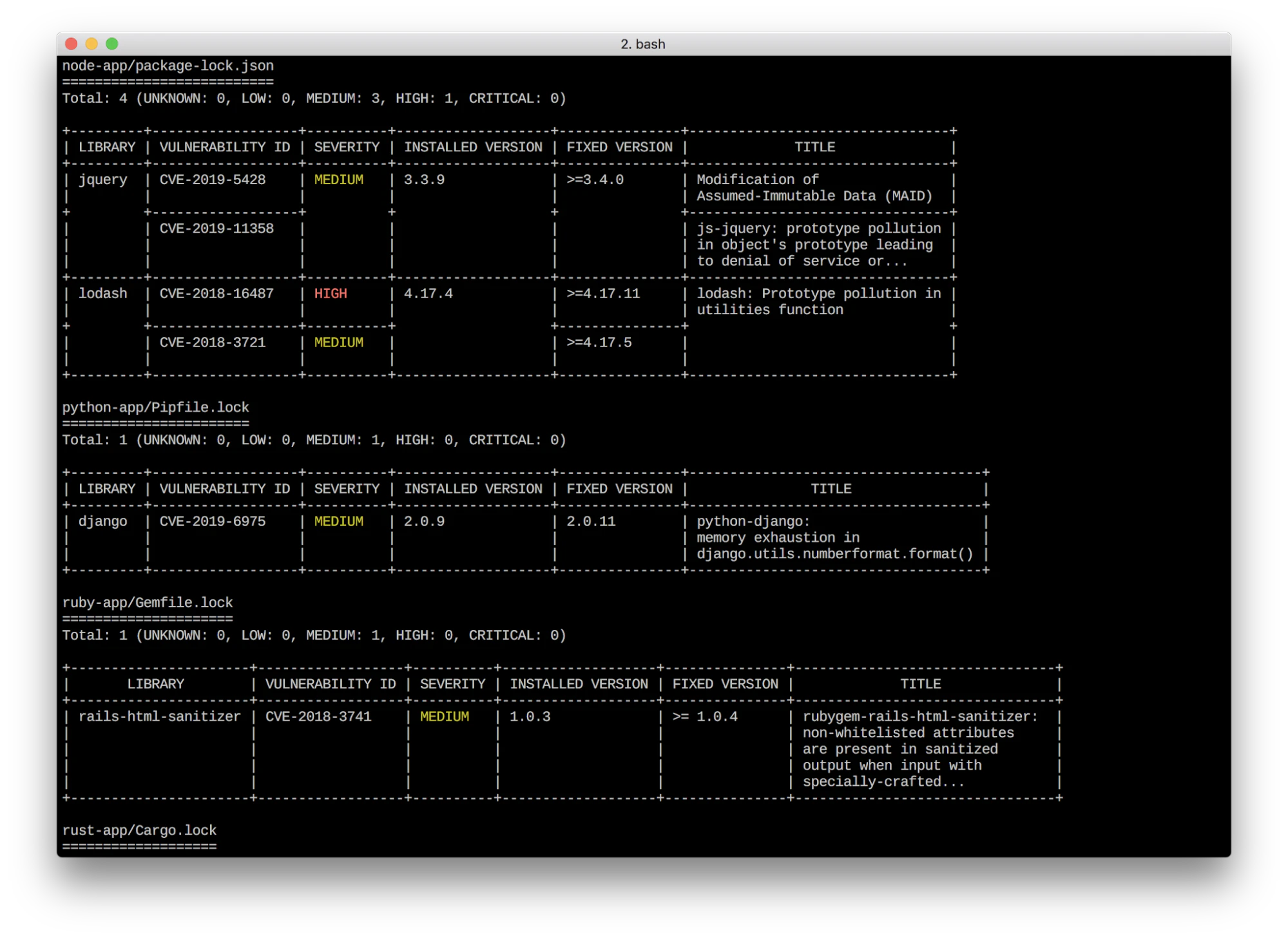
Trivy, by Aqua Security, is a fast, open-source vulnerability and misconfiguration scanner that inspects container images, file systems, and IaC. It integrates with GitHub and other repositories for seamless vulnerability scanning.
Key capabilities:
Broad vulnerability coverage for operating system packages, language dependencies, and Docker containers
Easy CI/CD integration requiring minimal setup and a single command-line installation
Community-driven updates through GitHub with flexible configuration options for open-source users
Support for scanning SBOMs and generating metadata for application security
Best for: Development teams seeking a lightweight, rapid, open-source scanner that integrates directly into CI pipelines
3. Grype
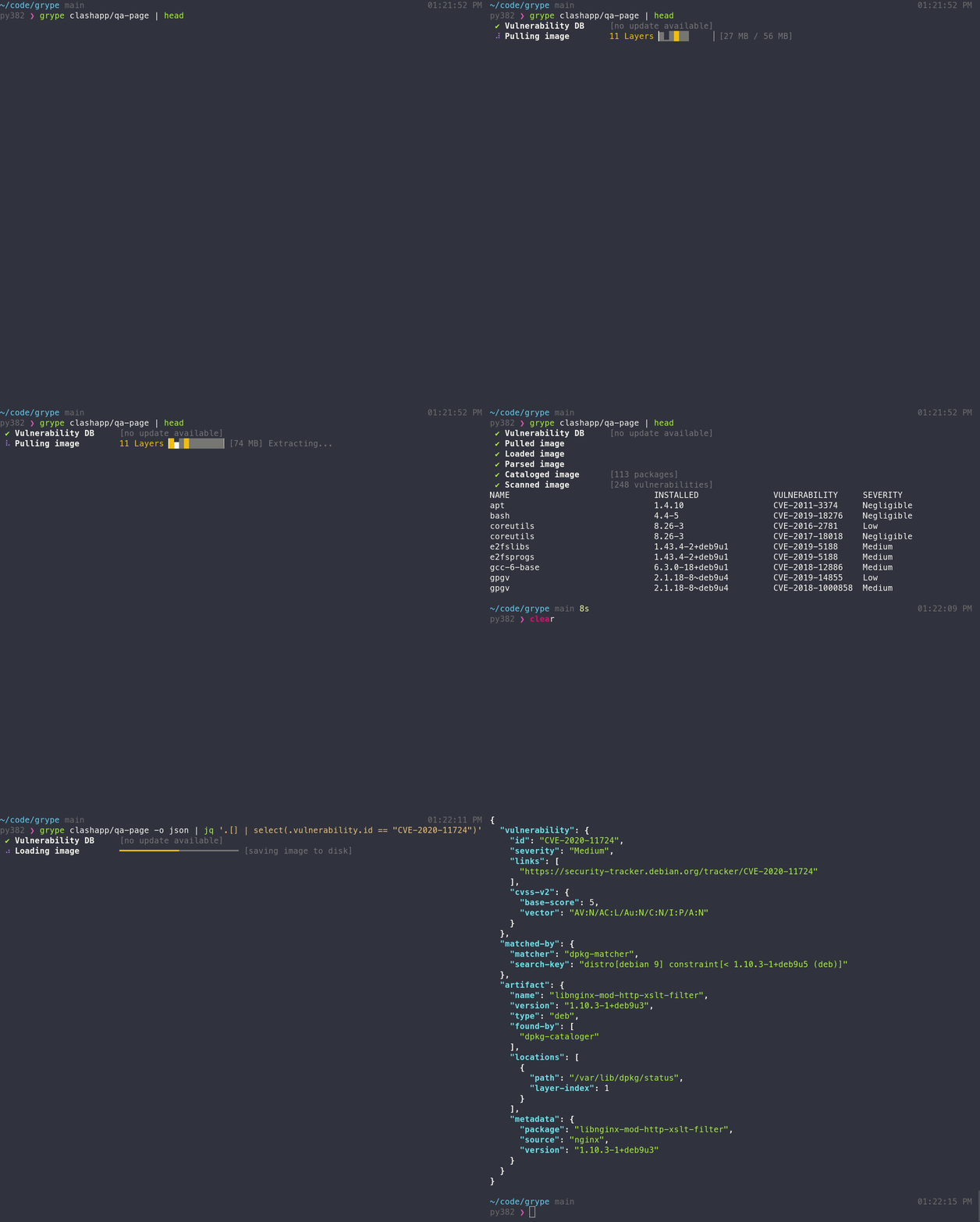
Grype, by Anchore, is an open-source vulnerability scanner for container images and local file systems. It prioritizes accuracy, transparency, and strong API support for SBOM integration.
Key capabilities:
Scanning of Docker and OCI images, file systems, and SBOMs for known vulnerabilities
Support for SBOM-based workflows and multiple output formats, such as CycloneDX and JSON
Seamless integration into CI/CD pipelines for early vulnerability detection
Software composition analysis for tracking dependencies across containerized applications
Best for: Teams prioritizing open-source tooling and SBOM workflows that complement larger platforms or fit lightweight CI/CD environments
4. Aqua Security
Aqua Security provides full lifecycle protection for containerized and cloud-native applications. It combines pre-deployment scanning, runtime controls, and compliance management into a single security platform spanning the container lifecycle.
Key capabilities:
Image scanning and configuration scanning paired with runtime threat detection and policy enforcement
Cloud-native application protection across containers, Kubernetes, and serverless workloads
Deep integration with CI/CD systems, container registries, and orchestration platforms, such as GitLab
Role-based access control for managing security policies across distributed teams
Best for: Organizations requiring end-to-end container security coverage and enterprise-grade compliance management with robust security testing capabilities
5. Prisma Cloud
Prisma Cloud, from Palo Alto Networks, provides container security as a component of a broader cloud-native application protection platform (CNAPP). It offers continuous protection across images, repositories, pipelines, and multi-cloud environments.
Key capabilities:
Full lifecycle scanning, from build to runtime, incorporating automated policy enforcement and guardrails
Unified visibility across hosts, Docker containers, serverless workloads, and hybrid or multi-cloud environments, including AWS, Azure, and Linux systems
Compliance monitoring and configuration checks aligned with major industry standards
Advanced functionality for managing security issues across cloud workloads
Best for: Large enterprises operating across hybrid or multi-cloud environments requiring unified visibility and container security alongside broader cloud workload protection
Watch 12-min demo
See how agentless container scanning fits into the Wiz Security Graph to provide full context.

What features should you look for in a container scanning tool?
Choosing the right container scanning tool goes beyond basic vulnerability detection. Comprehensive solutions also deliver deep visibility, seamless integration, scalable automation, built-in compliance support, and unified visibility across environments.
Prioritize the following key features to enhance both security and efficiency:
Depth of visibility
A robust container scanning platform delivers insight into every layer of the container ecosystem, from base images and dependencies to running workloads and underlying cloud infrastructure. Beyond surface-level visibility, the most effective tools add context by illustrating how vulnerabilities behave in real environments, including whether a container is exposed to the internet, connected to sensitive data, or reachable through lateral movement paths.
This contextual insight helps teams trace security issues back to specific image layers or runtime behaviors, reduce blind spots, and prioritize critical risks. For example, WizOS transforms container security from the image up by correlating operating system and application-layer findings with runtime and cloud context.
Ease of integration
Effective container scanning tools fit naturally within existing DevSecOps workflows. The best options integrate directly into build pipelines, work with container registries, and align with orchestration platforms like Kubernetes and Docker. Seamless integration allows developers to maintain speed while ensuring consistent security across use cases.
Automation and scalability
Modern environments evolve by the minute as containers spin up, scale out, and retire. A capable tool automates vulnerability scanning during build, registry push, and runtime, eliminating the need for manual triggers. Scalable automation ensures continuous coverage across thousands of images, Kubernetes clusters, and workloads, keeping pace with fast-moving CI/CD pipelines and DevOps practices.
Compliance support
Organizations often operate under frameworks like HIPAA, NIST, and PCI DSS. Effective container scanning platforms incorporate policy enforcement, automated configuration checks, and exportable audit reports to meet these standards. Embedding compliance into the scanning workflow saves time and minimizes human error by ensuring consistent validation and adherence to security policies.
Unified visibility
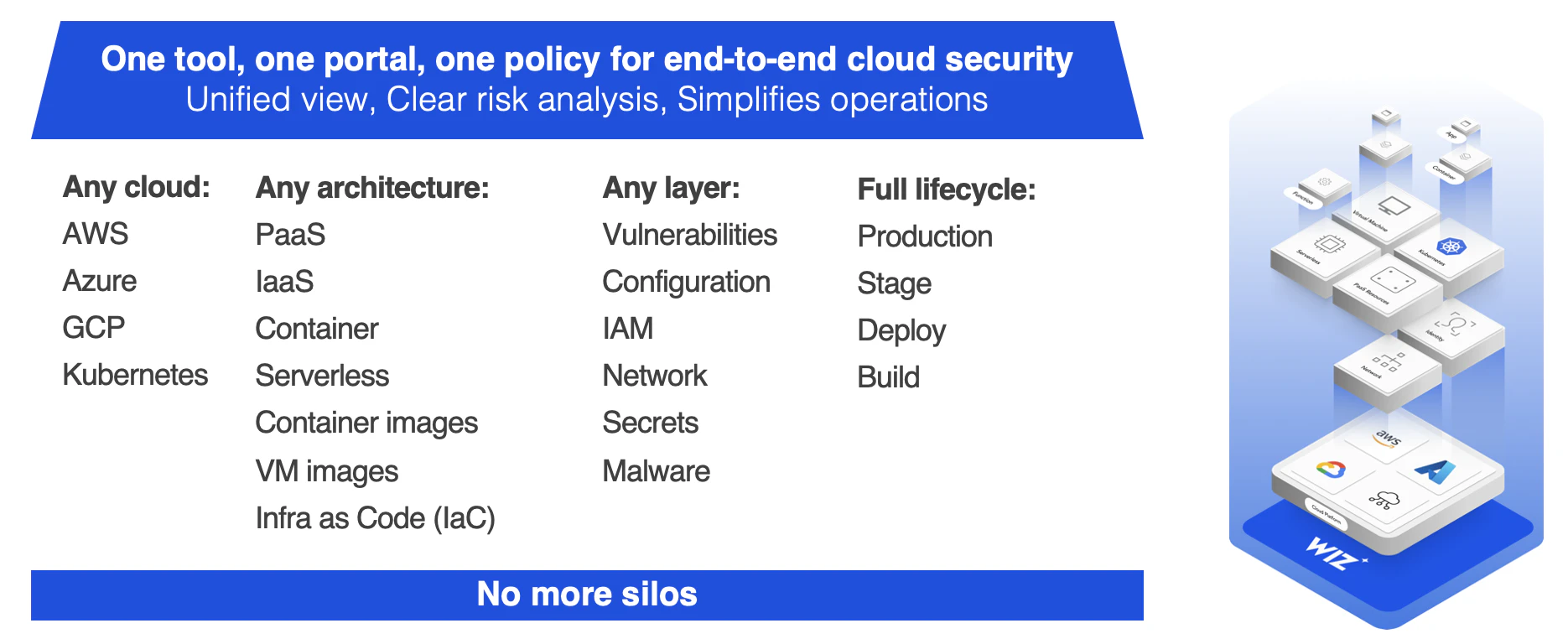
In complex, cloud-native environments, security must address multiple layers. A best-in-class scanner consolidates image scanning, configuration, runtime security, and cloud workload data into a single dashboard. Unified visibility enables security, development, and operations teams to collaborate from a shared risk map and respond faster to potential threats and security issues.
How can teams implement container scanning?
Container scanning delivers maximum value when embedded into the software delivery process rather than treated as an afterthought. Integrating scanning into CI/CD and DevSecOps workflows enables teams to surface vulnerabilities early, maintain consistent policies, and accelerate development without sacrificing security.
The following practices demonstrate how teams can effectively implement container scanning:
Shift-left scanning
Embedding container scanning at the beginning of the development lifecycle helps teams detect vulnerabilities before they reach production. Shift-left scanning integrates scanners directly into CI pipelines and automatically reviews every build, image, or configuration.
Treat each container image as code. Add scanning stages to existing build jobs so the build automatically fails if a vulnerability appears. Automating these checks prevents vulnerable images from reaching the container registry and ensures that developers address security issues while the context is fresh. Wiz mitigates risks across the container development lifecycle through comprehensive scanning at every stage.
Defense in depth
Container scanning is most effective when paired with layered security measures. Defense in depth requires combining static image analysis, runtime monitoring, and configuration auditing. Each layer provides a safety net that catches what others might miss, creating robust application security.
Run image scanning before deployment, runtime scans after containers start, and configuration checks on Kubernetes manifests and IaC templates.
This continuous analysis loop ensures that no single control becomes a single point of failure. Identifying container escape vulnerabilities, such as Leaky Vessels, reinforces the importance of multiple security layers. Use complementary tools, such as Falco, for enhanced runtime protection.
Policy management
Policy management ensures that scanning results translate into real governance rather than unprioritized alerts across your cybersecurity program.
Define policies that align with your organization's risk tolerance. For example, automatically block images with high-severity CVEs or require approvals for noncompliant configurations.
Most modern platforms let teams codify these rules as policy as code, ensuring that every scan enforces the same standards across environments. Sailing securely across the SDLC requires integrated image trust and Kubernetes auditing capabilities.
Insert guided tour CTA
Enhance your security posture with Wiz container scanning
Container scanning is an essential first step toward securing cloud-native applications, but it's only part of the bigger picture. Identifying vulnerabilities without context can overwhelm teams with alerts, making it difficult to determine which risks to focus on. Achieve true protection by pairing scanning with intelligent prioritization, continuous monitoring, and integrated cloud visibility.
Wiz unites these elements into its CNAPP, delivering full visibility, contextual risk analysis, and seamless DevSecOps integration:
Full visibility: Wiz delivers agentless coverage across container images, Kubernetes clusters, and cloud environments, including AWS and Azure. Teams can trace every vulnerability back to its source, whether it originates in code, an image layer, or runtime behavior across containerized applications.
Contextual prioritization: Wiz's Security Graph correlates vulnerabilities, permissions, and exposure paths to reveal which security issues create the greatest real-world risk. This context allows teams to act on what's truly critical rather than sorting through false positives.
CNAPP integration: Container scanning within Wiz isn't a standalone feature—it's part of a connected platform that unifies workload protection, compliance monitoring, and identity analysis. By linking these layers, Wiz helps teams detect threats faster and enforce consistent security policies across the entire cloud stack.
Container scanning alone can identify surface-level flaws, but without broader context, remediation becomes reactive instead of strategic. Wiz eliminates that gap by connecting container-level insights to your overall cloud environment. The result is a proactive security posture where every container scan enhances both the speed and the safety of your operations.
Ready to explore how Wiz container scanning can fit into your DevSecOps workflow? Try Wiz’s free Kubernetes security assessment today to see the difference contextual security makes.
Automate container security with agentless scanning
Get a hands-on look at how Wiz scans your containers for vulnerabilities, and how WizOS base images can cut your CVE count down to near zero.

FAQ
Below are questions frequently asked about container scanning tools:
Related Tool Roundups