
What is SaaS security?
SaaS security is the practice of protecting cloud-hosted software applications and the data they process from unauthorized access, misconfigurations, and compliance violations.
Unlike traditional infrastructure or application security, SaaS security focuses on securing user access, third-party integrations, and application configurations within software you don't directly control.
What sets SaaS apart from IaaS and PaaS is the shared responsibility model. The provider manages the application stack, while you remain responsible for your users, data, integrations, and security configurations.
The three main cloud service models differ in where security responsibilities sit:
Infrastructure-as-a-service (IaaS) security focuses on protecting virtual machines, storage, and networking components controlled by the customer within a cloud environment.
Platform-as-a-service (PaaS) security involves securing development platforms, databases, and services used for application deployment.
SaaS security centers on securing data, user access, integrations, and compliance within a third-party application that is fully managed by the SaaS provider.
Responsibility varies depending on the type of SaaS application — a collaboration tool, a cloud database, and a CRM platform each carry different security obligations for the customer.
The SaaS provider is responsible for securing the underlying infrastructure, maintaining application uptime, and implementing built-in controls such as encryption, access management, and compliance frameworks.
The customer is responsible for configuring security settings appropriately, managing user access controls, classifying sensitive data, reviewing third-party integrations, monitoring user activities, and ensuring compliance with internal policies and regulatory requirements.
Data Governance and Compliance
This Guide to Data Governance and Compliance in the Cloud provides a straightforward, 7-step framework to help you strengthen your cloud governance approach with confidence.

Why SaaS security matters
SaaS adoption has expanded the enterprise attack surface, and misconfiguration is the most direct path in. Wiz's Cloud Data Security Snapshot found that 29% of cloud environments contain exposed assets with personal information. This shows how easily sensitive data becomes accessible when security controls aren't consistently applied across SaaS applications. A single over-permissioned account or misconfigured sharing setting is often all it takes.
The impact of a SaaS breach extends beyond data loss. Breaches can trigger regulatory penalties under frameworks such as GDPR, SOC 2, and HIPAA, disrupt business operations, and damage customer trust in ways that take months to recover from.
The shared responsibility model adds another layer of complexity. While SaaS providers secure the underlying service, organizations remain responsible for managing identities, access, configurations, and data. Yet the Cloud Security Alliance's 2025 State of SaaS Security report found that 63% of organizations report external data oversharing, with 56% of employees admitting to uploading sensitive data to unauthorized SaaS applications.
As SaaS adoption grows, maintaining visibility and consistent security controls becomes increasingly difficult.
Common SaaS security risks and threats
The most common SaaS security risks include data breaches, insider threats, misconfigurations, compliance violations, third-party integration risks, OAuth token misuse, and session hijacking.
Several high-profile breaches have demonstrated the risks associated with misconfigured access and third-party integrations in SaaS environments. One notable example is the LastPass breach, where attackers gained access to encrypted password vaults due to compromised developer credentials. This breach underscored the critical need to safeguard privileged credentials.
Wiz's 2025 Cloud Attack Retrospective report found that 26% of publicly reported cloud breaches began with the exploitation of public-facing applications, often due to misconfigurations or weak access controls, reinforcing the importance of securing SaaS configurations and privileged access.
Here's a closer look at common SaaS security risks and threats to look out for:
Data breaches: Misconfigurations, weak access controls, or insufficient encryption measures can lead to unauthorized access to sensitive customer or corporate data, potentially resulting in financial and reputational damage.
Insider threats: Employees or third-party vendors could exploit their access privileges, either deliberately or accidentally, resulting in data leaks, financial fraud, or other security incidents. Since these individuals have legitimate credentials, identifying and mitigating insider threats requires continuous monitoring, behavioral analysis, and strict access controls.
Misconfigurations: Default security settings or incorrect configurations, such as overly permissive sharing settings or lack of encryption, can expose data to unauthorized parties and increase the risk of breaches.
Compliance violations: Organizations that fail to meet regulatory requirements like GDPR, SOC 2, or HIPAA risk severe penalties and legal consequences. Compliance lapses may result from poor data protection policies, lack of auditing, or inadequate security measures.
Third-party integrations: SaaS applications frequently connect with external tools and services, which may introduce security risks if not properly managed. Weak API security, excessive permissions, and insufficient monitoring of third-party applications can create significant security gaps.
OAuth token misuse: Attackers often exploit OAuth tokens to gain unauthorized access to SaaS applications by leveraging token-based authentication flaws to compromise accounts and steal data.
Session hijacking: Stolen session cookies or weak session management mechanisms have allowed attackers to impersonate legitimate users, leading to unauthorized access and data theft.
Key SaaS security challenges
Securing SaaS applications becomes more difficult as organizations adopt more applications, users, integrations, and identities. Unlike individual security risks, these challenges make it harder to maintain oversight, enforce consistent policies, and respond quickly as SaaS environments evolve.
Shadow IT and SaaS sprawl
Business teams regularly adopt new SaaS applications without going through formal procurement or security review.
Tool sprawl compounds this visibility problem. 58% of organizations now run more than 25 security tools, with larger enterprises often running 50 or more, and nearly half of CISOs say cloud complexity and tool sprawl are actively holding back their security program.
The result is a growing inventory of unsanctioned applications and overlapping tools that security teams can't monitor or secure effectively.
Configuration complexity
Every SaaS application has its own security settings, permission model, and sharing controls. A secure configuration in Salesforce looks very different from one in Slack or Google Workspace, making it difficult to apply consistent security policies across dozens of platforms. As environments grow, configuration drift and inconsistent security settings become increasingly difficult to detect and remediate.
Multi-tenancy
SaaS applications run multiple customer environments on shared infrastructure. While providers are responsible for isolating tenants, organizations have limited visibility into those underlying controls. Any weakness in tenant isolation or the provider's security architecture could increase the risk of data exposure.
Dynamic access management
Users, contractors, partners, and service accounts constantly gain, change, and lose access to SaaS applications. Without continuous monitoring and regular access reviews, permissions quickly become outdated or excessive.
Maintaining accurate visibility into identities and permissions remains one of the biggest operational challenges in SaaS security.
Key components of SaaS security
A strong SaaS security program combines multiple security controls to protect identities, data, applications, and configurations. Together, these capabilities help reduce risk across your SaaS environment.
Identity and access management (IAM) regulates access to SaaS applications, ensuring that users have only the permissions they need and nothing more.
API security protects SaaS applications from exploitation through strong authentication methods such as OAuth 2.0 and OpenID Connect, rate limiting, and input validation.
Data security and encryption protect sensitive information both at rest and in transit. Encryption keeps data secure from unauthorized access, while data loss prevention (DLP) policies help stop accidental or malicious data leaks.
Monitoring and threat detection keep a close watch on user activities, security configurations, and access patterns across your SaaS applications to catch suspicious behavior early.
Compliance and governance ensure that organizations meet industry standards such as GDPR, SOC 2, HIPAA, and ISO 27001. Regular audits of SaaS applications help maintain compliance and address any security gaps before they lead to regulatory violations.
Security posture management focuses on identifying and remediating misconfigurations within SaaS environments. Full visibility into security settings and the right policies in place let you proactively minimize risks that come with improper configurations.
Watch 12-min demo
Watch the demo to learn how Wiz Cloud finds toxic combinations across misconfigurations, identities, data exposure, and vulnerabilities—without agents.

SaaS security best practices
Strong SaaS security depends on consistent controls across applications, identities, and integrations. These best practices help reduce the risk of misconfigurations, excessive permissions, and unauthorized access as your SaaS environment grows.
Adopt SaaS security posture management (SSPM): SSPM tools continuously identify misconfigurations, excessive permissions, and compliance gaps across your SaaS applications. For example, Wiz can detect insecure sharing settings in Google Workspace alongside excessive Salesforce permissions, giving security teams a single view of SaaS risks.
Enforce strong identity and access management (IAM): Apply role-based access control (RBAC) and the principle of least privilege across every SaaS application. Regular access reviews help remove unnecessary permissions before they become security risks.
Require multi-factor authentication (MFA): MFA significantly reduces the risk of compromised credentials leading to account takeover. Prioritize enforcement for administrators, privileged users, and anyone with access to sensitive business data.
Encrypt data at rest and in transit: Encryption helps protect sensitive information if storage systems or network traffic are compromised. Confirm that encryption is enabled by default and aligns with your organization's security requirements.
Audit third-party integrations: Review connected applications and API integrations regularly. Remove unused integrations and restrict permissions to the minimum access required for each service.
Implement continuous monitoring: Monitor login activity, configuration changes, permission updates, and unusual data access patterns. Automated alerts help security teams respond to suspicious activity before it develops into a larger incident.
Train employees on SaaS security: Educate users on phishing, secure data sharing, shadow IT, and responsible use of SaaS applications. Regular training reduces the human errors that commonly lead to SaaS security incidents.
Maintain an incident response plan: Define clear procedures for containing SaaS security incidents, revoking compromised access, recovering affected accounts, and restoring normal operations. Test the plan regularly so teams can respond effectively during a real incident.
How to integrate SaaS security into your cloud strategy
SaaS applications don't operate in isolation, so neither should their security. Integrating SaaS security into your broader cloud security strategy gives security teams a complete view of identities, infrastructure, applications, and data.
Using CSPM, SSPM, and SSE for SaaS security
Cloud security posture management (CSPM) tools identify and remediate security risks across cloud infrastructure, but they have limited visibility into SaaS-specific configurations and user activity.
SaaS security posture management (SSPM) tools complement CSPM by monitoring SaaS applications such as Microsoft 365, Salesforce, and Slack. They identify misconfigurations, excessive permissions, insecure data-sharing settings, and third-party integration risks that infrastructure-focused tools can't see.
Security service edge (SSE) solutions secure user access to SaaS applications by enforcing zero-trust policies, inspecting traffic, and applying data protection controls in real time.
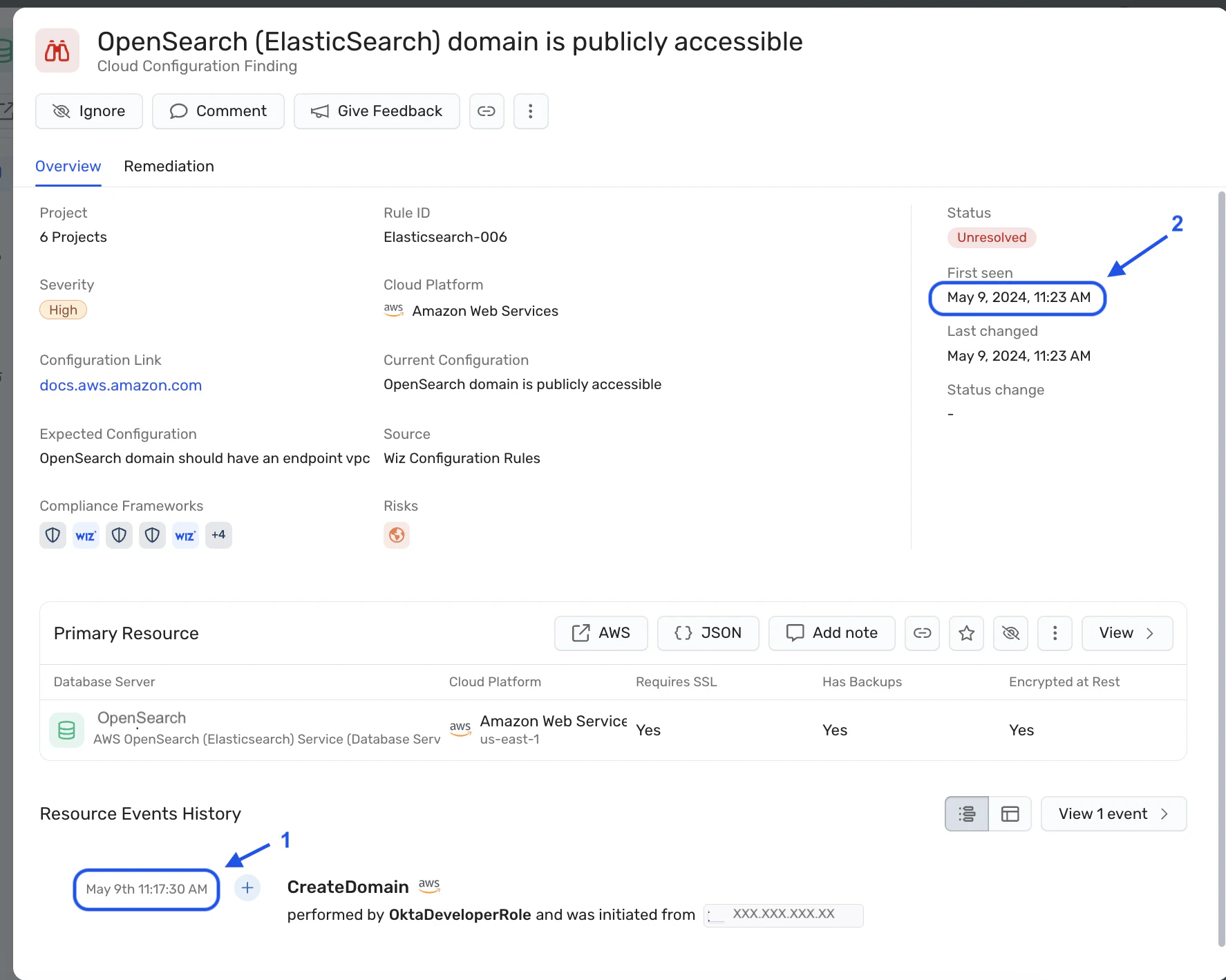
Ensure visibility across hybrid and multi-cloud environments
Organizations rarely rely on a single cloud provider or SaaS platform. Centralizing visibility across cloud infrastructure and SaaS applications helps security teams identify risks that span identities, workloads, and applications, reducing blind spots and improving incident response.
Strengthening SaaS security with SSPM
SaaS security posture management (SSPM) continuously monitors your SaaS applications for misconfigurations, excessive permissions, and compliance gaps. It automates configuration reviews across dozens or hundreds of applications, helping security teams identify risks that would be difficult to detect manually.
CSPM tools like Wiz extend SSPM through a CNAPP platform, placing SaaS risks in the context of your broader cloud environment. Through SSPM connectors for applications including Snowflake, Salesforce, and Google Workspace, Wiz correlates SaaS misconfigurations with infrastructure, identities, vulnerabilities, and exposure data. This unified context helps security teams prioritize the risks that matter most and automate remediation where appropriate.
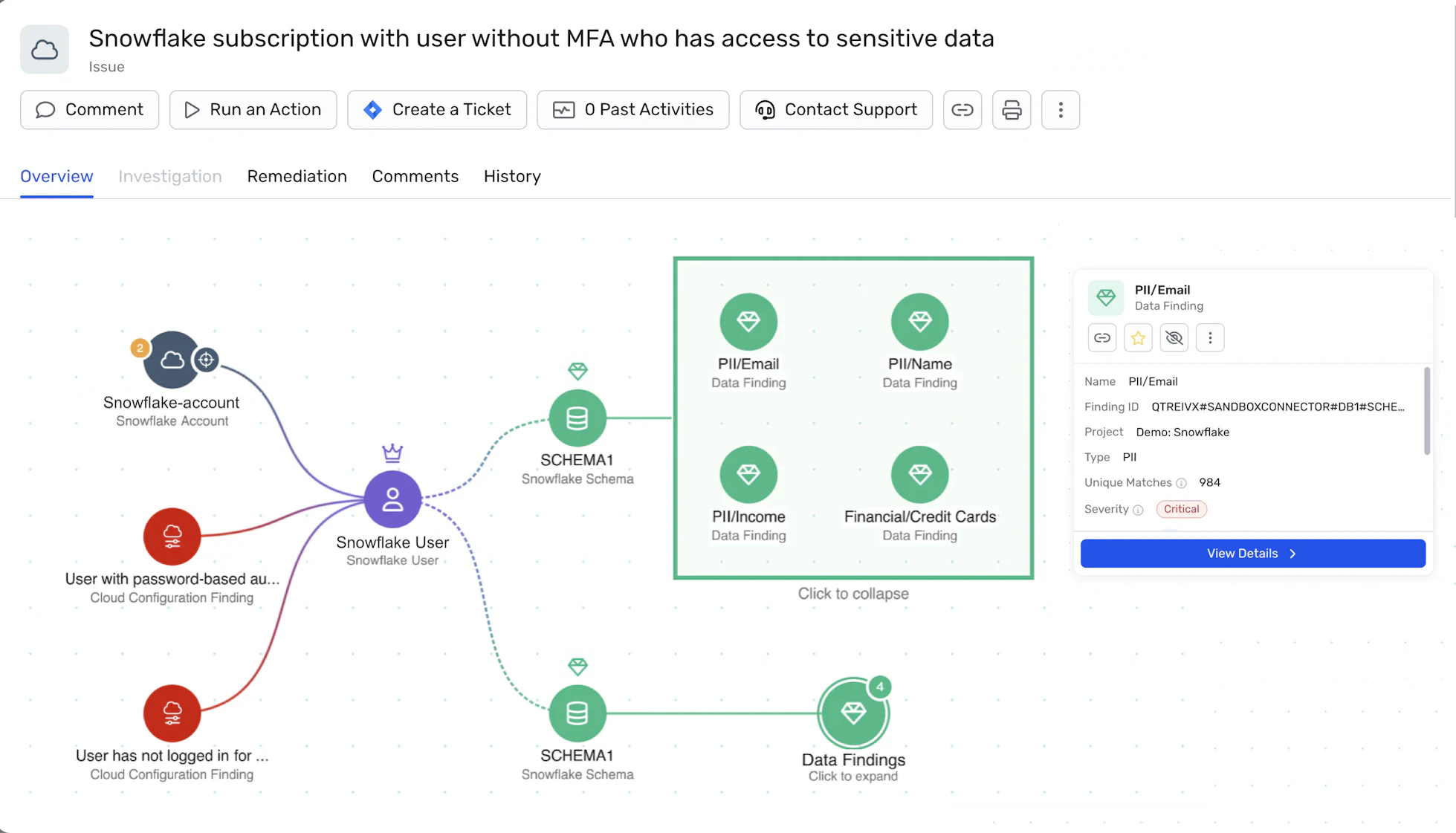
In practice, SSPM tools handle three core functions that would be nearly impossible to manage manually at scale:
Visibility and risk assessment: Continuously identify misconfigurations, excessive permissions, and security weaknesses across SaaS applications.
Threat detection and compliance management: Monitor security posture against frameworks such as SOC 2, GDPR, and HIPAA while identifying suspicious activity and policy violations.
Automated remediation: Reduce manual effort by enforcing policies and correcting common misconfigurations before they become security risks.
Secure your SaaS stack with Wiz
Wiz extends SaaS security posture management (SSPM) through its CNAPP platform, giving security teams a unified view of SaaS applications, cloud infrastructure, identities, and exposures. By correlating risks across environments, Wiz helps teams prioritize and remediate the issues with the greatest real-world impact while maintaining continuous compliance.
As organizations adopt AI-powered applications, Wiz AI-APP extends that same visibility to AI workloads, helping secure AI risk alongside the rest of your cloud environment.
See how Wiz can strengthen your SaaS security posture. Get a demo
Secure your SaaS footprint with Wiz
Request a demo to see how Wiz delivers complete visibility across your SaaS applications, misconfigurations, and identity risks in a single platform.
